Technical Indicator

Mastering the Heiken Ashi Smoothed Indicator for MetaTrader 5
MetaTrader5
Mastering the Heiken Ashi Smoothed Indicator for MetaTrader 5

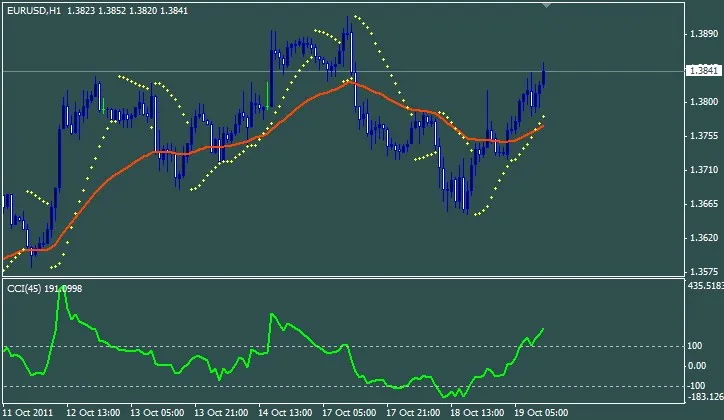
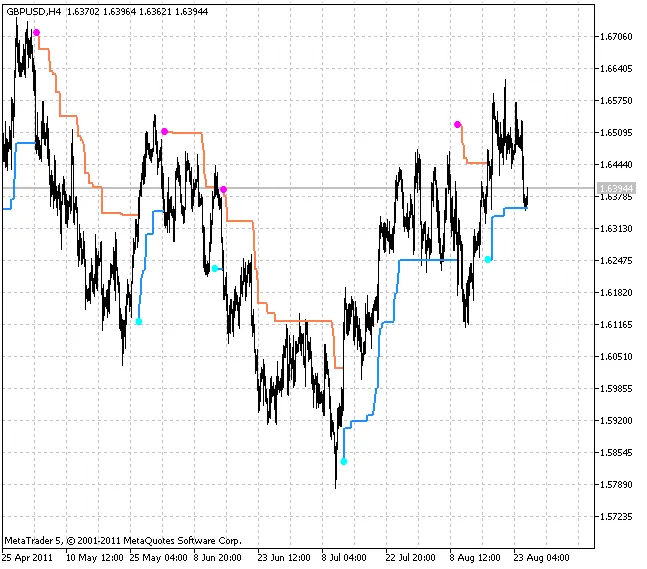
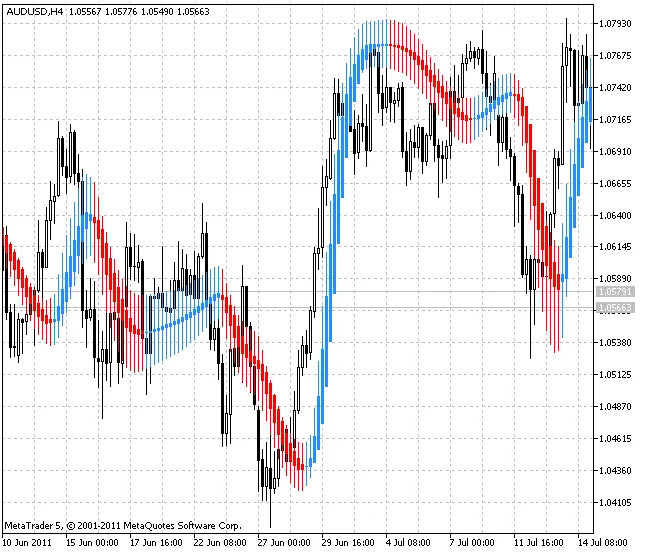
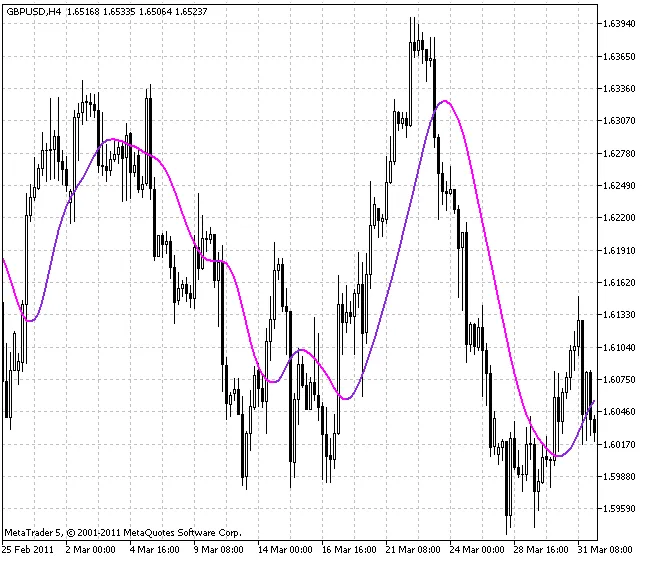
The Heiken Ashi Smoothed indicator is a twist on the classic Heiken Ashi tool that many traders swear by. What sets it apart? Instead of using the current price values, it leverages smoothed price data. This nifty method helps filter out those pesky false signals that can often lead you astray when using standard calculations. This indicator also gives you the flexibility to choose your smoothing method from a variety of options: SMA – Simple Moving Average; EMA – Exponential Moving Average; SMMA – Smoothed Moving Average; LWMA – Linear Weighted Moving Average; JJMA – JMA Adaptive Average; JurX – Ultralinear Smoothing; ParMA – Parabolic Smoothing; T3 – Tillson's Multiple Exponential Smoothing; VIDYA – Smoothing using Tushar Chande's Algorithm; AMA – Smoothing with Perry Kaufman's Algorithm. It's worth noting that the Phase1 and Phase2 parameters take on different roles depending on the smoothing algorithm you choose. For instance, with JMA, the Phase variable can range from -100 to +100. For T3, it refers to a smoothing ratio multiplied by 100 for easier visualization. Meanwhile, VIDYA's Phase parameter corresponds to a CMO oscillator period, and for AMA, it's tied to a slow EMA period (with the fast EMA set to a default value of 2). To get started, you'll need to copy the SmoothAlgorithms.mqh library classes into your terminal_data_folder\MQL5\Include. For a deep dive into how these classes work, check out the article "Averaging Price Series for Intermediate Calculations Without Using Additional Buffers". The Heiken Ashi Smoothed indicator is available in two formats – for the main chart window: And for an additional chart window:

2011.10.12
Unlocking the AT_CF Indicator for MetaTrader 5: A Comprehensive Guide
MetaTrader5
Unlocking the AT_CF Indicator for MetaTrader 5: A Comprehensive Guide

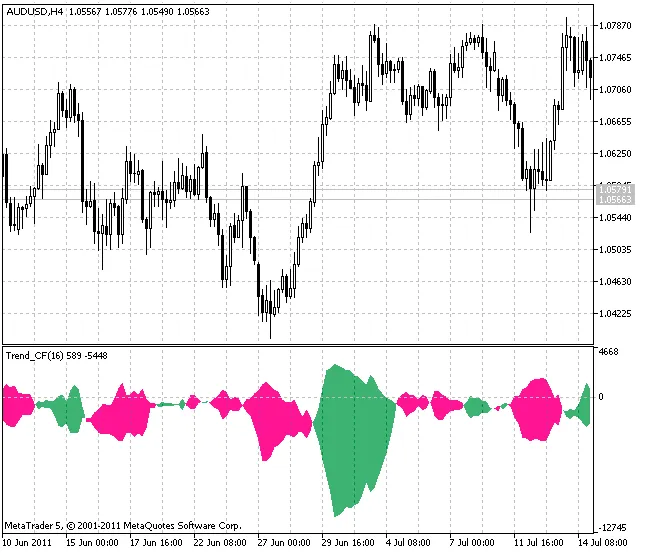
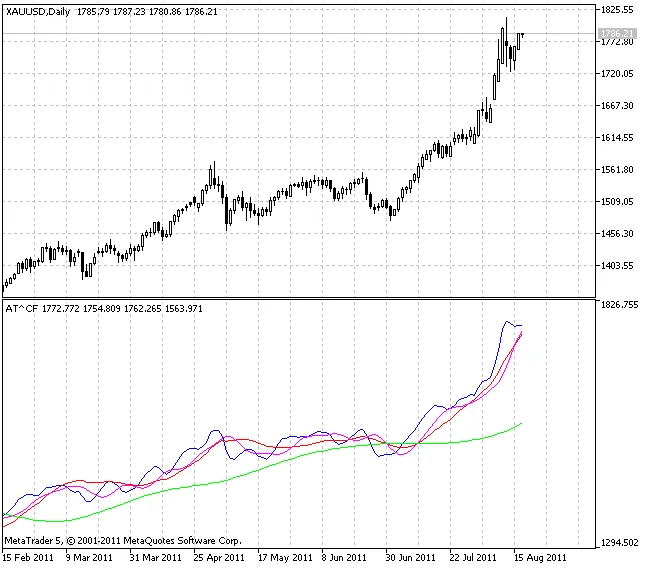
Author: Vladimir Kravchuk "New Adaptive Method of Following the Tendency and Market Cycles" The AT_CF indicator is a powerful tool that integrates four distinct digital filters (FATL, SATL, RFTL, and RSTL) into a single window. This setup is based on Vladimir Kravchuk's unique method, designed to streamline your trading strategy. The core idea behind the AT_CF method is to minimize the number of technical tools while ensuring they deliver the necessary properties for constructing a robust trading algorithm. This algorithm aims to maximize profitability while keeping risks at a manageable level for specific market conditions. Here are some basic rules for interpreting the indicators: Rising SATL Line: This indicates a bullish market trend. The local minimum of the SATL signifies the start of a bearish trend reversal. Conversely, when the STLM moves from negative to positive, it marks the end of the bearish trend. Falling SATL Line: This shows a bearish market trend. The local maximum of the SATL indicates the beginning of a bullish trend reversal, while a shift of the STLM from positive to negative signals the end of the bullish trend. SATL Near Horizontal: This indicates a neutral market position. Pay special attention to the STLM readings. A positive STLM value points to a bullish trend, while a negative one suggests a bearish trend. Remember, STLM is a leading indicator; its local minimum always precedes the SATL local minimum, and the same goes for local maximums. When the STLM reaches its extreme points, it can indicate that the SATL curve may also be nearing a top or bottom. An increasing STLM alongside a rising SATL suggests an acceleration of the bullish trend, while a steady or horizontal positive STLM indicates a stable bullish environment. The larger the absolute value of the STLM, the stronger the bullish sentiment becomes. Conversely, a falling STLM during a declining SATL indicates accelerating bearish momentum. Horizontal and negative STLM with a rising SATL indicates a steady bearish trend; again, a larger STLM absolute value signifies a stronger bearish trend. A rising "fast" FATL trend line alongside an increasing "slow" SATL trend line points to a strong bullish market. A falling "fast" FATL line with a declining "slow" SATL line signals a strong bearish market. An increasing FATL line when the SATL is falling suggests a bullish correction in a bearish trend or a phase of consolidation. A decreasing FATL line when the SATL is rising indicates a bearish correction in a bullish trend or consolidation. If the FATL and SATL lines begin moving in the same direction, it can signal a trend reversal or the end of a correction, leading to a continuation of the price movement towards the SATL.

2011.10.07
Mastering the Chaikin Oscillator: A Trader's Guide for MetaTrader 5
MetaTrader5
Mastering the Chaikin Oscillator: A Trader's Guide for MetaTrader 5

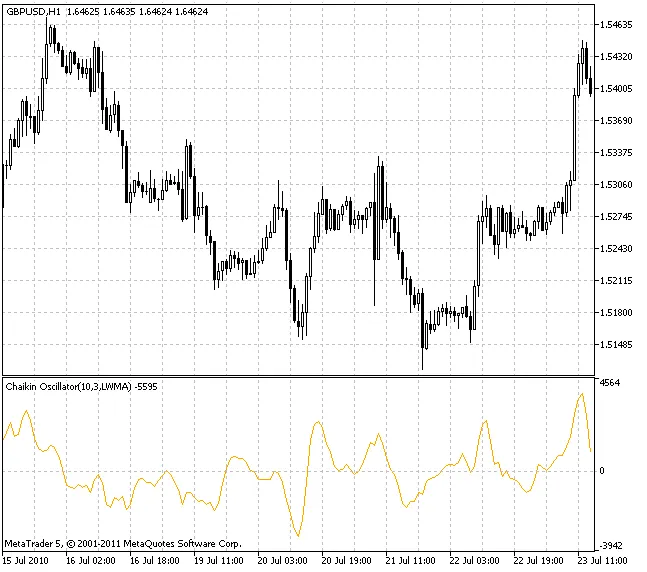
Chaikin Oscillator is a popular tool named after its creator, Marc Chaikin. This indicator is built on the principles of the Accumulation/Distribution indicator, along with insights from trading legends like Joe Granville and Larry Williams. The version of the Chaikin Oscillator available in MetaTrader 5 offers flexibility with its smoothing options. You can choose from ten different smoothing algorithms: SMA - Simple Moving Average; EMA - Exponential Moving Average; SMMA - Smoothed Moving Average; LWMA - Linear Weighted Moving Average; JJMA - JMA Adaptive Average; JurX - Ultralinear Smoothing; ParMA - Parabolic Smoothing; T3 - Tillson's Multiple Exponential Smoothing; VIDYA - Smoothing Using Tushar Chande's Algorithm; AMA - Smoothing Using Perry Kaufman's Algorithm. It's important to remember that the Phase parameter has different implications based on the smoothing algorithm you're using: For JMA, it adjusts from -100 to +100; For T3, it expresses a smoothing ratio multiplied by 100 for clarity; For VIDYA, it represents the CMO period, while for AMA, it's about the slow EMA period; AMA's fast EMA period is typically set at a fixed value of 2, which is also the ratio for raising the power. To use this indicator effectively, you'll need to incorporate the SmoothAlgorithms.mqh library classes (ensure these are copied to the terminal_data_folder/MQL5/Include). For a detailed guide on using these classes, check out the article "Averaging Price Series for Intermediate Calculations Without Using Additional Buffers".

2011.10.07
Understanding Spearman's Rank Correlation: A Key Indicator for MetaTrader 5
MetaTrader5
Understanding Spearman's Rank Correlation: A Key Indicator for MetaTrader 5

Author: Rosh Spearman's Rank Correlation is a handy, non-parametric method for analyzing the relationship between two variables. It's great for traders who want to understand how closely related different market factors are without getting bogged down by complex statistics. How to Calculate Spearman's Rank Correlation Here’s a quick rundown on how to calculate the Spearman's Rank Correlation: Assign a rank to each parameter in either ascending or descending order. Determine the differences in ranks for each pair of values you’re comparing. Square each of those differences and sum them all up. Calculate the correlation ratio using the formula shown below: In this formula, the symbol represents the sum of the ranks differences, while indicates the number of paired observations. Interpreting the Correlation Ratio When you use the rank correlation ratio, you can evaluate how closely the parameters are related: A ratio of 0.3 or lower indicates a weak correlation. Ratios between 0.4 and 0.7 show moderate correlation. Values of 0.7 or higher suggest a strong correlation. It's worth noting that while Spearman's Rank Correlation is a bit less powerful than parametric correlation methods, it's particularly useful when you have a smaller dataset. Versatility of the Spearman's Rank Correlation This method isn’t just limited to quantitative data. It can also work with qualitative data that has varying intensities. For a deeper dive into the stats, check out this resource. Using the Indicator in MetaTrader 5 In MetaTrader 5, the Spearman's Rank Correlation indicator functions as a smoother oscillator compared to the Stochastic indicator, without lagging at key reversal points. The only external parameter you can tweak in the calculation is rangeN, which sets the number of bars for analysis. For example, if rangeN is set to 14, you’ll analyze the closing prices from Close[i] to Close[i + rangeN - 1] to create a sequence of ranks. Additionally, the direction parameter allows you to sort the data in either descending (true) or ascending (false) order. True presents a more traditional view, while false gives you a mirrored perspective. The CalculatedBars parameter limits how many bars are included in the calculation to save on CPU resources (though this might not always be a concern). Setting it to zero means it will use the entire available history. The Maxrange parameter, capped at 30, sets a maximum calculation period and can be a useful resource-saving measure for some traders. Spearman's Rank Correlation indicator

2011.10.07
Mastering the Chaikin Volatility Index: Choose Your Smoothing Algorithm
MetaTrader5
Mastering the Chaikin Volatility Index: Choose Your Smoothing Algorithm

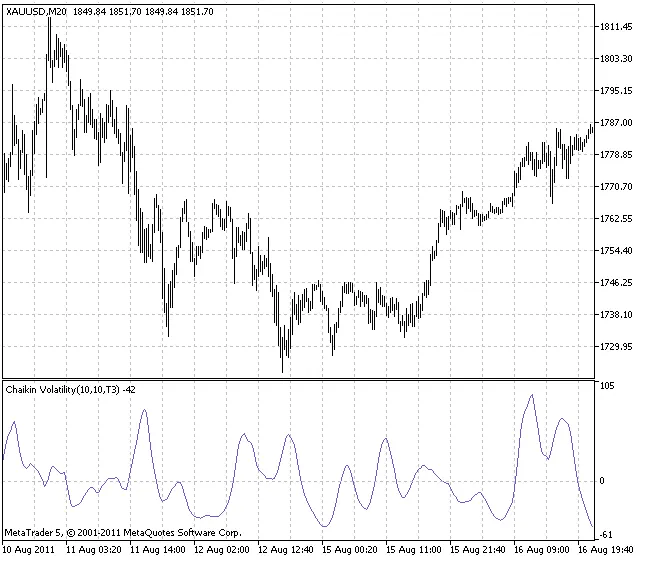
Hey fellow traders! Today, we're diving into the Chaikin Volatility Index and how you can take it to the next level by selecting the right smoothing algorithm. Unlike the standard version, this indicator allows you to pick from ten different smoothing methods to suit your trading style. Options for Smoothing Algorithms Here’s a quick rundown of the available algorithms: SMA - Simple Moving Average; EMA - Exponential Moving Average; SMMA - Smoothed Moving Average; LWMA - Linear Weighted Moving Average; JJMA - JMA Adaptive Average; JurX - Ultralinear Smoothing; ParMA - Parabolic Smoothing; T3 - Tillson's Multiple Exponential Smoothing; VIDYA - Smoothing using Tushar Chande's algorithm; AMA - Smoothing using Perry Kaufman's algorithm. Understanding the Phase Parameter It's important to note that the Phase parameter varies significantly among these algorithms: For JMA, it’s an external Phase variable that ranges from -100 to +100. For T3, it’s a smoothing ratio multiplied by 100 for better visualization. For VIDYA, it’s the CMO period; for AMA, it’s the slow EMA period. In the case of AMA, the fast EMA period is fixed at a default of 2, and the raising power ratio is also set to 2. This indicator leverages the SmoothAlgorithms.mqh library classes, which you’ll need to copy into your terminal_data_folder\MQL5\Include. For a deeper dive into using these classes, check out the article titled "Averaging Price Series for Intermediate Calculations Without Using Additional Buffers".

2011.10.05
Unlocking Multi-Currency Trading with Multistochastic Indicator for MetaTrader 5
MetaTrader5
Unlocking Multi-Currency Trading with Multistochastic Indicator for MetaTrader 5

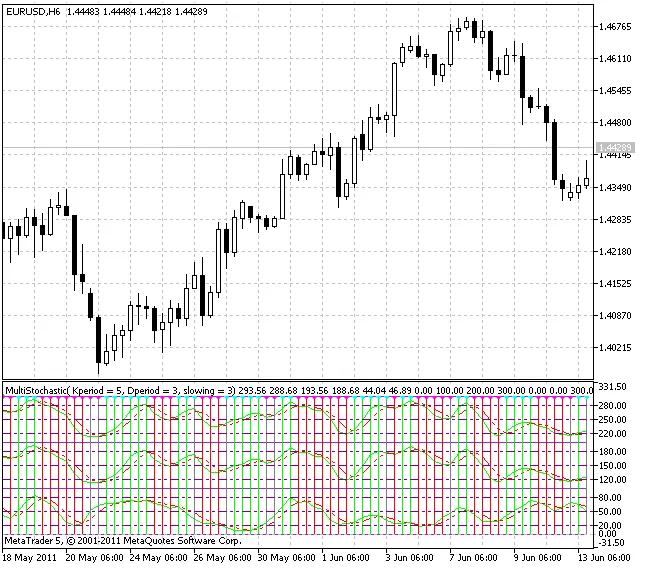
If you're looking to enhance your trading game, the Multistochastic Indicator for MetaTrader 5 could be a game changer. This tool is designed for multi-currency technical analysis, leveraging the correlations between different financial assets. The concept of analyzing correlations between various financial instruments isn't exactly groundbreaking; however, developing an algorithm that focuses on these relationships can provide valuable insights. The Multistochastic Indicator is built upon the findings presented by Vasily Yakimkin in his article, "Resonances - a New Class of Technical Indicators," published in the 'Currency Speculator' magazine back in 2001. So, what's the crux of this method? Let's say you want to analyze the EUR/USD market. Instead of relying solely on the indicators related to EUR/USD, you can also consider readings from correlated pairs like EUR/JPY and USD/JPY. This approach can offer a more comprehensive view of market dynamics. To ensure that your measurements are straightforward and convenient, it's best to utilize indicators with normalized values. The Stochastic Oscillator fits the bill perfectly and has been incorporated into this indicator. If you're keen to dive deeper into how this indicator works and the signals it generates, check out the detailed description in the article "Creating an Expert Advisor, which Trades on a Number of Instruments".

2011.10.05
First Previous 318 319 320 321 322 323 324 325 326 327 328 Next Last