Technical Indicator

Mastering Market Structure: Understanding Highs and Lows with the MSLM Indicator
MetaTrader4
Mastering Market Structure: Understanding Highs and Lows with the MSLM Indicator

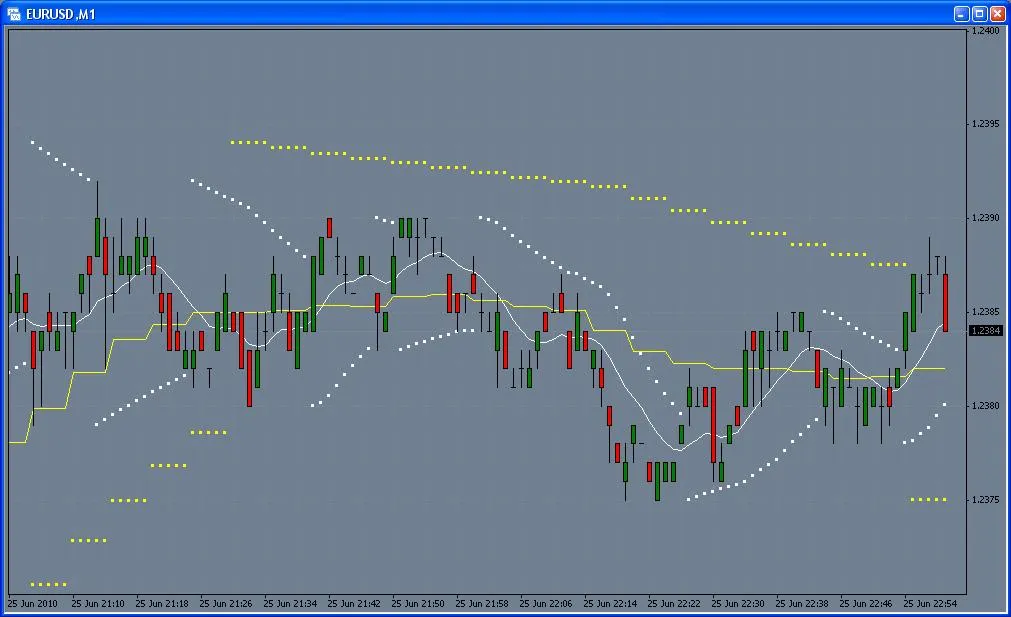
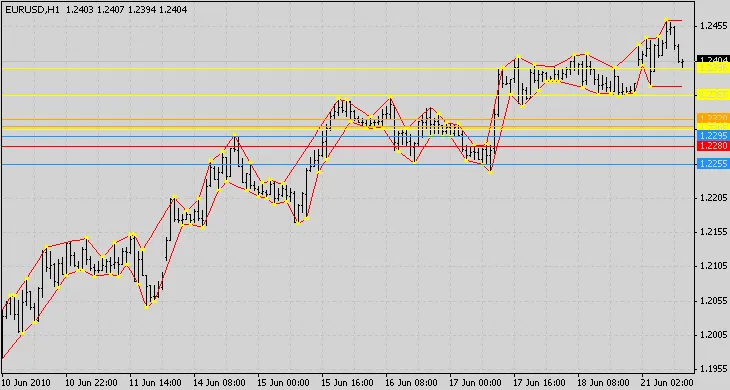
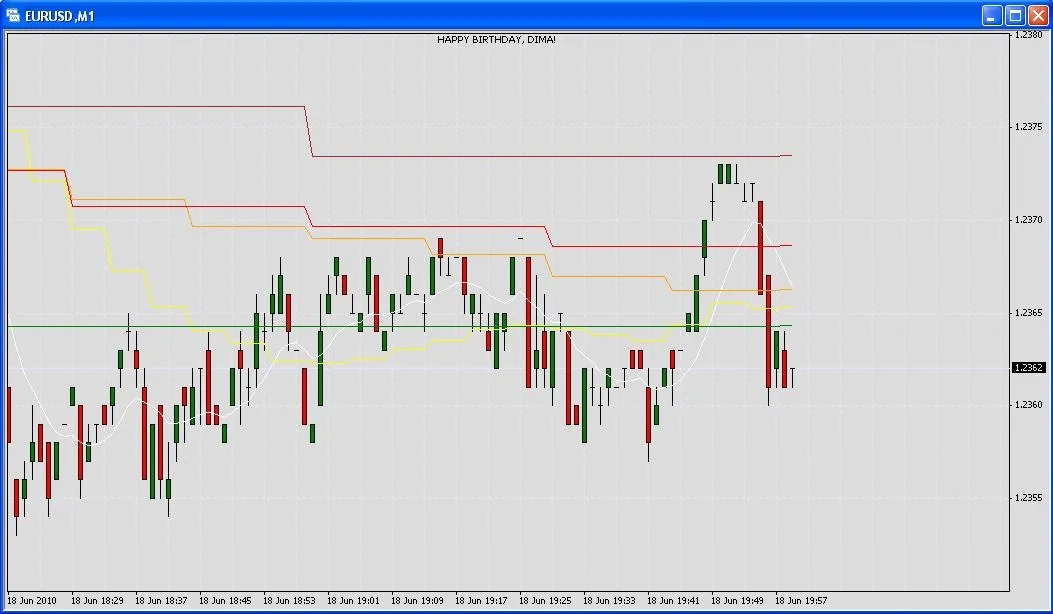
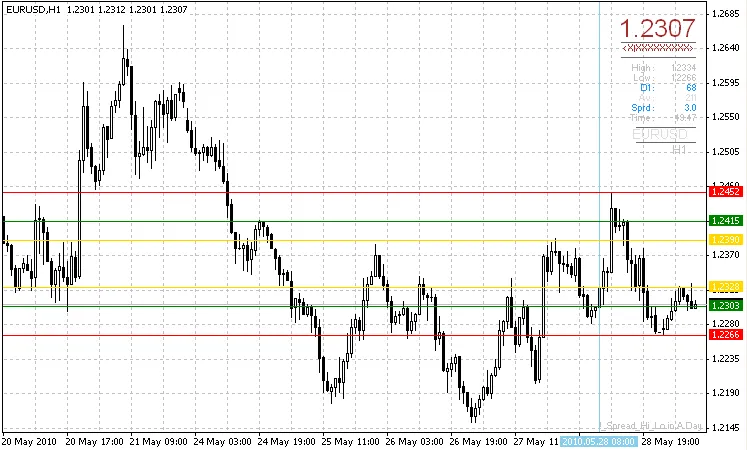
Description The MSLM indicator is designed to help you identify local highs and lows in the market. But what does that really mean? A local high or low is determined by the relationship between three consecutive candles. If the high of the middle candle is greater than those on either side, it marks a local high. Conversely, if the low is lower than its neighbors, it indicates a local low. When the price breaks out past a local high or low, it opens the door for potential trading opportunities. This breakout can signal trends, particularly if you notice that the lows are consistently rising or the highs are falling. Each local high and low also serves as either a resistance or support level. The more frequently a price has been tested at these points, the stronger they become as resistance or support. The MSLM indicator keeps track of how many times the price has touched these points, visually representing this with a color code that ranges from white (weak) to red (strong). Parameters The indicator comes with a couple of parameters to help you manage the clutter of horizontal lines on your chart: PipRange: This parameter allows you to consolidate the count if the price falls within a specified range of pips. For example, if you set PipRange to 10, then EUR/USD prices of 1.2000 and 1.2010 would share the same counter. However, if it's set to 1, you might see numerous lines in that range. Percent: This parameter lets you display only the upper x% of the range. So, if a point has been hit a maximum of 10 times, setting this to 70 will only show points that have been tested at least 7 times with a horizontal line. The horizontal lines are color-coded from White, Yellow, DodgerBlue, Orange, to Red, indicating their strength from weakest to strongest. Each line shows how many relative highs or lows have touched them. Conclusion When it comes to trading, the timeframe and chart data you're working with will dictate the best parameters to use for highlighting resistance zones. This can range from having no lines at all to displaying lines at every price level. Keep in mind that the horizontal lines are generated from all candles in your chart, not just the visible ones. You can leverage these resistance zones to set your limit orders effectively. Risk Warning Always use this indicator at your own risk or consider using demo money to practice. Remember, this indicator isn't a magic crystal ball; it won't predict the market with certainty.

2010.06.21

Mastering the Brooky Trend Strength Indicator for MetaTrader 4
MetaTrader4
Mastering the Brooky Trend Strength Indicator for MetaTrader 4

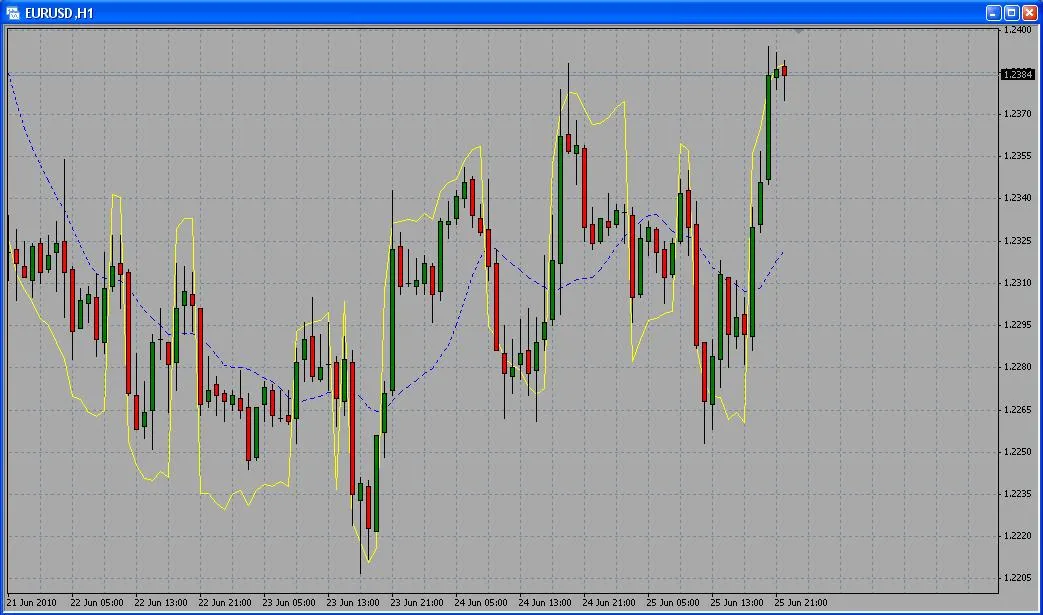
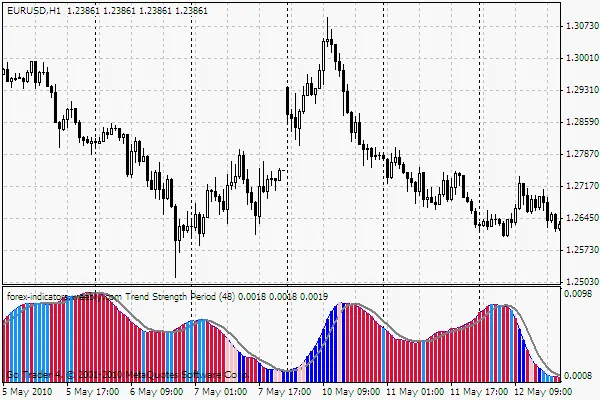
The Brooky Trend Strength Indicator is an invaluable tool for traders looking to gauge the strength of a trend and determine whether a currency pair is trending or ranging. This indicator measures strength on a scale from below 0 heading upward. Unlike linear directional indicators, the Brooky Indicator uses colors to indicate direction while the slope indicates strength. A reading of 0 signifies a ranging market, while a movement above 0 indicates a trending market. It operates based on the variance between the Average True Range (ATR) and Standard Deviation (StdDev) over the same period, utilizing smoothing arrays for accuracy. Sensitivity is pip-based, reflecting the minimum movement between the highest high and lowest low across your selected bars, typically the last 5. This helps filter out minimal movements, presenting lighter colored bars that often signal early signs of reversal or consolidation before trend continuation. Here's how to interpret the indicator: Trend Direction: Red indicates a downtrend, while blue signals an uptrend. Resistance to Trend: Pink indicates light downward pressure. Light blue indicates upward pressure. The settings are similar to the MACD, with Slow, Fast, and Signal settings. Adjust the resistance pressure according to your preference, which may vary for each currency pair—1 for EUR/USD and up to 100 for USD/JPY. It's helpful to plot against historical data to visualize the pale color levels that suit your trading style. For enhanced insights, consider placing a MACD with the same settings on your chart. This can provide complementary confirmations of the trend. Key Areas to Watch Extreme Power Tops: Watch for a reverse color at the peak of a strong red downtrend, where light blue may appear. If only a few bars show light blue, the trend is likely to continue despite the temporary resistance. End of a Trend: A trend is likely over when the power line increases and shows more opposite colors, indicating a reversal. Ranging Market: A messy power struggle often emerges when the power line dips below 0, accompanied by alternating colors. It's wise to wait for a clear breakout. Ranging to Trending: Ranging concludes when a gentle slope with more developed color patterns starts to rise towards 0. Be cautious of sharp, near-vertical breakouts, as these tend to be short-lived. For in-depth analysis, longer period settings, like 48 on a 1-hour chart, can offer valuable insights. Experimenting with settings can also serve as an effective scalp confirmation when used alongside marked support and resistance levels. Below are two charts showcasing different settings to help illustrate the differences. Happy trading!

2010.06.21
Mastering Multitimeframe Indicators in MetaTrader 4
MetaTrader4
Mastering Multitimeframe Indicators in MetaTrader 4

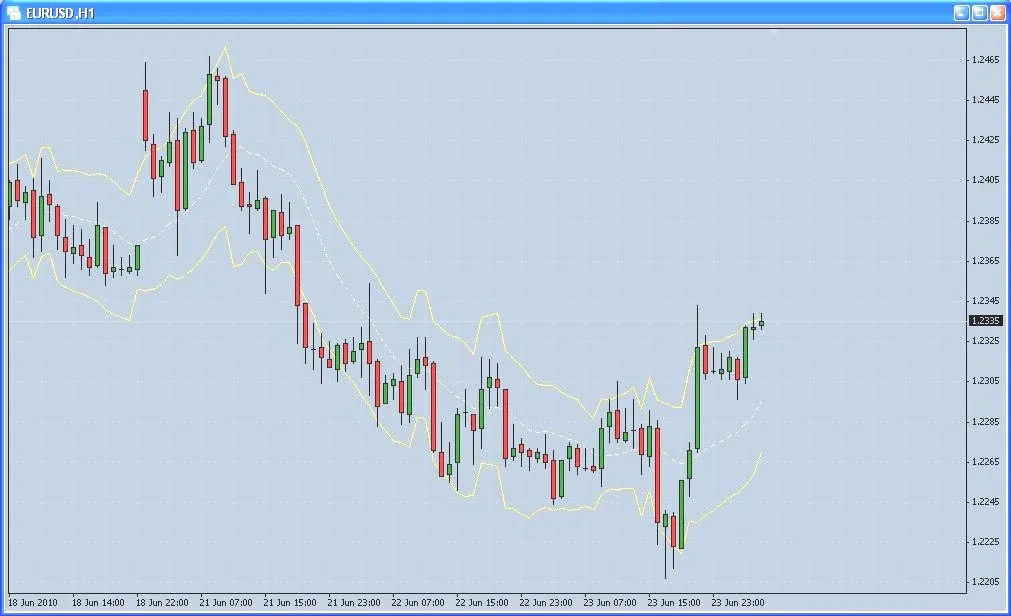
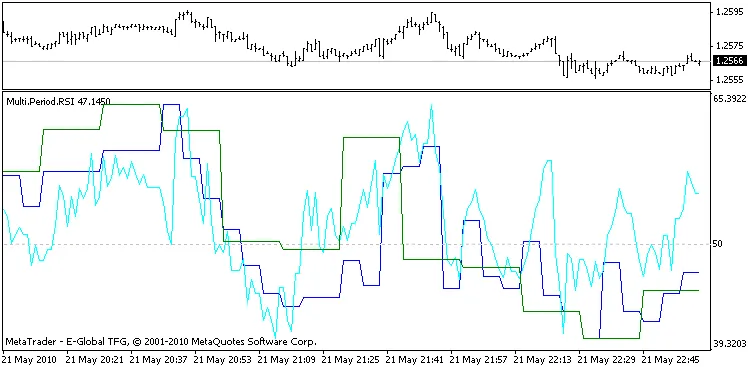
Description: As traders, we know time is of the essence. There’s often not enough time to sift through all the chart timeframes to pinpoint the best entry points. That's where multitimeframe indicators come in handy. You can set them all up in one window without constantly switching screens, giving you a complete picture at a glance. RSI: Stochastic: The Stochastic and RSI indicators are straightforward and effective. They display the values of relevant indicators alongside a higher timeframe candle. You can dive deeper into the details using Moving Averages (MA). Variables: Here’s a rundown of the total variables for the three indicator timeframes: 1 minute (January) 5 minutes (May) 15 minutes 30 minutes 1 hour (60 minutes) 4 hours (240 minutes) 1 day (1440 minutes) 1 week (10080 minutes) 1 month (43200 minutes) If you mistakenly set the minutes incorrectly, the indicator will correct itself and adjust to the desired period. All other variables remain consistent with the original indicators. Now, let’s talk about MA. Applied Price Values: The applied_price can serve multiple functions: 0 - PRICE_CLOSE 1 - PRICE_OPEN 2 - PRICE_HIGH 3 - PRICE_LOW 4 - (high + low) / 2 5 - (high + low + close) / 3 6 - (high + low + close + close) / 4 For instance, if you set up a window with a period of less than H1 with three indicators using the following parameters: PeriodMA = 1; applied_price = 2; timeframe = 60; PeriodMA = a; applied_price = 3; timeframe = 1960; PeriodMA = 1; applied_price = 0; timeframe = 15; You’ll get an indicator that displays the minimum and maximum hourly candles (green lines 1 and 2), while the orange line 3 shows the opening price of each 15-minute candle. By tweaking these parameters, you can create a combo of indicators that suits your trading style. Each indicator has two buffers: the main one which displays the value steps and support, and a smoothing step. The applications of these indicators are not limited to what’s outlined here; the possibilities are vast!

2010.05.24
First Previous 335 336 337 338 339 340 341 342 343 344 345 Next Last