Technical Indicator

Unlocking the Power of HML Rainbow Indicator for MT4 Trading
MetaTrader4
Unlocking the Power of HML Rainbow Indicator for MT4 Trading

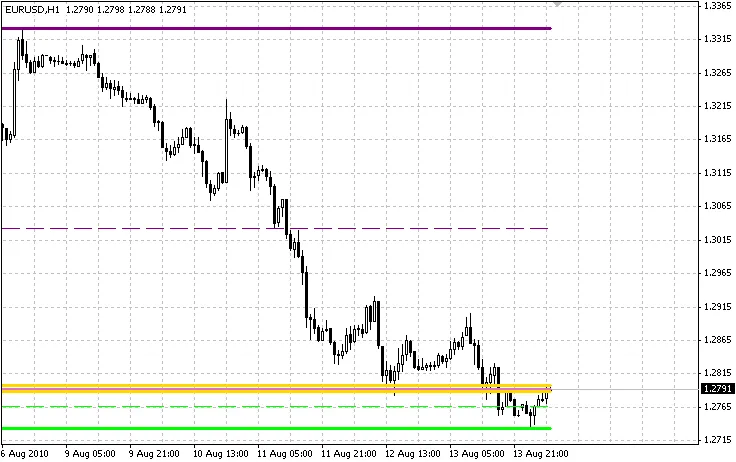
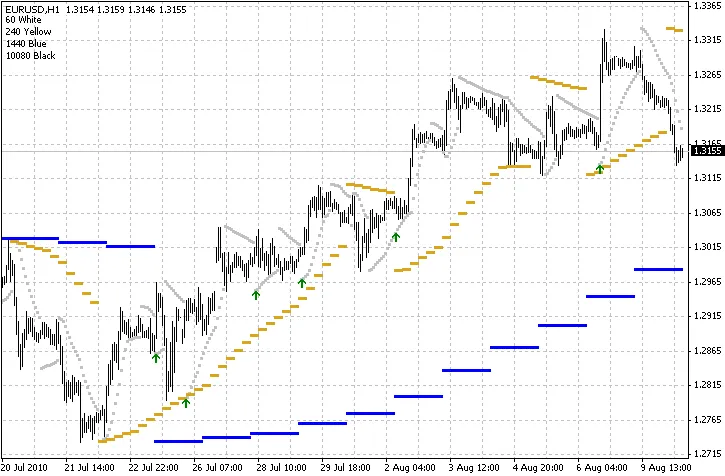
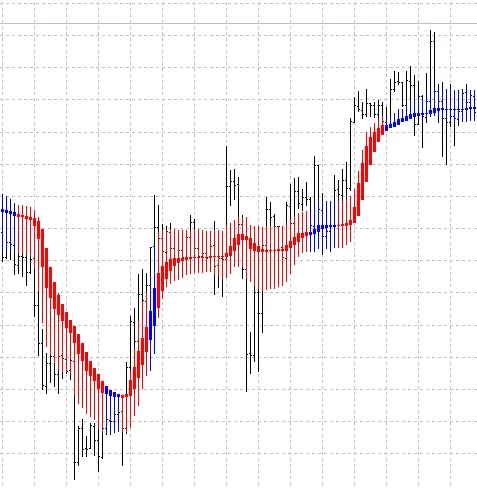
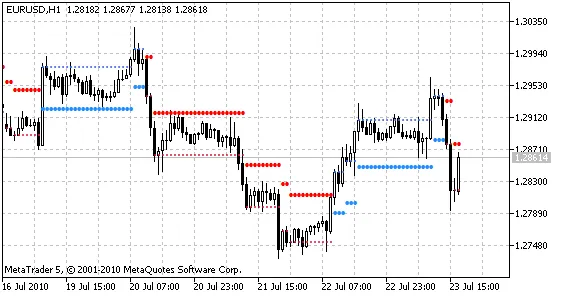
Understanding the HML Rainbow Indicator If you're trading on MetaTrader 4 (MT4), you might have noticed that it has its limitations, especially when it comes to the number of lines you can draw in a single indicator. But don't fret! The HML Rainbow is a game-changer. This unique family of indicators works in harmony, drawing three distinct sets of lines that provide a comprehensive view of highs, lows, and median lines across all timeframes. This setup creates a robust framework for identifying support and resistance levels, making it an ideal tool for analyzing price movements. Price Levels and Resistance Here's my take: when the price approaches a level where two or more of these lines converge, you're likely to encounter strong resistance. In most cases, the price will bounce back to a previous level. However, if the momentum is strong enough, it might just break through that resistance. Pair this with Bollinger Bands, and you might uncover some intriguing insights. I encourage you to explore this for yourself! Limitations of the HML Rainbow One downside to the HML Rainbow is that when multiple lines are drawn at the same price level, only the most recently drawn line is visible on your chart. I'm actively working on a solution for this, but if you open the data window, you can still see all the prices that are overlaid. Visualizing Market Movements Think of it like this: it’s akin to seeing a ghostly representation of each timeframe on your chart. Notice the delicate lines that move with the price? These represent the lower timeframes reacting to the current price action, or perhaps they indicate the median as smaller timeframe prices push in that direction. It’s a fascinating way to visualize market dynamics!

2010.08.16
Understanding the Spread on Chart Indicator for MetaTrader 5
MetaTrader5
Understanding the Spread on Chart Indicator for MetaTrader 5

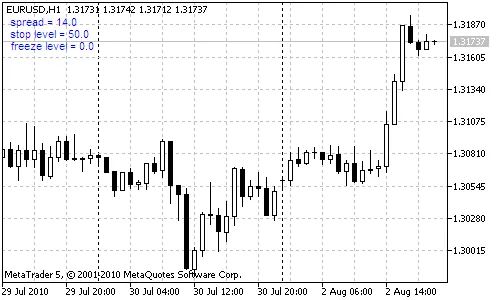
Introduction Since 2008, most trading platforms have shifted to offering "floating" spreads. If you’ve noticed, these spreads tend to widen during the night and often spike around major news releases. When spreads increase significantly, it can really impact some trading strategies, making them less profitable. Additionally, a larger stop level can disrupt the functioning of trading systems, especially those relying on fixed Stop Loss and Take Profit settings. The Strategy Tester in MetaTrader 4 uses the last known values for spread, stop levels, and freeze levels, which can affect your results. On the other hand, the MetaTrader 5 Strategy Tester utilizes historical spread data, giving you a more comprehensive view of past trading conditions. The spread_on_chart indicator is a handy tool that displays key values right on your trading chart, including: Spread: The difference between the current Ask and Bid prices; Stop Level: The minimum distance from the current price to your Stop Loss and Take Profit; Freeze Level: The minimum distance required for modifying orders. This indicator updates with every tick, ensuring you have the latest information at your fingertips. Here are the input parameters you can customize: Corner: Choose which corner of the chart to display the information. By default, it appears in the upper left; XMargin and YMargin: Adjust the horizontal and vertical spacing; Font, Color, Size: Set your preferred font name, color, and size for better visibility. File List: spread_on_chart.mq4 - (for MetaTrader 4); spread_on_chart.mq5 - (for MetaTrader 5).

2010.08.03
First Previous 332 333 334 335 336 337 338 339 340 341 342 Next Last