
If you’re looking to enhance your trading strategy, the ColorZerolagJJRSX indicator is worth checking out. It's designed with a timeframe selection option right in the input parameters, making it super user-friendly:
input ENUM_TIMEFRAMES TimeFrame=PERIOD_H4; // This sets the timeframe for the indicator chart
To get started, you’ll need the JJRSX.mq5 and ColorZerolagJJRSX.mq5 indicator files. Just drop them into your terminal data folder at MQL5/Indicators and you’ll be good to go!
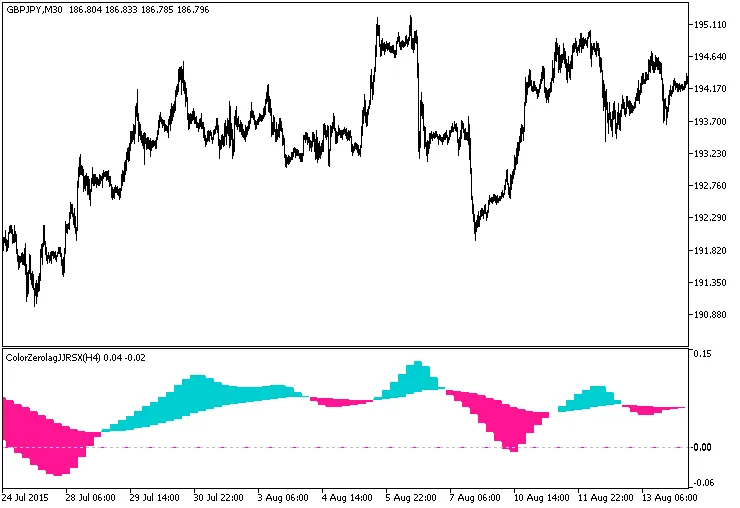
Fig.1. The ColorZerolagJJRSX_HTF indicator
Related Posts
- Unlock Trading Potential with the XMA JJRSX System for MetaTrader 5
- Unlock Trading Success with the ColorZerolagJJRSX Indicator for MetaTrader 5
- Unlock Trading Insights with the MultiColorZerolagJJRSXTrend_x10 Indicator for MetaTrader 5
- Unlock Trading Insights with ColorZerolagJJRSXTrend_x10 for MetaTrader 5
- Unlocking MetaCOT 2: Your Ultimate CFTC Indicator Toolkit for MT4