
If you’re looking to enhance your trading strategy, the ColorZerolagJJRSXTrend_x10 indicator is a fantastic tool for MetaTrader 5. This nifty indicator provides insights into the ColorZerolagJJRSX oscillator direction across ten different timeframes.
When the oscillator moves downward, you’ll notice the squares turn pink, indicating a potential bearish trend. In contrast, a rising oscillator will paint the squares green, signaling a bullish momentum. If there’s no significant movement, the squares will remain gray, keeping you aware of market conditions.
To get started, ensure you have the required compiled indicator files: JJRSX.ex5 and ColorZerolagJJRSX.ex5. Simply place these files in your <terminal_data_folder>\MQL5\Indicators directory.
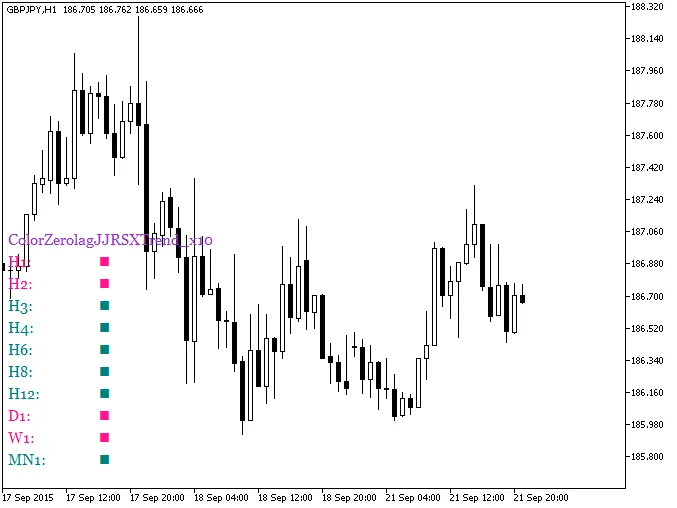
Fig.1. The ColorZerolagJJRSXTrend_x10 indicator
Related Posts
- Unlock Trading Potential with the XMA JJRSX System for MetaTrader 5
- Unlock Trading Insights with the MultiColorZerolagJJRSXTrend_x10 Indicator for MetaTrader 5
- Unlock Trading Success with the ColorZerolagJJRSX Indicator for MetaTrader 5
- Unlocking MetaCOT 2: Your Ultimate CFTC Indicator Toolkit for MT4
- Unlocking the Power of the ColorZerolagJJRSX_HTF Indicator for MetaTrader 5