
If you're looking to sharpen your trading edge, the ColorStepXCCXTrend_x10 indicator for MetaTrader 5 is a must-have tool in your arsenal. This powerful indicator provides a clear view of the ColorStepXCCX oscillator direction across ten different timeframes, giving you a comprehensive market perspective.
The way it works is pretty straightforward: when the oscillator is on a downward trend, you’ll notice the squares turn pink. Conversely, if the oscillator is climbing, those squares will light up green. If there's no significant movement, the squares will remain gray. This visual representation is based on the values of the last closed bars, making it easy to spot trends at a glance.
To get started, you’ll need the compiled indicator file ColorStepXCCX.ex5. Simply drop it into your <terminal_data_folder>\MQL5\Indicators directory, and you'll be all set!
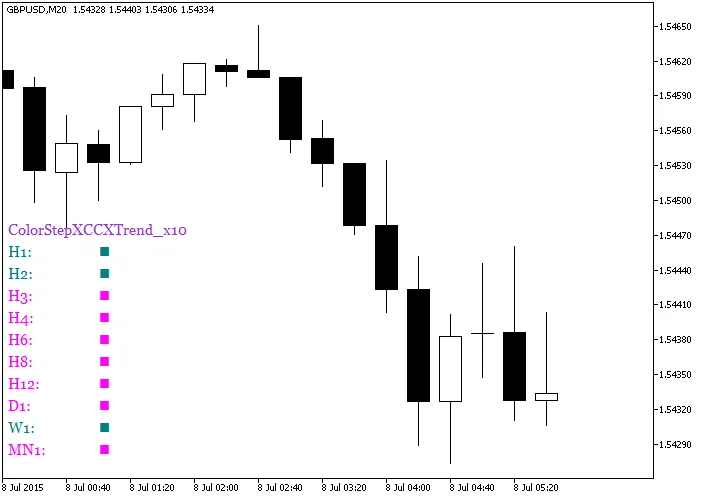
Fig.1. The ColorStepXCCXTrend_x10 indicator
Related Posts
- Unlock Trading Insights with Volume Profile + Range v6.0 for MetaTrader 5
- Unlocking MetaCOT 2: Your Ultimate CFTC Indicator Toolkit for MT4
- Maximize Your Trading with StepXCCX_HTF_Signal for MetaTrader 5
- Understanding the MultiColorStepXCCXTrend_x10 Indicator for MetaTrader 5
- Master Your Trading with ACC+BAL+MARG-INDI for MetaTrader 4