
Hey fellow traders! Today, we're diving into the fascinating world of the NRTR indicator and its powerful application in the Exp_NRTR_Duplex trading system. This setup features two distinct trading systems designed for both long and short positions, giving you the flexibility to adapt your strategy based on market conditions.
Understanding the Dual System Setup
The beauty of this EA is its ability to manage both long and short trades independently. The inputs for this Expert Advisor are neatly categorized into two groups:
- Long Position Inputs: If the parameter names start with 'L', they control your long trades.
- Short Position Inputs: If the parameter names start with 'S', they manage your short trades.
//+----------------------------------------------+
//| EA input parameters for long positions       |
//+----------------------------------------------+
input uint    L_Magic=777;          //L magic number
input double  L_MM=0.1;             //L share of a deposit in a deal
input MarginMode L_MMMode=LOT;      //L lot size detection method
//+----------------------------------------------+
//| EA input parameters for short positions      |
//+----------------------------------------------+
input uint    S_Magic=555;          //S magic number
input double  S_MM=0.1;             //S share of a deposit in a deal
input MarginMode S_MMMode=LOT;      //S lot size detection method
Why Use Independent Systems?
In the real world, financial markets hardly ever behave symmetrically. That’s why it’s crucial to customize your trading parameters for both bullish and bearish scenarios. To get started, I recommend testing just one of the two systems at a time. You can easily disable the other system using the appropriate switches.
input bool    L_PosOpen=true;       //L permission to enter long positions
input bool    L_PosClose=true;      //L permission to close long positions
Once you’ve optimized your first system, you can move on to the second one.
Important Setup Note
Make sure that the compiled NRTR.ex5 indicator file is located in your <terminal_data_folder>\MQL5\Indicators folder for the EA to function properly.
Testing Results
For the tests below, we used the default EA inputs. Note that Stop Loss and Take Profit were not included in this testing.
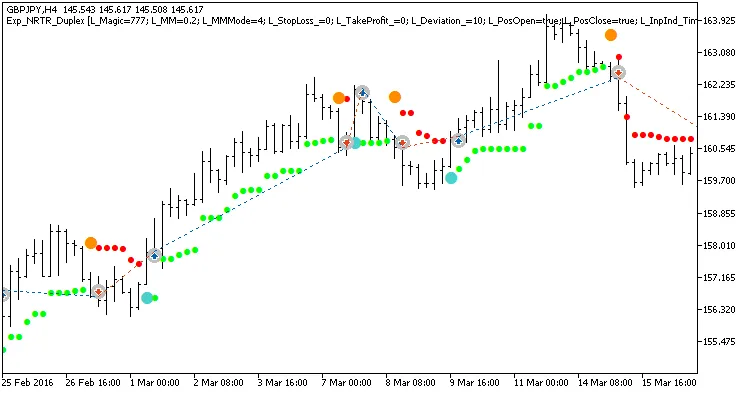
Fig 1. Exemplary trades in a chart with symmetrical settings.
Here are the test results for GBPJPY on the H4 timeframe over the year 2016:
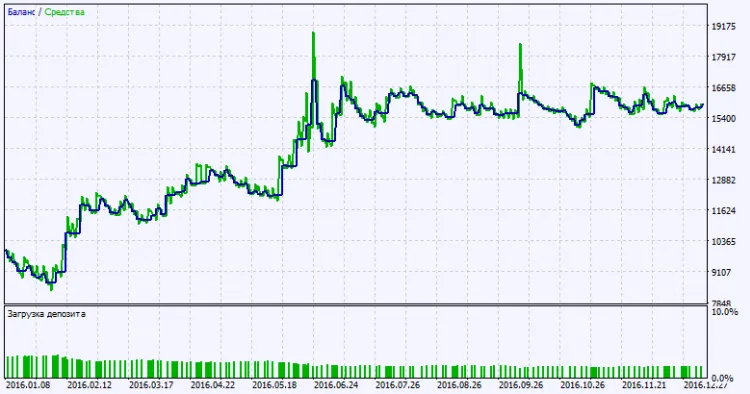
Fig. 2. Testing results chart.
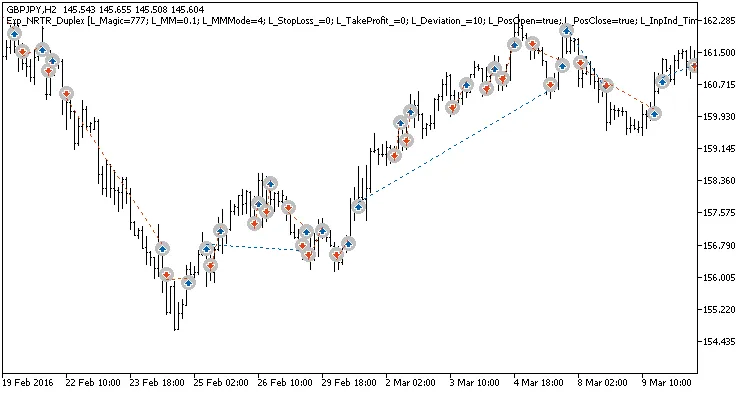
Fig. 3. Exemplary trades in a chart with non-symmetrical settings.
Related Posts
- Unlocking MetaCOT 2: Your Ultimate CFTC Indicator Toolkit for MT4
- Unlocking the Power of Master Tools for MetaTrader 4
- Visualize Current Trends Across All Time Frames with This MetaTrader 4 Indicator
- How to Use the Change Chart Symbol Menu for MetaTrader 4
- Mastering the Open Range Breakout Indicator for MetaTrader 5