MetaTrader5
Exp_ColorZerolagMomentum_X2: 메타트레이더 5의 트렌드 트레이딩 시스템
안녕하세요, 트레이더 여러분! 오늘은 메타트레이더 5에서 사용할 수 있는 Exp_ColorZerolagMomentum_X2 트렌드 트레이딩 시스템에 대해 알아보려고 합니다. 이 시스템은 두 개의 ColorZerolagMomentum 지표의 신호를 기반으로 작동합니다. 첫 번째 지표는 주요 선과 신호 선의 위치를 통해 느린 트렌드의 방향을 판단하고, 두 번째 지표는 선이 교차하거나 닿을 때 거래를 열 시점을 결정합니다.
신호는 다음 두 가지 조건이 충족될 때 발생합니다:
빠른 트렌드와 느린 트렌드의 신호가 일치할 때
빠른 트렌드의 방향이 변경될 때
전문가 어드바이저의 입력 파라미터:
//+-------------------------------------------------+
//| EA 지표의 입력 파라미터 |
//+-------------------------------------------------+
input string Trade="거래 관리"; //+============== 거래 관리 ==============+
input double MM=0.1; // 거래에서의 예치금 비율
input MarginMode MMMode=LOT; // 로트 값 탐지 방법
input uint StopLoss_=1000; // 스톱로스 (포인트 단위)
input uint TakeProfit_=2000; // 테이크프라핏 (포인트 단위)
input string MustTrade="거래 권한"; //+============== 거래 권한 ==============+
input int Deviation_=10; // 최대 가격 편차 (포인트 단위)
input bool BuyPosOpen=true; // 롱 포지션 진입 허용
input bool SellPosOpen=true; // 숏 포지션 진입 허용
//+-------------------------------------------------+
//| 필터 지표의 입력 파라미터 |
//+-------------------------------------------------+
input string Filter="느린 트렌드를 위한 파라미터"; //+============== 느린 트렌드를 위한 파라미터 ==============+
input ENUM_TIMEFRAMES TimeFrame=PERIOD_H6; // 트렌드의 차트 주기
input uint smoothing=15;
input ENUM_APPLIED_PRICE IPC=PRICE_CLOSE;// 적용 가격
//----
input double Factor1=0.05;
input uint Momentum_period1=8;
//----
input double Factor2=0.10;
input uint Momentum_period2=21;
//----
input double Factor3=0.16;
input uint Momentum_period3=34;
//----
input double Factor4=0.26;
input int Momentum_period4=55;
//----
input double Factor5=0.43;
input uint Momentum_period5=89;
input uint SignalBar=1; // 진입 신호를 얻기 위한 바 인덱스
input bool BuyPosClose=true; // 트렌드에 의해 롱 포지션 종료 허용
input bool SellPosClose=true; // 트렌드에 의해 숏 포지션 종료 허용
//+-------------------------------------------------+
//| 진입 지표의 입력 파라미터 |
//+-------------------------------------------------+
input string Input="진입 파라미터"; //+=============== 진입 파라미터 ===============+
input ENUM_TIMEFRAMES TimeFrame_=PERIOD_M30; // 진입을 위한 차트 주기
input uint smoothing_=15;
input ENUM_APPLIED_PRICE IPC_=PRICE_CLOSE;// 적용 가격
//----
input double Factor1_=0.05;
input uint Momentum_period1_=8;
//----
input double Factor2_=0.10;
input uint Momentum_period2_=21;
//----
input double Factor3_=0.16;
input uint Momentum_period3_=34;
//----
input double Factor4_=0.26;
input int Momentum_period4_=55;
//----
input double Factor5_=0.43;
input uint Momentum_period5_=89;
input uint SignalBar_=1;// 진입 신호를 얻기 위한 바 인덱스
input bool BuyPosClose_=false; // 신호에 의해 롱 포지션 종료 허용
input bool SellPosClose_=false; // 신호에 의해 숏 포지션 종료 허용
//+-------------------------------------------------+
입력 파라미터의 문자열은 전문가의 입력 파라미터 창을 더욱 보기 좋게 하기 위한 것입니다.
EA에 포함된 ColorZerolagMomentum_HTF 지표는 전략 테스터에서 트렌드를 보다 편리하게 시각화하기 위한 용도로만 사용됩니다. 다른 작업 모드에서는 비활성화됩니다.
ColorZerolagMomentum.ex5 및 ColorZerolagMomentum_HTF.ex5 컴파일된 파일을 <terminal_data_folder>\MQL5\Indicators에 배치하세요.
컴파일 후, Exp_ColorZerolagMomentum.ex5 전문가 파일은 ColorZerolagMomentum.ex5 및 ColorZerolagMomentum_HTF.ex5 지표를 리소스, 로 포함하고 있으므로, 컴파일된 EA가 작동하기 위해 터미널 폴더에 존재할 필요는 없습니다! 이를 위해 해당 코드가 EA 코드에 추가되어 이 지표들이 전문가의 실행 파일에 포함되도록 하였습니다.
지표 실행 파일은 전역 범위에서 리소스로 추가되었습니다.
//---- EA 코드에 지표를 리소스로 포함
#resource "\\Indicators\\ColorZerolagMomentum.ex5"
#resource "\\Indicators\\ColorZerolagMomentum_HTF.ex5"
OnInit() 함수 블록에서 사용된 지표의 경로가 리소스로 변경되었습니다.
//---- ColorZerolagMomentum 지표의 핸들 가져오기
InpInd_Handle=iCustom(Symbol(),TimeFrame,"::Indicators\\ColorZerolagMomentum",
smoothing,IPC,Factor1,Momentum_period1,Factor2,Momentum_period2,Factor3,Momentum_period3,Factor4,Momentum_period4,Factor5,Momentum_period5);
if(InpInd_Handle==INVALID_HANDLE)
{
Print(" ColorZerolagMomentum 지표 핸들 가져오기 실패");
return(INIT_FAILED);
}
//---- ColorZerolagMomentum 지표의 핸들 가져오기
InpInd_Handle_=iCustom(Symbol(),TimeFrame_,"::Indicators\\ColorZerolagMomentum",
smoothing_,IPC_,Factor1_,Momentum_period1_,Factor2_,Momentum_period2_,Factor3_,Momentum_period3_,Factor4_,Momentum_period4_,Factor5_,Momentum_period5_);
if(InpInd_Handle_==INVALID_HANDLE)
{
Print(" ColorZerolagMomentum 지표 핸들 가져오기 실패");
return(INIT_FAILED);
}
if(MQLInfoInteger(MQL_VISUAL_MODE))
{
//---- ColorZerolagMomentum_HTF 지표의 핸들 가져오기
int Ind_Handle=iCustom(Symbol(),Period(),"::Indicators\\ColorZerolagMomentum_HTF",TimeFrame,
smoothing,IPC,Factor1,Momentum_period1,Factor2,Momentum_period2,Factor3,Momentum_period3,Factor4,Momentum_period4,Factor5,Momentum_period5);
if(Ind_Handle==INVALID_HANDLE)
{
Print(" ColorZerolagMomentum_HTF 지표 핸들 가져오기 실패");
return(INIT_FAILED);
}
//---- ColorZerolagMomentum_HTF 지표의 핸들 가져오기
Ind_Handle=iCustom(Symbol(),Period(),"::Indicators\\ColorZerolagMomentum_HTF",TimeFrame_,
smoothing_,IPC_,Factor1_,Momentum_period1_,Factor2_,Momentum_period2_,Factor3_,Momentum_period3_,Factor4_,Momentum_period4_,Factor5_,Momentum_period5_);
if(Ind_Handle==INVALID_HANDLE)
{
Print(" ColorZerolagMomentum_HTF 지표 핸들 가져오기 실패");
return(INIT_FAILED);
}
}
이렇게 해서, 전문가의 컴파일된 실행 파일은 다른 거래 터미널에서도 별도의 지표 없이 사용할 수 있습니다.
TradeAlgorithms.mqh 라이브러리 파일은 비제로 스프레드를 제공하는 브로커와 함께 스톱로스 및 테이크프라핏을 포지션 오픈과 함께 설정할 수 있게 도와줍니다. 더 많은 라이브러리 변형은 아래 링크에서 다운로드할 수 있습니다: 거래 알고리즘.
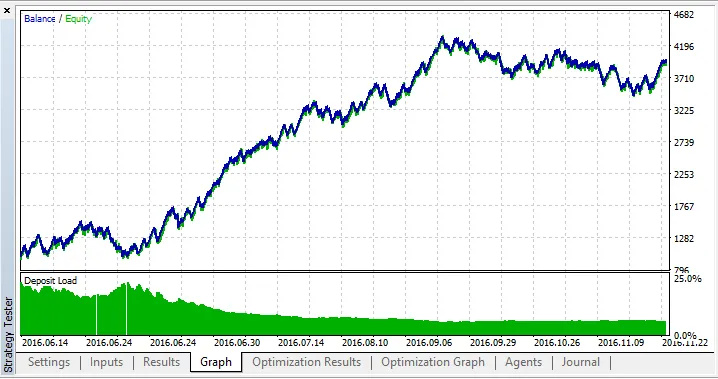
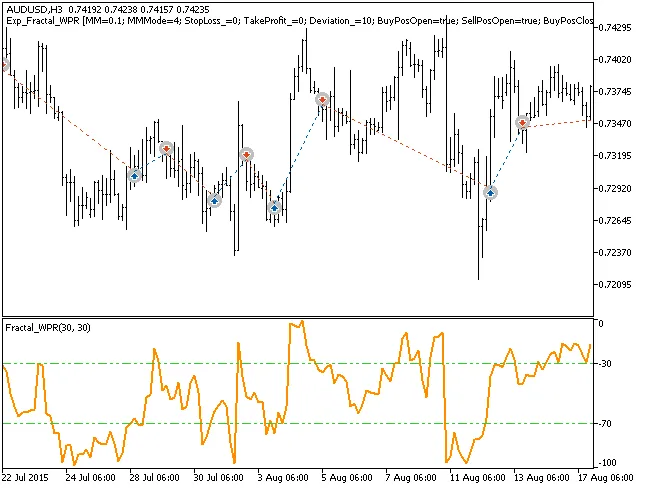
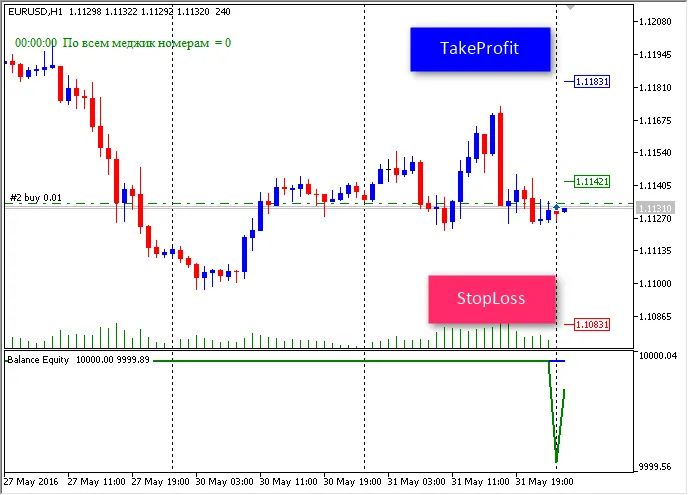
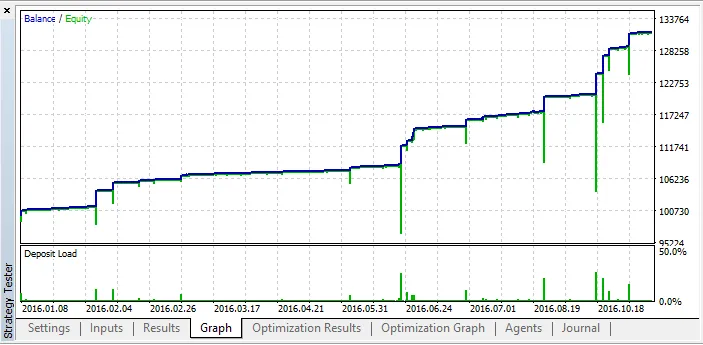
아래 테스트에서 기본 전문가 어드바이저의 입력 파라미터가 사용되었습니다. 테스트 중에는 스톱로스 및 테이크프라핏이 사용되지 않았습니다.
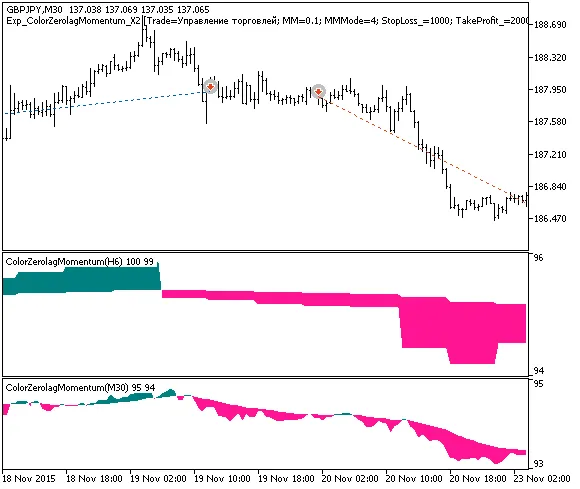
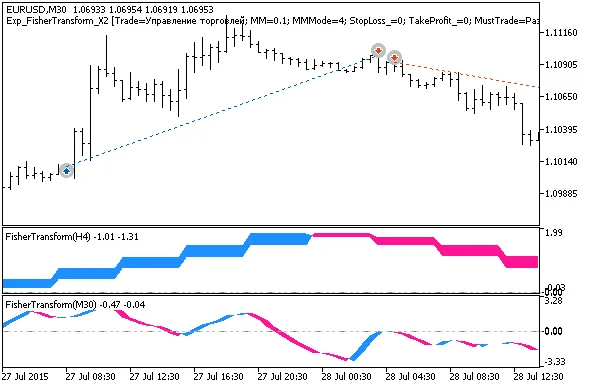
Fig. 1. 차트에서의 거래 예
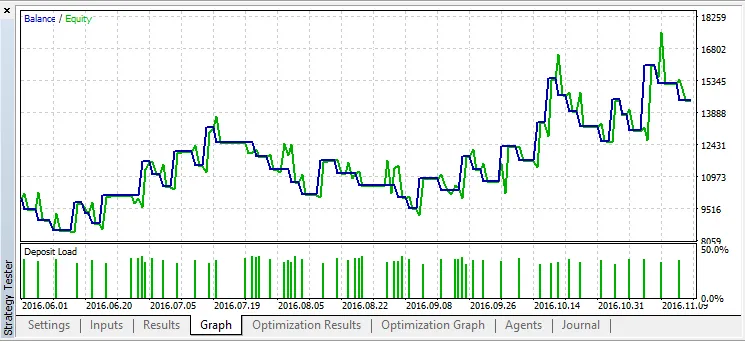
2015년 GBPJPY에 대한 테스트 결과, H6에서 느린 트렌드, M30에서 빠른 트렌드로 진입:
Fig. 2. 테스트 결과 차트
2017.01.26