
Hey there, fellow traders! Today, we’re diving into the classic Turtle Trading Indicator, a trend-following system crafted by the legendary Dennis Gartman and Bill Eckhardt. This system breaks away from the traditional "buy low, sell high" approach, focusing instead on trading breakouts from historical highs and lows. Believe it or not, this strategy has transformed many everyday traders into profitable ones!
The core rule here is simple yet effective: "Trade an N-day breakout and take profits when an M-day high or low is breached (N must be greater than M)". Let’s break it down with a couple of examples:
- Buy on a 10-day breakout and close the trade when the price hits a 5-day low.
- Go short on a 20-day breakout and exit when the price reaches a 10-day high.
This indicator provides clear entry and exit signals via arrows and dots. Here’s how it works:
- Go long when you see blue arrows.
- Go short when you spot red arrows.
- Exit long positions when a blue dot appears.
- Exit short positions when a red dot appears.
For best results, it’s a smart idea to use this indicator alongside my other tool: The Turtle Trading Channel. It’s designed to work in tandem, covering the same periods and acting as a failsafe in your trading strategy. The standout feature of this indicator is its ability to check if your last trade was stopped out, providing further entry signals aligned with the trend. It’s a fantastic complement to your trading channel for a holistic Turtle Trading experience.
I’ve made a few tweaks to the original algorithm to help you catch early entry signals and sidestep those pesky random swings in volatile markets. This means the indicator will only signal a trend change when a bar closes above or below the current trendline, rather than just touching it like a traditional stop-loss. The trade-off? You’ll only see trend changes after the last bar has closed. But don’t worry, there’s a stricter version available if that’s your style.
Both indicators come with trading alerts, which you can toggle on or off based on your trading setup.
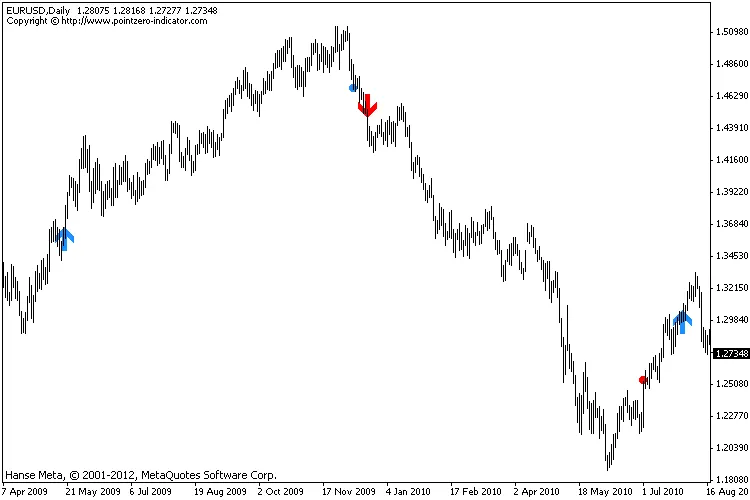
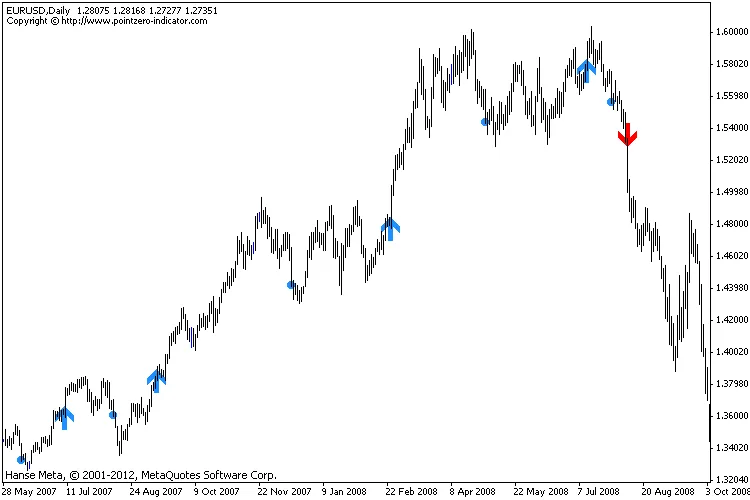
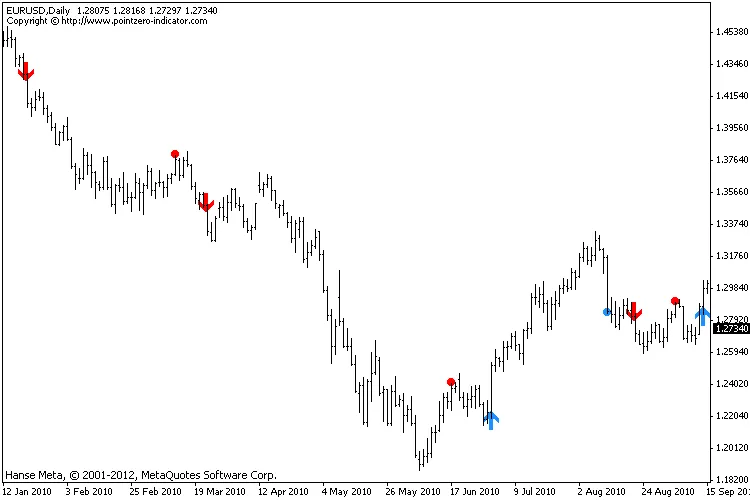
This is what your trading setup should look like with the channel and the classic indicator working together:
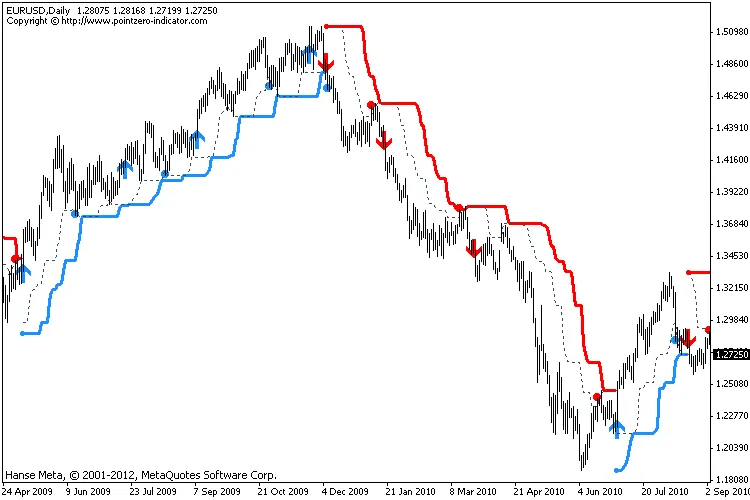
And just to reiterate, this indicator also comes with entry and exit alerts to keep you on your toes.

Parameters:
- TradePeriod: The Donchian channel period for trading signals
- StopPeriod: The Donchian channel period for exit signals
- StrictEntry: Implement strict entry parameters as the Turtles did
- StrictExit: Apply strict exit parameters as the Turtles did
- StrictStop: Enforce strict stop-loss measures like the Turtles
- Greedy: Hold onto a trade unless it's profitable or the stop-loss is hit
- EvaluateStoploss: Check if you’ve been stopped out and show future signals
- ATRPeriod: The ATR period to set the stop-loss
- ATRStopNumber: N.Factor to calculate the stop-loss
- DisplayAlerts: You know, for alerts!
Recommendations:
- Be sure to check out The Turtle Trading Channel indicator for the full original trading rules.
- This can be utilized to generate entry signals for the S1 system or indicate the S2 (failsafe) system.
Changelog:
- 2012-06-12: Updated the indicator with several strict options for entries, exits, stops, and more.
Is the Turtle Trading System Profitable?
The profitability of the Turtle Trading system has always been a topic of debate. Below is a backtest of the EURUSD (1995-2012), trading all signals of this indicator without filtering any trades, and only engaging after the current bar has closed. We followed the original Turtle rules, decreased the exposure, added to positions, and trailed the stop-loss using ATR*2.
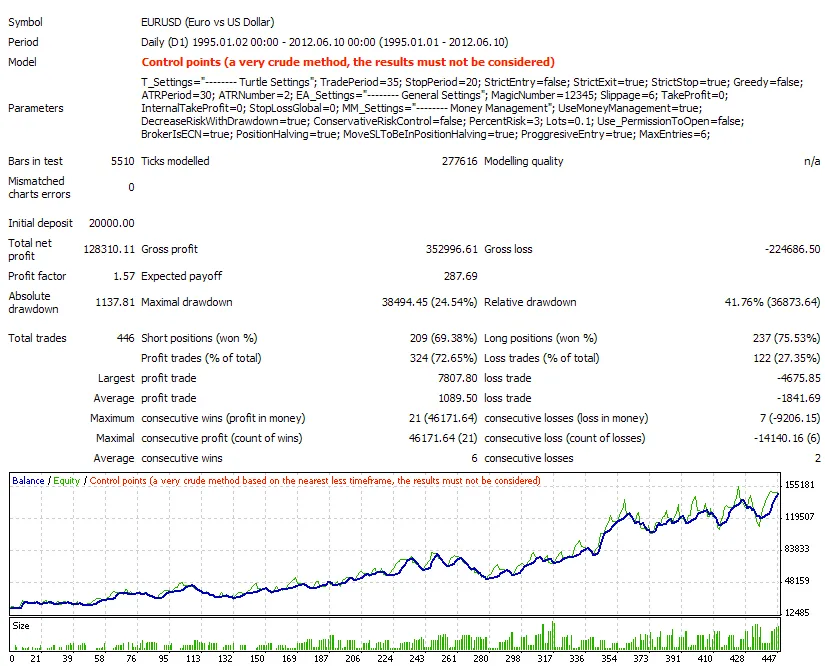
And just for fun, here’s the same system with a 5% initial risk for each trade (which might be a bit much, but it’s interesting to see):

Related Posts
- Unlocking MetaCOT 2: Your Ultimate CFTC Indicator Toolkit for MT4
- Unlocking the Power of Master Tools for MetaTrader 4
- Mastering the Open Range Breakout Indicator for MetaTrader 5
- How to Use the Change Chart Symbol Menu for MetaTrader 4
- Discover AllAverages v4.9: The Essential Indicator for MetaTrader 4