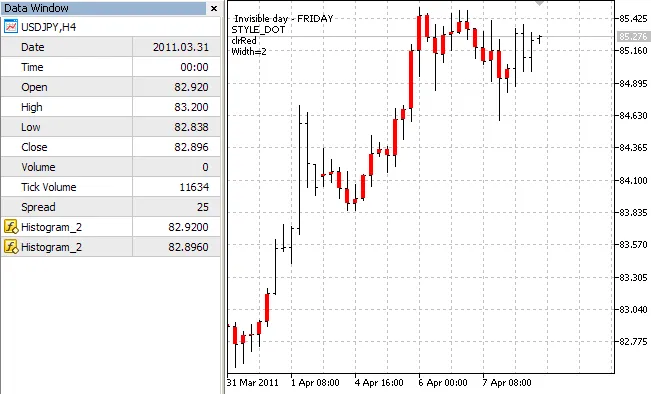
If you're looking to enhance your trading experience on MetaTrader 5, the DRAW_HISTOGRAM2 indicator is a nifty tool that can help you visualize price movements like never before.
This indicator effectively plots the vertical section for each bar between the Open and Close prices, giving you a clear picture of price action. You can use the DRAW_HISTOGRAM2 drawing style either in a separate window or right on the main chart. It’s worth noting that it doesn’t plot empty values unless you specify them explicitly. To get started, you’ll need two data buffers for this style.
One of the cool features of the DRAW_HISTOGRAM2 is its ability to change the color, width, and style of the histogram randomly every N ticks. In the OnInit() function, it selects a day of the week (invisible_day), and the indicator values for that day will be filled with empty values (PLOT_EMPTY_VALUE=0):
//--- define empty value
PlotIndexSetDouble(plot_index_DRAW_SECTION,PLOT_EMPTY_VALUE,0);
The initial properties of the plot1 graphic plot are defined using the #property preprocessor directive, and these properties can change randomly in the OnCalculate() function.
For more insights on drawing styles, check out The Drawing Styles in MQL5.