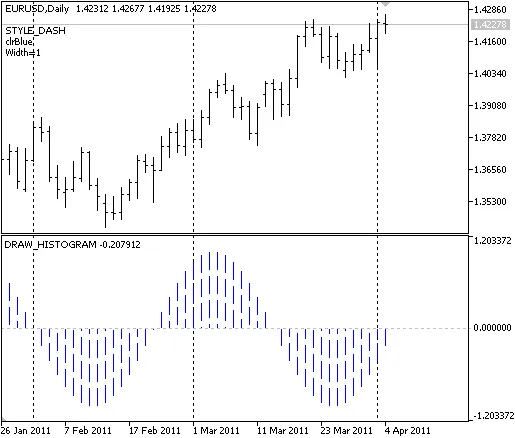
The DRAW_HISTOGRAM indicator is a handy tool that visualizes the sin(x) function in a separate window.
What’s really cool about this indicator is that its histogram color, width, and line style change randomly every N ticks. The period of the sin(x) function is determined by the input parameters you set for the bars. Using the DRAW_HISTOGRAM drawing style helps you plot these histograms effectively (think oscillators!). Plus, it gives you the flexibility to skip drawing certain indicator values by setting the PLOT_EMPTY_VALUE. You only need one data buffer for the DRAW_HISTOGRAM style, which keeps things simple.
Keep in mind that the initial properties of the plot1 graphic plot (DRAW_HISTOGRAM) are established using the #property preprocessor directive. After that, these properties can be changed randomly in the OnCalculate() function. The N variable acts as an input parameter and can be adjusted manually via the "Properties" window.
For more information, check out: The Drawing Styles in MQL5.