
Hey traders! If you're looking to spice up your trading game, the Darvas Boxes System might just be what you need. This nifty indicator comes with a timeframe selection option, making it super versatile for your trading strategies.
input ENUM_TIMEFRAMES TimeFrame=PERIOD_H4; // Indicator chart period (timeframe)
Before you dive in, make sure you have the DarvasBoxes_System.mq5 file at hand. You’ll want to place it in your <terminal_data_folder>\MQL5\Indicators directory to get started.
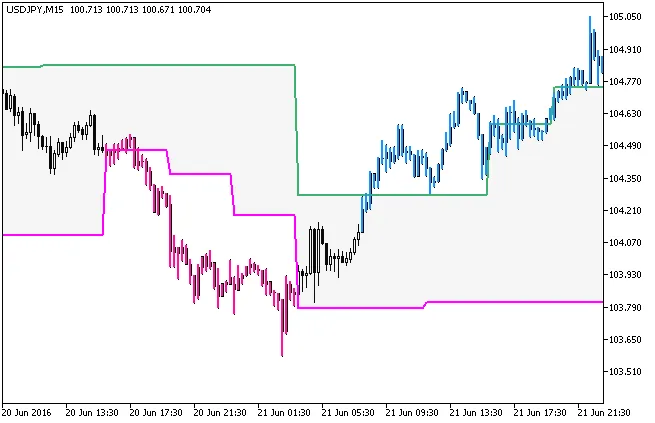
Fig.1. The DarvasBoxes_System_HTF indicator
So, are you ready to take your trading to the next level? With the Darvas Boxes System, you can analyze price movements with greater precision. Happy trading!
Related Posts
- Unlocking the Power of Master Tools for MetaTrader 4
- How to Use the Change Chart Symbol Menu for MetaTrader 4
- Unlocking MetaCOT 2: Your Ultimate CFTC Indicator Toolkit for MT4
- Unlock Trading Insights with Volume Profile + Range v6.0 for MetaTrader 5
- Mastering the Open Range Breakout Indicator for MetaTrader 5