
The Laguerre_HTF_Signal indicator is a powerful tool for traders using MetaTrader 5, providing clear insights into trend direction and trading signals. This indicator is built on the ColorLaguerre framework, visually presenting trend indications or deal directions right on your chart.
When a trend persists at your selected bar, you’ll see an alert displayed as a filled right arrow. The color of this arrow reflects the direction of the trend, helping you make timely trading decisions.
Indicator Input Parameters
You can tweak the indicator's input parameters to customize the timeframe and financial asset for analysis. If the Symbol_ parameter is left blank, the indicator defaults to the current chart symbol.
Input parameters can be categorized into two main groups:
- ColorLaguerre Indicator Input Parameters:
//+-----------------------------------+
//|  Indicator input parameters       |
//+-----------------------------------+
input string Symbol_="";                   // Financial asset
input ENUM_TIMEFRAMES Timeframe=PERIOD_H6;  // Indicator timeframe for calculation
input double gamma=0.7;                    // Sensitivity
input int HighLevel=85;                    // Overbought level
input int MiddleLevel=50;                  // Middle level
input int LowLevel=15                     // Oversold level
- Laguerre_HTF_Signal Indicator Input Parameters:
//---- indicator display settings
input uint SignalBar=0;                        // Signal bar index, 0 is the current bar
input string Symbols_Sirname="Laguerre_Label_";  // Indicator labels name
input color UpSymbol_Color=Yellow;             // Growth symbol color
input color DnSymbol_Color=Magenta;            // Decrease symbol color
input color IndName_Color=DarkOrchid;          // Indicator name color
input uint Symbols_Size=60;                    // Signal symbols size
input uint Font_Size=10;                       // Indicator name font size
input int X_1=5                               // Horizontal shift of the name
input int Y_1=-15                             // Vertical shift of the name
input bool ShowIndName=true;                   // Display the indicator name
input ENUM_BASE_CORNER  WhatCorner=CORNER_RIGHT_UPPER; // Location corner
input uint X_=0;                               // Horizontal shift
input uint Y_=20                              // Vertical shift
If you're using multiple Laguerre_HTF_Signal indicators on a single chart, ensure that each one has a unique Symbols_Sirname value to avoid conflicts.
To get started, place the compiled ColorLaguerre.mq5 file into the terminal_data_folder/MQL5/Indicators/ directory.
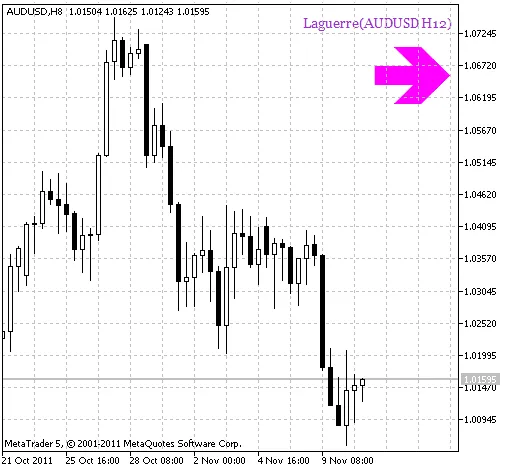
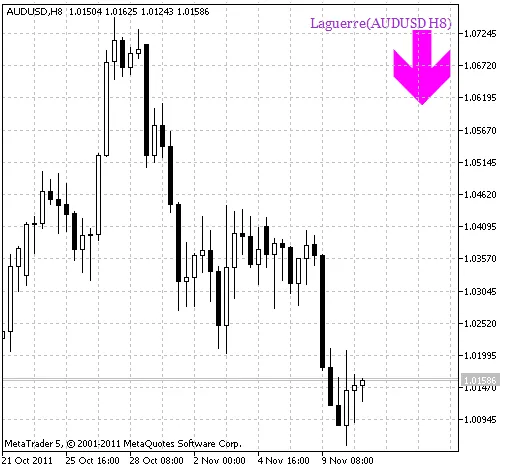
When a trend shifts at your selected bar, the Laguerre_HTF_Signal will notify you with an arrow that indicates the new direction and color, corresponding to the proposed trading direction.
Related Posts
- Unlocking MetaCOT 2: Your Ultimate CFTC Indicator Toolkit for MT4
- Visualize Current Trends Across All Time Frames with This MetaTrader 4 Indicator
- Mastering the MACD Candle Indicator for MetaTrader 4
- Unlocking the Power of Master Tools for MetaTrader 4
- Hourly Buffers for Data Collection in MetaTrader 5: A Simple Guide