
If you're diving into the world of forex trading, the XXDPO indicator is a game changer, especially with its customizable timeframe options. Let's explore how to make the most of this tool!
Setting Up the XXDPO Indicator
To get started, you’ll need to select your preferred timeframe right in the input parameters. Here's how you can do it:
input ENUM_TIMEFRAMES TimeFrame=PERIOD_H4; // This sets the chart period for the indicator
Installation Steps
For the XXDPO indicator to work seamlessly, make sure to place the compiled XXDPO.mq5 file in the following directory:
- terminal_data_folder/MQL5/Indicators
Visual Overview
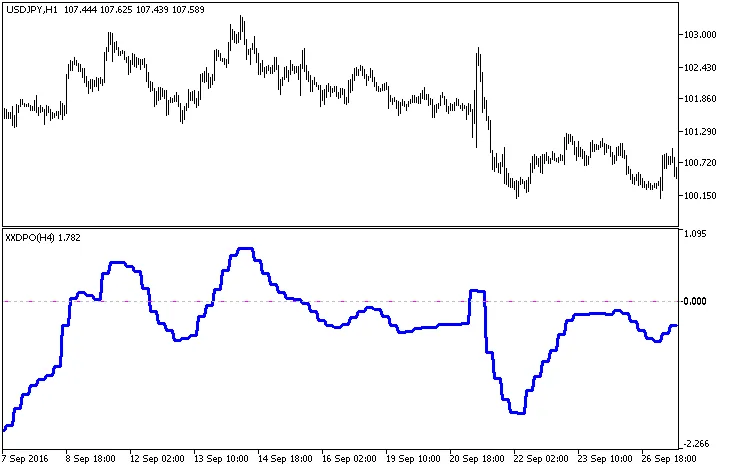
Fig.1. XXDPO_HTF Indicator Overview
By leveraging the XXDPO_HTF indicator in your trading strategy, you can gain deeper insights into market trends and make more informed decisions. Happy trading!
Related Posts
- Unlocking Trading Potential with XDPO_HTF_Signal for MetaTrader 5
- Mastering the XXDPO Indicator for MetaTrader 5: Your Guide to Trading Signals
- Unlocking MetaCOT 2: Your Ultimate CFTC Indicator Toolkit for MT4
- Visualize Current Trends Across All Time Frames with This MetaTrader 4 Indicator
- Maximize Your Trading with XXDPO_Candle Alerts for MetaTrader 5