
Hey traders! Today, let’s dive into the ChandeQStick indicator, which is super handy for those of you using MetaTrader 5. This indicator gives you the flexibility to choose your preferred timeframe right from the input parameters. Here’s how to set it up:
input ENUM_TIMEFRAMES TimeFrame=PERIOD_H4; // This sets the chart period for the indicator
Before you get started, make sure you have the ChandeQStick.mq5 indicator file ready. You’ll want to place it in your <terminal_data_folder>\MQL5\Indicators directory to get things rolling.
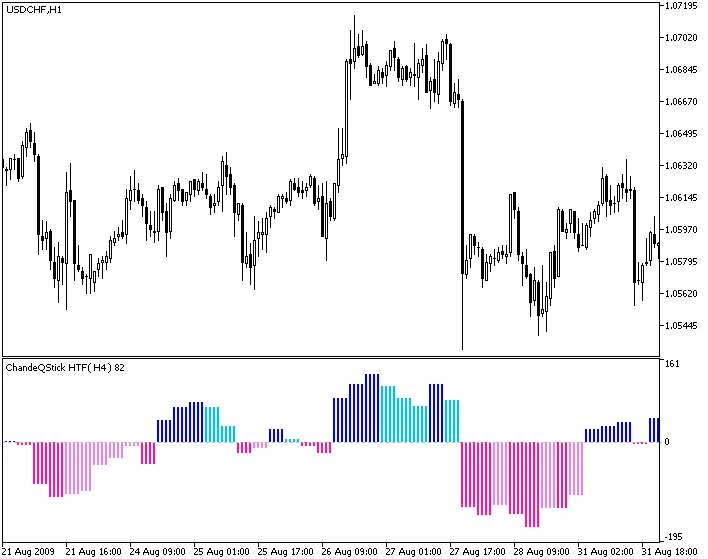
Fig.1. The ChandeQStick_HTF indicator
Related Posts
- Unlocking MetaCOT 2: Your Ultimate CFTC Indicator Toolkit for MT4
- Understanding the ChandeQStick Indicator for MetaTrader 5: A Trader's Guide
- Unlocking the Power of Master Tools for MetaTrader 4
- Mastering the Chande Qstick Indicator for Better Trading Decisions
- Unlock Trading Insights with Volume Profile + Range v6.0 for MetaTrader 5