
If you’re looking to enhance your trading game, the ATR Normalize Histogram might just be your new best friend. This nifty indicator allows you to select your preferred timeframe, giving you the flexibility to react when the market hits those critical overbought or oversold zones.
input ENUM_TIMEFRAMES TimeFrame=PERIOD_H4; // Choose your indicator's chart period (timeframe)
To get the ball rolling with the ATR Normalize Histogram, make sure you have the ATR_Normalize_Histogram.ex5 file added to your <terminal_data_directory>\MQL5\Indicators folder. This step is crucial for the indicator to work seamlessly.
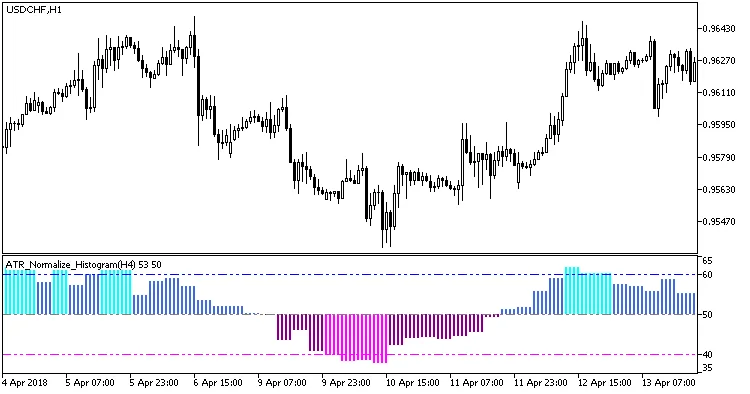
Fig.1. Indicator ATR_Normalize_Histogram_HTF
Related Posts
- Unlocking MetaCOT 2: Your Ultimate CFTC Indicator Toolkit for MT4
- Hourly Buffers for Data Collection in MetaTrader 5: A Simple Guide
- Unlocking the Power of Master Tools for MetaTrader 4
- Visualize Current Trends Across All Time Frames with This MetaTrader 4 Indicator
- Discover AllAverages v4.9: The Essential Indicator for MetaTrader 4