
Author: Marwi1
If you're looking to sharpen your trading strategy, this handy support and resistance indicator for MetaTrader 4 might just do the trick!
This tool effectively displays lines of support and resistance, helping you spot critical price levels. The support line sets 10 different resistance levels, which is a great way to gauge market dynamics across various timeframes.
To get started, you'll need to download two files: MW_ZigZag.ex4 and High_Low v2.ex4. Simply place them in the catalog expert/indicators/ directory. Once that’s done, just run the MW_ZigZag.ex4 file on your chart.
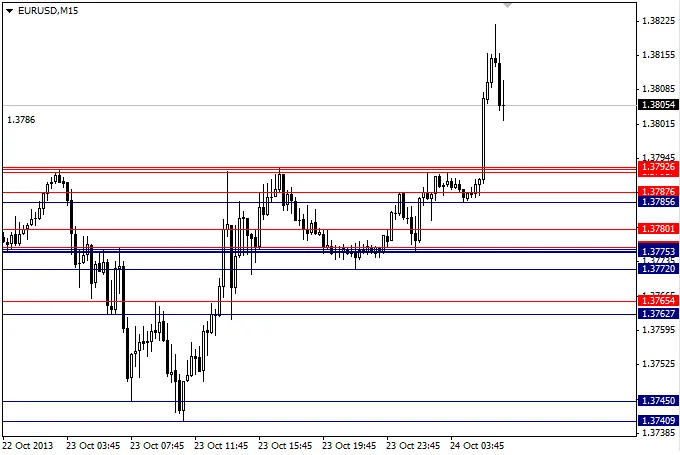
Here's a quick breakdown of what you'll see: white lines represent resistance levels (Res), while yellow lines indicate support levels (Sup). Hover your cursor over these lines, and you'll see details like Res10 for the most recent resistance line, and similarly for support lines, like Sup10.
Keep in mind, the settings in the indicator's properties for MW_ZigZag.ex4 should remain unchanged for optimal performance. This way, you'll always have accurate readings to guide your trading decisions.
Check out the image below for a visual reference:
Related Posts
- Unlocking MetaCOT 2: Your Ultimate CFTC Indicator Toolkit for MT4
- Unlocking the Power of Master Tools for MetaTrader 4
- Mastering the Open Range Breakout Indicator for MetaTrader 5
- Unlock Trading Insights with Volume Profile + Range v6.0 for MetaTrader 5
- Visualize Current Trends Across All Time Frames with This MetaTrader 4 Indicator