
Hey traders! Today, we're diving into the Indicator Tracer, a nifty tool for MetaTrader 4 that lets you trace the output of various indicators right on your chart.
So, how does it work? This indicator allows you to adjust its output by simply moving the vertical line (VL) left or right. This feature is particularly handy when dealing with custom indicators, especially those arrow indicators whose exact index empty value might be a bit of a mystery.
How to Use Indicator Tracer
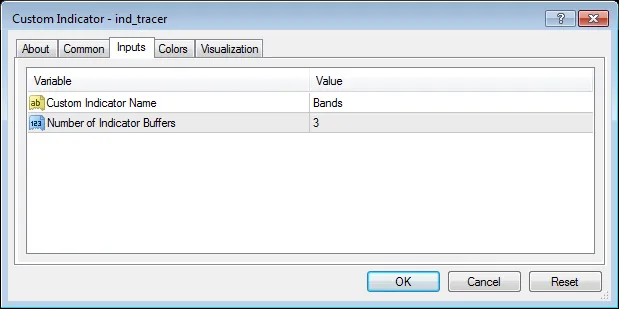
Getting started is a breeze! The Indicator Tracer comes with two parameters:
- The name of the indicator you want to trace.
- The number of buffers you wish to track.
Just make sure that the indicator you’re referencing is already installed on your platform.
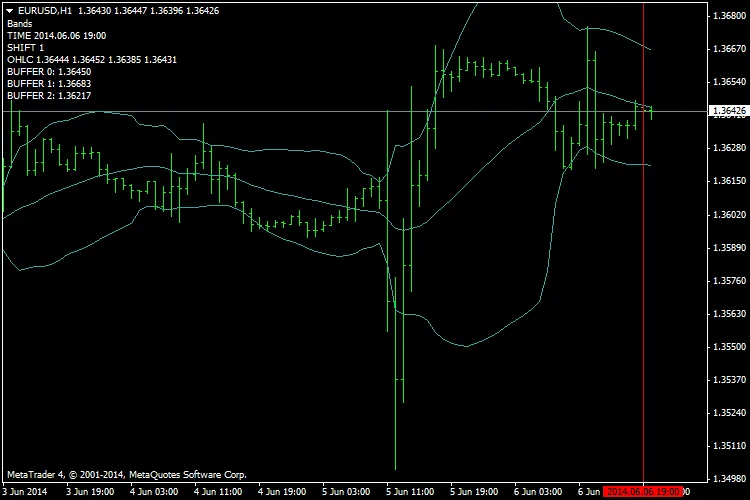
As illustrated in the image above, the Indicator Tracer is applied to the Bollinger Bands (BB). The vertical line starts from position 1, which corresponds to the last formed bar. By sliding the line left or right, you can see how it impacts the referenced bar and the output displayed on your chart.
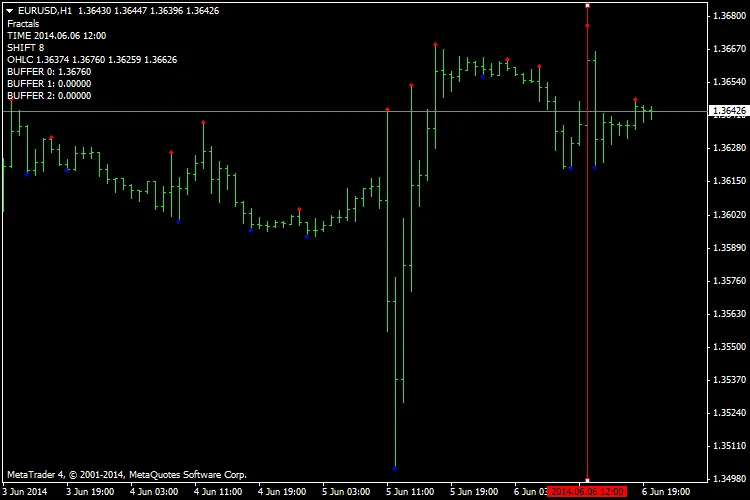
Now, let’s talk about arrow indicators like Fractals. These indicators don’t always produce a value. As shown below, the Indicator Tracer sets the buffers to zero to keep them hidden on the chart.
But keep in mind, this isn't a one-size-fits-all solution. Some indicators might use EMPTY_VALUE or other index values defined by the SetIndexEmptyValue() function.
Limitations of Indicator Tracer
- This tool is designed for custom indicators only. If you need to work with standard indicators, check for their counterparts in the codebase.
- You can only have one instance of the Indicator Tracer on any given chart.
- It operates solely on default parameter values for any indicator.
In conclusion, the Indicator Tracer is a fantastic addition to your trading toolkit, especially for those experimenting with custom indicators. Give it a shot and see how it enhances your trading experience!
Related Posts
- Unlocking MetaCOT 2: Your Ultimate CFTC Indicator Toolkit for MT4
- Visualize Current Trends Across All Time Frames with This MetaTrader 4 Indicator
- Unlock Trading Insights with Volume Profile + Range v6.0 for MetaTrader 5
- Unlocking the Power of Master Tools for MetaTrader 4
- Mastering the MACD Candle Indicator for MetaTrader 4