MetaTrader5
Unlocking the Power of SerialMA_EA: Your Guide to Trading Success on MetaTrader 5
Hey fellow traders! Today, let's dive into the world of the SerialMA_EA, a powerful Expert Advisor designed for MetaTrader 5. This EA takes advantage of the SerialMA indicator to help you navigate the markets with ease.
So, how does it work? The EA continuously adjusts the calculation period of the indicator, starting from the moment its line intersects with the price. Once it hits that intersection again, the calculation resets to the minimum value. It’s pretty slick!
Trading Signals Made Simple
Here's how the EA generates signals:
If the closing price of the candlestick on the signal bar is above the indicator line, and the previous bar's indicator point was on the line, that’s your cue to open a long position.
Conversely, if the closing price is below the indicator line, it’s time to consider a short position.
Position Opening Modes
The SerialMA_EA offers two modes for opening positions:
Open one position for each signal, closing any existing opposite position.
Only one position can be open in one direction at a time. The first signal opens the position, and if there's an opposing signal, the EA will close it before opening the new one.
Please note: This EA is tailored for hedging accounts. If you try to run it on a netting account, you’ll get a warning, and the EA will shut down.
To get the most out of the SerialMA_EA, make sure to save the compiled indicator file SerialMA.ex5 in your terminal's standard indicators folder (Your terminal directory\MQL5\Indicators).
Customizable Features
This Expert Advisor allows you to:
Enable or disable long/short positions
Reverse signals to open a sell instead of a buy and vice versa
Set stop loss and take profit values in points
If you input invalid Stop Loss and Take Profit values, the EA will adjust them to the minimum StopLevel permitted for the symbol. The same goes for lot sizes—if they’re too large, the EA will scale them down. If there's not enough balance for even the minimum lot, the signal will be skipped.
Heads up: This EA is mainly for training purposes!
Input Parameters
The SerialMA_EA comes with 12 input parameters:
Experts magic number - a unique ID for the EA's positions;
Mode of opening positions - decide how you want to manage your trades;
Long positions enabled - toggle this to allow long trades;
Short positions enabled - toggle this for short trades;
Reverse trade - choose to reverse signals if needed;
Lots - set your position size;
Stop loss in points - specify your stop loss;
Take profit in points - set your take profit;
Slippage of price - max allowable slippage;
Multiplier spread for stops - customize spread multiplier for stop orders;
Waiting for environment update (in seconds) - time to wait for environment updates;
Number of attempts to get the state of the environment - set how many tries to get accurate market data.
Note: There’s a minimum distance required for placing Stop Loss and Take Profit orders, known as StopLevel. If StopLevel is zero, it’s not absent; it just means it’s floating, which could be equal to the spread or even double the spread.
Important: If the EA detects a delay in executing a trading order, it will wait for the specified seconds before checking the environment again.
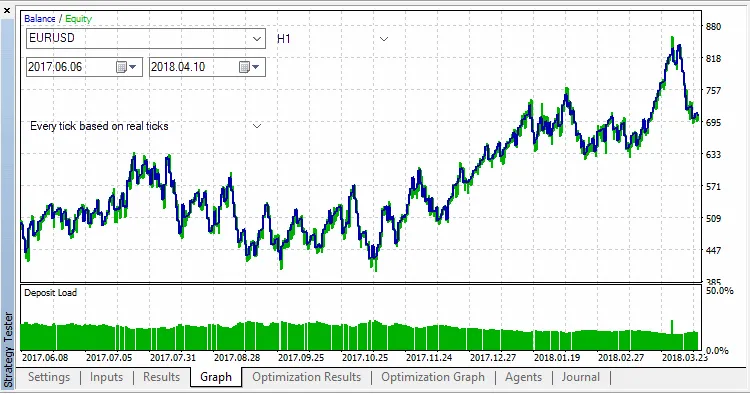
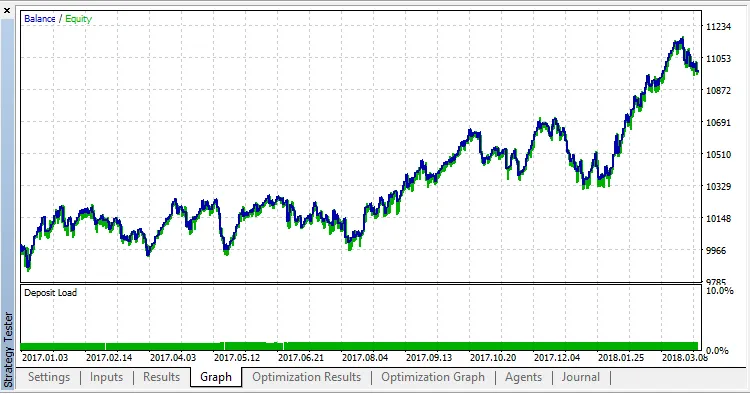
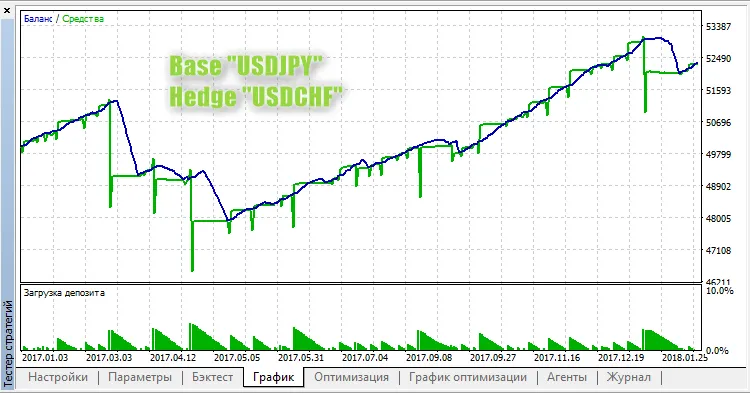
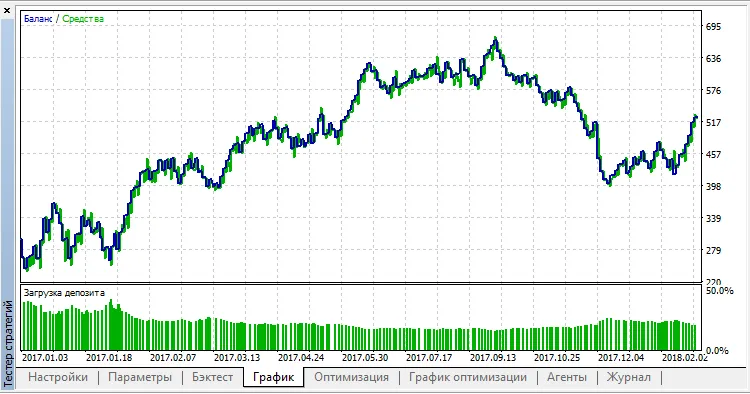
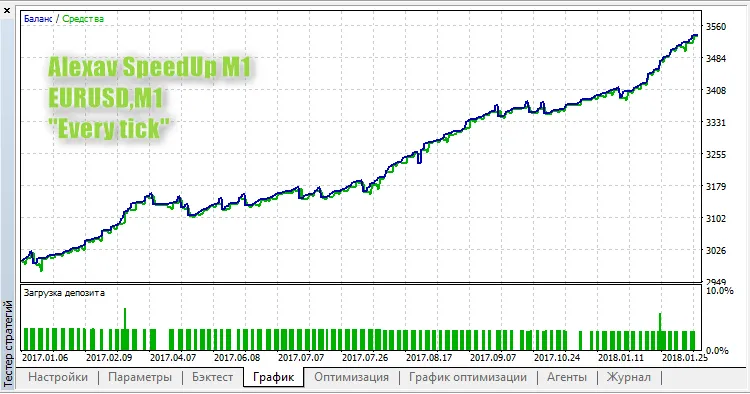
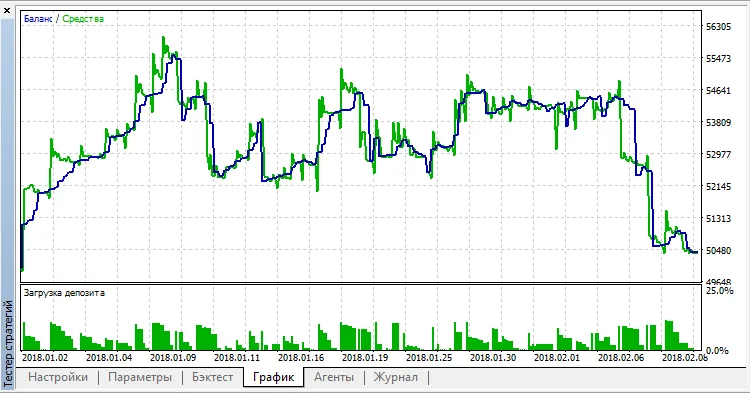
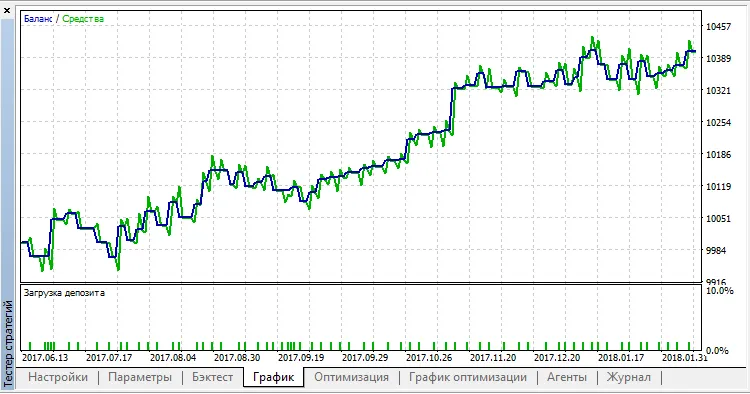
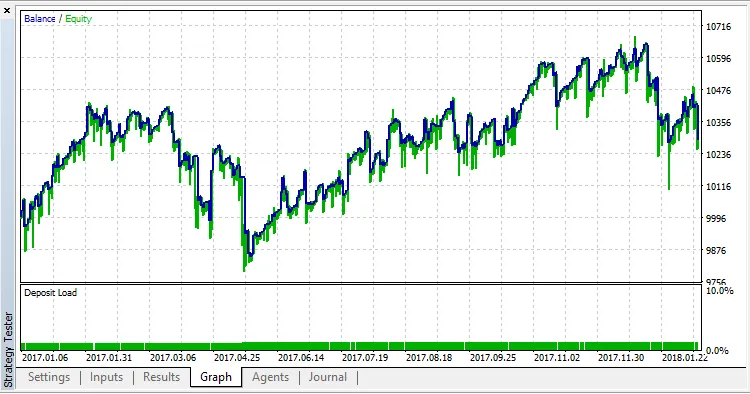
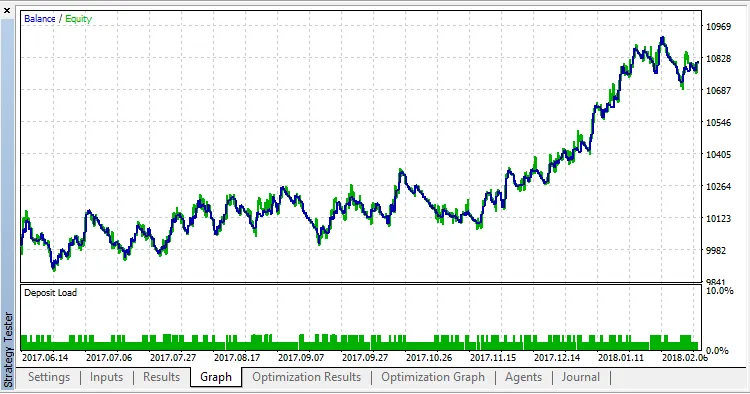
The strategy was tested with the default settings between January 4, 2017, and February 9, 2018, but unfortunately, the results were underwhelming. However, when tested in reverse mode, the outcomes improved significantly. Since this EA uses a dynamically calculated moving average, there aren’t any parameters to optimize just yet. But feel free to brainstorm ideas on what features you’d like to see added—maybe a trailing stop could be a good addition!
Fig.1,2 Testing results.
2018.04.19