
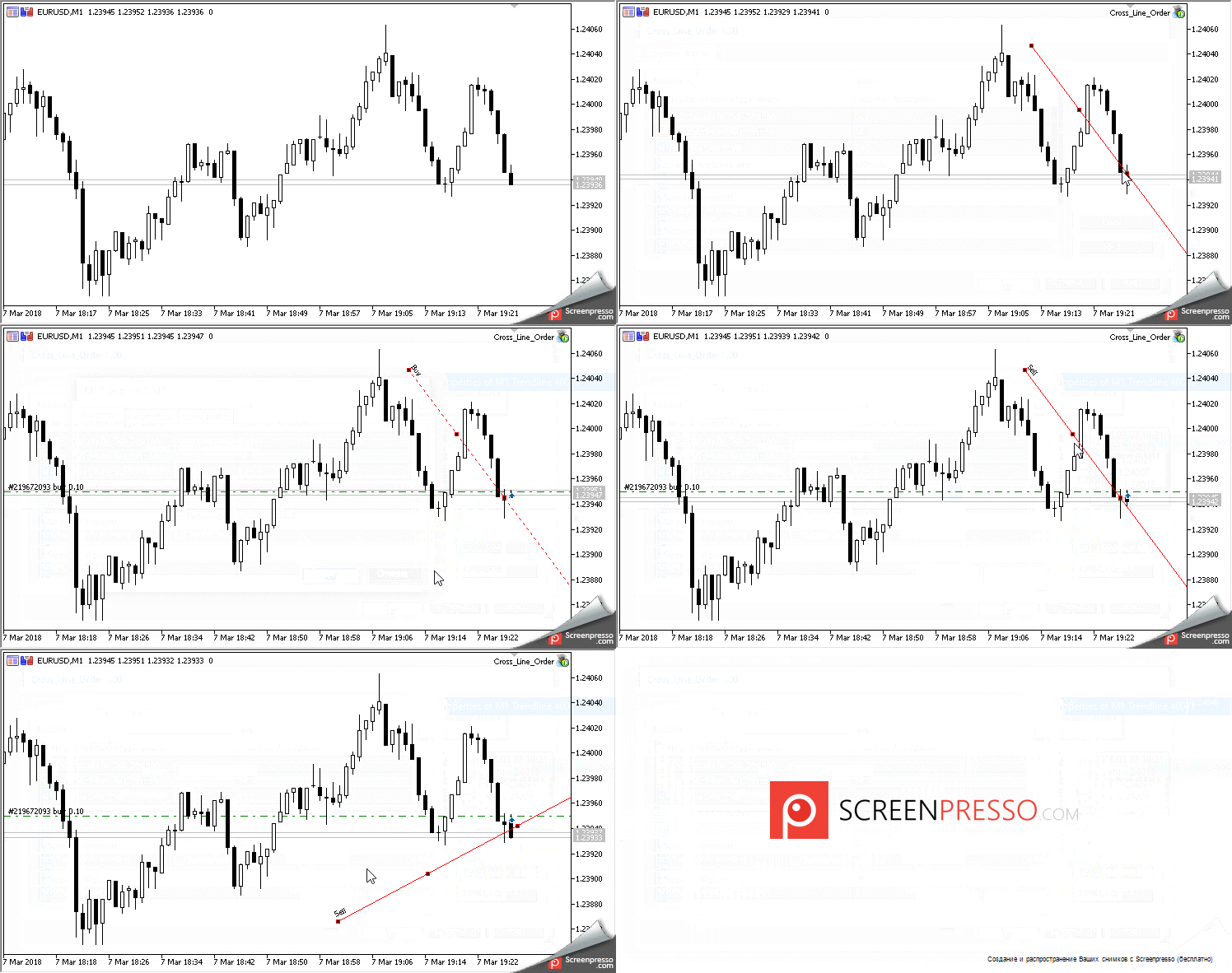
Meet the Cross_Line_Trader, a semi-automated trading system designed to help you make the most of your trading strategy on MetaTrader 5. This handy Expert Advisor (EA) opens positions based on the intersections of lines you draw on your chart, making it easier to capture profitable trades.
Four Types of Lines Supported
- Trendline
- Trendline by Angle
- Vertical Line
- Horizontal Line
Three Ways to Interact with the Lines
- Open a position in the direction indicated by the line's description;
- Only buy;
- Only sell.
When the price crosses a line and a position is opened, that line becomes inactive, meaning it won’t trigger another trade. You can adjust the inactive line's type in the settings to prevent reopening after crossing.
Currently, the EA only checks for intersections at the opening of a new bar. This means it looks for situations where the Open price of the previous bar and the Open price of the current bar are on opposite sides of the crossed line.
Intersecting Trendlines
The EA checks the “Ray to the right” parameter for trendlines:
- If enabled, any intersection at the current bar is counted;
- If disabled, the intersection is only valid if the right edge of the line is either on the current bar or to the right of it. If the price doesn’t cross the line before its right edge moves past the last bar, the line becomes inactive.
Intersecting Horizontal Lines
When the Open price of the last bar crosses the line along with the Open price of the current bar, a position opens based on your settings, and that line becomes inactive.
Intersecting Vertical Lines
As soon as the current bar opens behind the bar where the vertical line is set, a position opens according to your settings, and the line is then marked inactive.
You can customize the volume of positions opened by the EA in the settings. Additionally, you can set your stop loss and take profit in points. If invalid values are specified, the EA will adjust them to the minimum StopLevel allowed for the symbol.
The EA also takes care of the lot size. If an incorrect value is entered, it will adjust the lot size to allow for a position to be opened. If there’s not enough capital to open even the minimum lot size, no position will be opened.
The EA comes with 13 customizable input parameters:
- Direction of Opening Positions - Options for how to open positions:
- As per line description
- Always Buy
- Always Sell
- Description for Buy Position - The line description for opening Buy positions (default is Buy);
- Description for Sell Position - The line description for opening Sell positions (default is Sell);
- Inactive Line Style - The style of the inactive line;
- Expert Magic Number - A unique identifier for positions opened upon intersection;
- Lots - The volume of positions to open;
- Stop Loss in Points - The Stop Loss for a position in points;
- Take Profit in Points - The Take Profit for a position in points;
- Price Slippage - Maximum allowable slippage when opening a position;
- Multiplier for Stop Orders - Spread multiplier used for calculating the proper distance for stop orders (*).
- Environment Update Wait Time (in seconds) - Time to wait for a trading environment update (**);
- Number of Attempts to Check Environment State - Attempts to get an accurate trading environment (***);
- Log Messages - Option to log messages about line intersections (Yes/No).




Comments 0