Technical Indicator

Unlocking Trading Opportunities with the RSI EMA Engulfing Bar Indicator for MT5
MetaTrader5
Unlocking Trading Opportunities with the RSI EMA Engulfing Bar Indicator for MT5

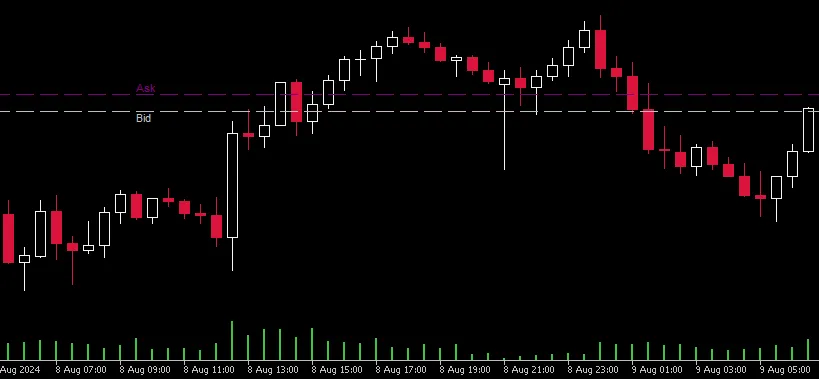
Hey traders! If you're on the lookout for a reliable way to spot potential buying opportunities, you're in the right place. The RSI EMA Engulfing Bar indicator for MetaTrader 5 is a game changer that combines various technical indicators and price action patterns. Let’s dive into how this indicator works! Buy Conditions 1. RSI Condition: The Relative Strength Index (RSI) is your first checkpoint. When the RSI value dips below a predetermined low (let's call it RsiLow), it signals that the market might be oversold. This is your cue to pay attention! 2. Candlestick Pattern: This indicator looks for a specific candlestick pattern happening over three consecutive candles: The current candle (1) closes higher than it opens (that's bullish!) The previous candle (2) closes lower than it opens (bearish) The current candle's close is above the open of the previous candle The current candle's close is below the high of the previous candle 3. Moving Average Conditions: The current candle's close should be below the Exponential Moving Average (EMA) A longer-term EMA (Shiftpast) needs to be below a shorter-term EMA (Shiftnow), indicating a possible uptrend. You can tweak the previous shifts of the moving average to adjust your strategy—using numbers like 5-6 for a buy means the EMA ID5 was above ID6 five bars ago. Feel free to experiment with shifts like 3-4, 7-9, or even 10-13! 4. Buy Signal: If all these conditions check out, the alert will generate a

2024.09.13
Mastering the RSI Engulfing Bar V2 Indicator for MetaTrader 5
MetaTrader5
Mastering the RSI Engulfing Bar V2 Indicator for MetaTrader 5

Understanding the RSI Engulfing Bar V2 Indicator If you're looking to boost your trading game, the RSI Engulfing Bar V2 indicator for MetaTrader 5 is a must-have tool. It's designed to help you identify potential reversal points by combining the Relative Strength Index (RSI) with candlestick patterns. Let’s break down how it works! Key Components of the Indicator RSI Condition: The Relative Strength Index (RSI) must be below a specific low threshold, which we call RsiLow. This indicates that the asset is in oversold territory, setting the stage for a potential reversal. Candlestick Pattern: The indicator checks for a specific candlestick pattern across three consecutive candles: The current candle (1) closes higher than it opens, signaling bullish sentiment. The previous candle (2) closes lower than it opens, indicating bearish pressure. The current candle's close is below the high of the previous candle, which adds to the reversal potential. Price Action: To further validate the reversal, the indicator ensures that the current candle's close is above the open of the previous candle. This is a good sign that buyers may be stepping in. Buy Signal: If all the above conditions are met, the indicator generates a "Buy" signal, and you'll see an up arrow at the low of the current candle. This is your cue to take action! Setting Up RSI Levels For optimal performance, make sure to set your RSI with a period of 10 and levels of 30 and 70. Whenever an engulfing bar occurs below or above these RSI levels, the alert will trigger, giving you a heads-up on potential trading opportunities! Full Alerts! Stay alert and ready to act on these signals for maximum trading efficiency.

2024.09.13
Mastering Swing Highs and Lows: A Must-Have MT5 Indicator for Traders
MetaTrader5
Mastering Swing Highs and Lows: A Must-Have MT5 Indicator for Traders

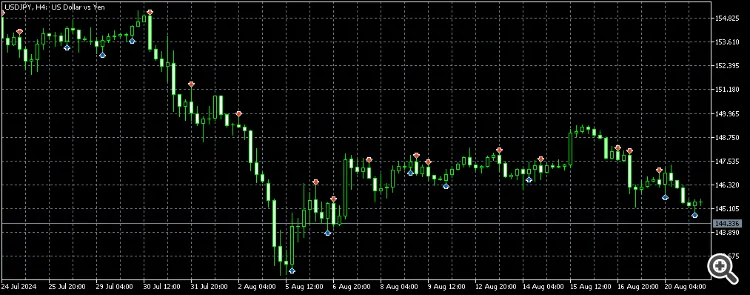
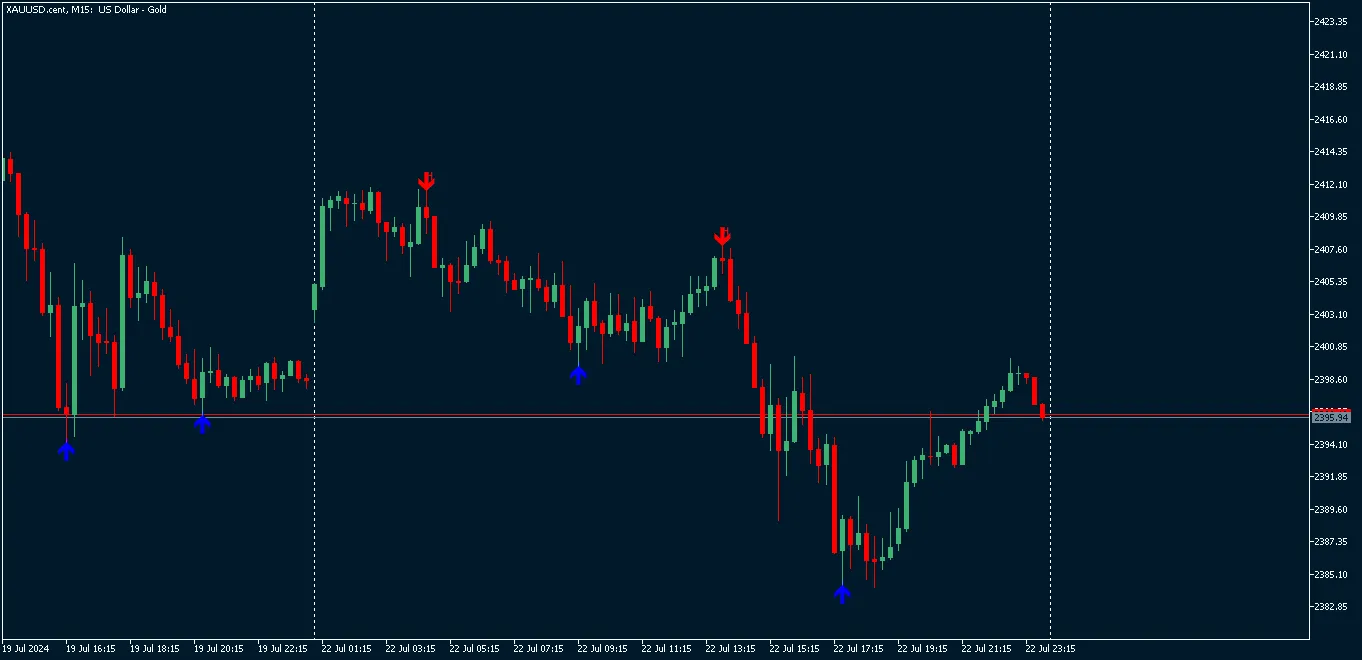
Swing High/Low Identifier The Swing High/Low Identifier is a tailor-made indicator for MetaTrader 5 (MT5) that helps you pinpoint essential swing points right on your charts. It effectively identifies and highlights swing highs and swing lows based on a customizable range of bars. Swing Highs are indicated with red arrows above the corresponding candles. Swing Lows are shown with blue arrows below the respective candles. This handy tool allows traders to quickly identify critical price levels and patterns, which can be pivotal for making informed trading decisions. ### Effective Trading Strategies 1. Identifying Trend Reversals: Swing Highs may signal potential resistance points where a downtrend could kick off. Swing Lows can indicate possible support levels from which an uptrend might emerge. 2. Support and Resistance Analysis: Utilize the marked swing highs and lows to draw horizontal lines or channels that serve as key support and resistance levels. 3. Price Action Trading: Combine this indicator with price action techniques—think candlestick patterns or breakout strategies—to confirm your entries and exits at those swing points. 4. Swing Trading: Leverage swing highs and lows to figure out your entry and exit points, based on observed price swings and potential reversal zones. 5. Confirming Other Indicators: Use these swing points to back up signals from other technical indicators, like moving averages or oscillators, to boost the reliability of your trading signals. This indicator not only provides a visual cue for key price points but also enhances your technical analysis and decision-making process.

2024.07.23
Mastering Object Manipulation in MetaTrader 5: A Guide to Hacking Indicator Objects
MetaTrader5
Mastering Object Manipulation in MetaTrader 5: A Guide to Hacking Indicator Objects

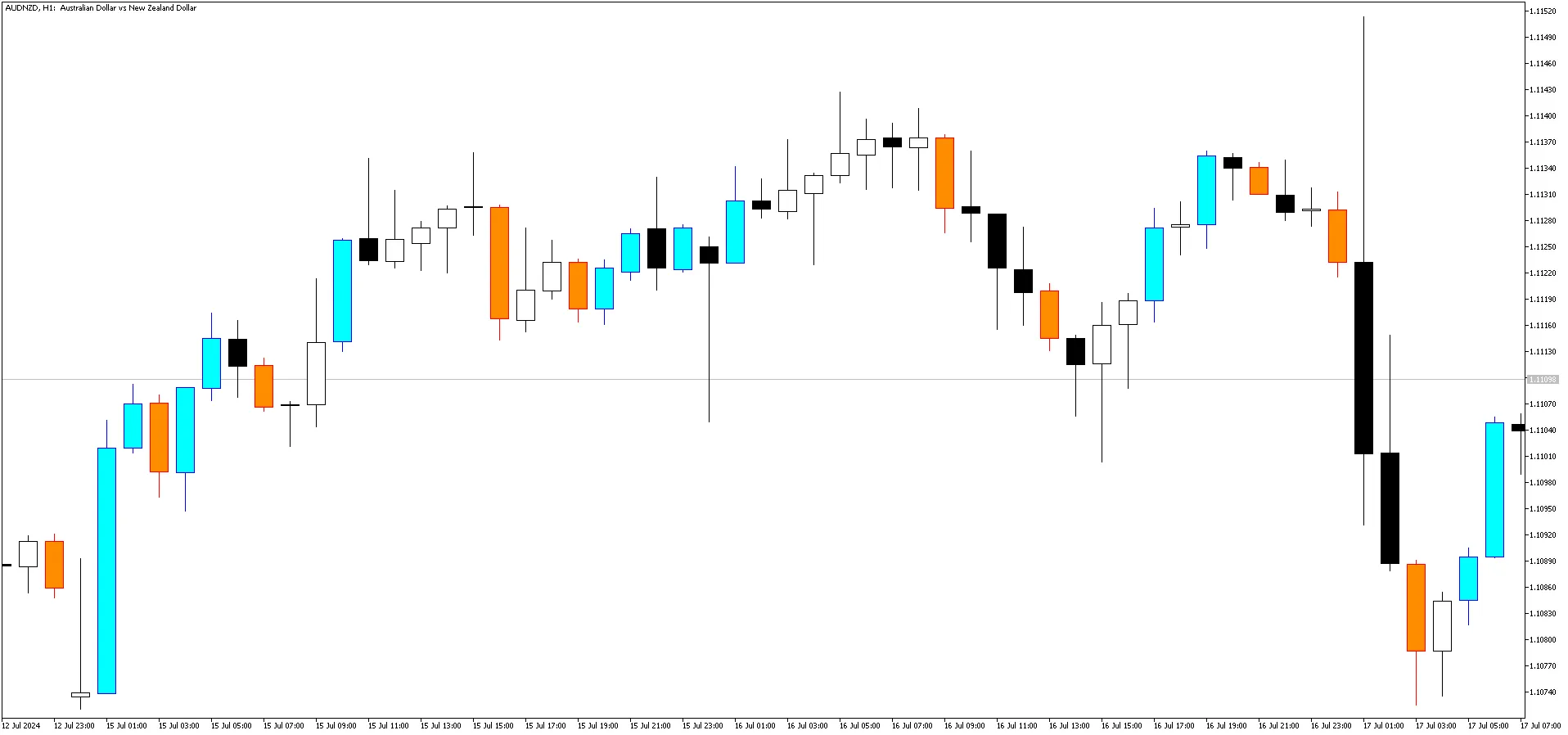
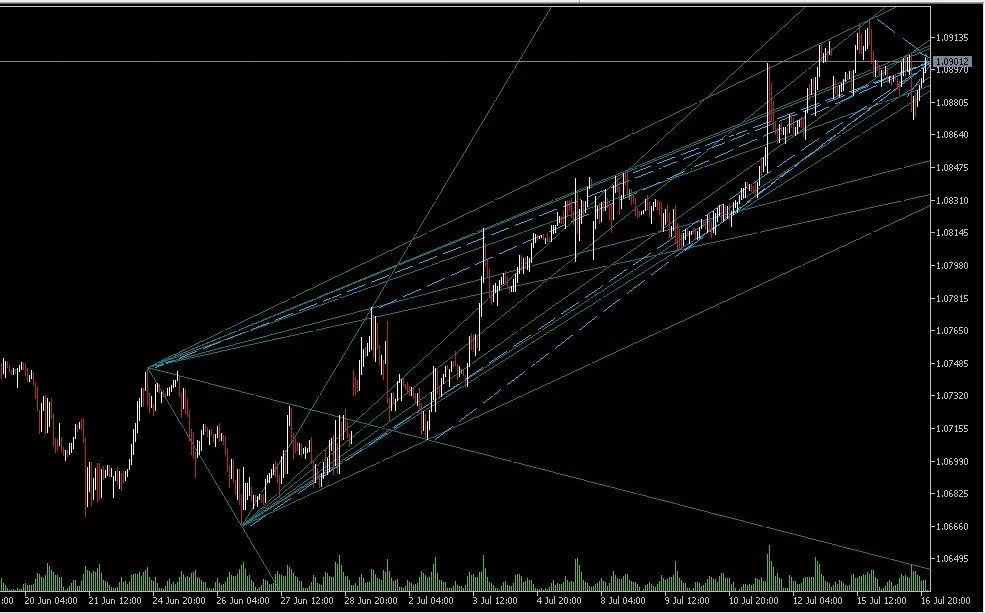
Hey there, fellow traders! Today, we’re diving into a neat trick that lets you tweak the objects in an indicator even if you don’t have the source code. Some indicators don’t use buffers and instead rely solely on objects, making it a bit tricky when you want to customize them. While iCustom is a lifesaver for indicators that do use buffers, what do you do when you’re dealing with objects only? For this demonstration, we’re using a free market indicator for MT5 called PZ Multidiagonals MT5. Make sure you install this indicator from the marketplace before you start playing around with the code. First things first, we need an object prefix name to kick off our modifications. I created a handy function called LogChartObjectNames() to log all the names of the objects that are part of the indicator. Next up, we’ll manipulate the objects using the ModifyChartObjects() function. This function takes two parameters: the prefix name (which should match the start of a descriptive object name) and an integer that indicates how many objects you want to leave untouched. The PZ Multidiagonals indicator is quite the trend indicator, automatically drawing trend lines, but sometimes it goes a bit overboard. Here’s what the default setup looks like: As you can see from the data window, this indicator doesn’t use any buffers whatsoever; everything is built entirely with objects. Now, starting from a clean chart and loading the Hacking Objects.mq5 script, you'll notice how I managed to clear away a lot of the trend lines, keeping only what I believe are the most relevant ones. And I did this not by tweaking the inputs, but by hacking the objects directly: So there you have it! With a bit of code and creativity, you can take control of your indicators and make them work for you. Happy trading!

2024.07.17
First Previous 10 11 12 13 14 15 16 17 18 19 20 Next Last