
If you're looking to enhance your trading game, the ColorX2MA-Parabolic system might just be the tool you need. This trading system is built around the signals generated by the smoothed Parabolic indicator, utilizing the X2MA Moving Average as its input time series. You’ll get a prompt to make a trade when a large, colored point shows up at the close of a bar.
To get started, simply place the ColorX2MA-Parabolic.ex5 file in your terminal data folder under MQL5/Indicators.
The default input parameters for the Expert Advisor were used during the tests outlined below. Notably, Stop Loss and Take Profit settings were not utilized throughout the testing phase.
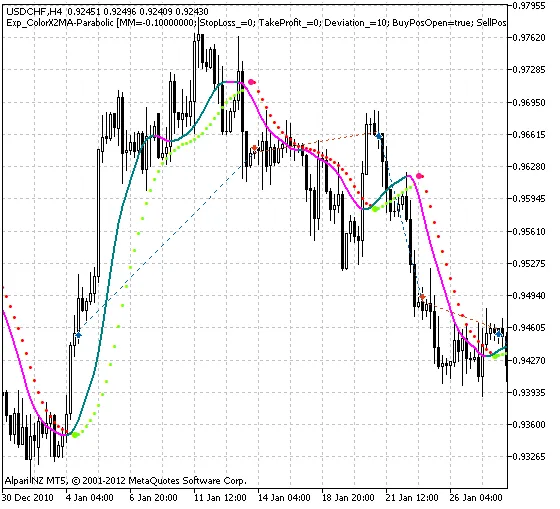
Fig. 1. The instances of history of deals in the chart.
Here are the testing results for the year 2011 using the USDCHF on the H4 timeframe:
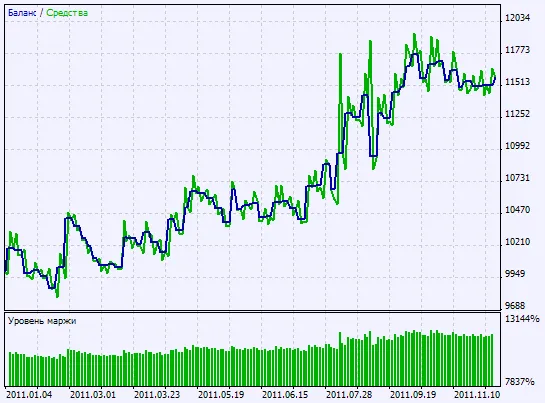
Fig. 2. Chart of testing results




Comments 0