
Are you ready to take your trading to the next level? The MACD_Xtr trading system is designed specifically for traders using MetaTrader 5. This system generates signals at the close of each bar, triggered by the appearance of red or green bars. When it comes time to exit a trade, you can either set a pending order or react to a change in bar color.
To get started, simply place the MACD_Xtr.ex5 compiled file in your terminal's data folder located at MQL5/Indicators.
During the tests outlined below, we used the default input parameters of the Expert Advisor. Notably, there were no Stop Loss or Take Profit settings applied during these tests.
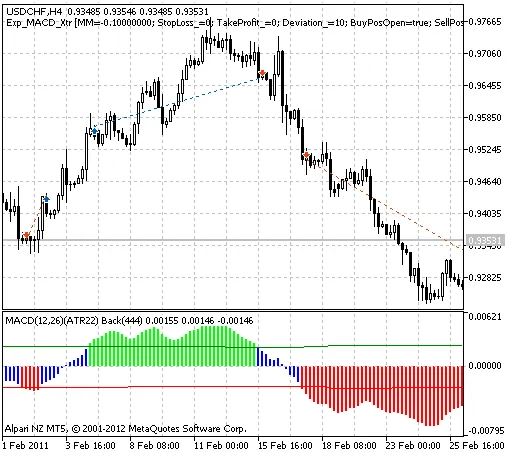
Fig. 1. The instances of history of deals in the chart.
Now, let’s dive into the testing results for 2011 using USDCHF on the H4 timeframe:
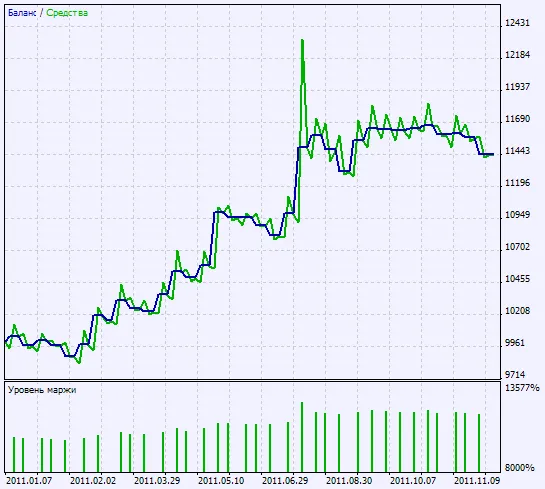
Fig. 2. Chart of testing results




Comments 0