
Are you looking to take your trading game to the next level? The Forex Trade Manager Grid MT5 is designed to help you manage your orders effectively and achieve your trading goals. All you need to do is place your first order with a Take Profit target, run the EA, and set the profit (in pips) you want to hit. This system takes care of managing your positions by gathering the specified number of pips.
This strategy focuses on managing manual trades opened on the current pair. It adds positions to your existing trades using a grid management approach, with a customizable distance in pips between trades - accommodating up to 15 trades (or fewer, if you prefer). The first three trades are managed with individual take profits, while the fourth trade and beyond will close the entire grid at a common level, ideally at break-even. Once a trade hits its Take Profit, you can renew it, but keep in mind that the entire cycle can be closed if your losses exceed the allowed risk balance percentage.
Parameters You Should Know:
- Additional Trade Params:
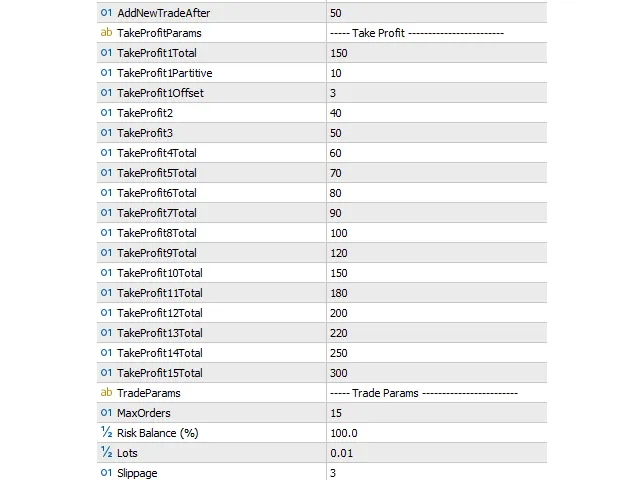
- AddNewTradeAfter: Sets the distance in pips from the last trade for adding new trades to the grid.
- Take Profit:
- TakeProfit1Total: Total TP in pips required from the first position.
- TakeProfit1Partitive: Initial TP in pips for the first position in the cycle.
- TakeProfit1Offset: Minimum distance in pips from the last closed first position’s TP required to renew this trade.
- TakeProfit 2/3: Individual TP in pips for the second and third positions in the cycle.
- TakeProfit 4/5/6/…15Total: Total TP in pips for all positions in the cycle (for four or more trades opened).
- Trade Params:
- MaxOrders: Maximum allowed number of trades in the grid.
- Risk Balance %: Maximum allowed loss as a percentage of the account balance (will close all opened positions).
- Lots: Lot size for trades opened by the EA.
- Slippage: Allowed slippage in points.
Additional Information:
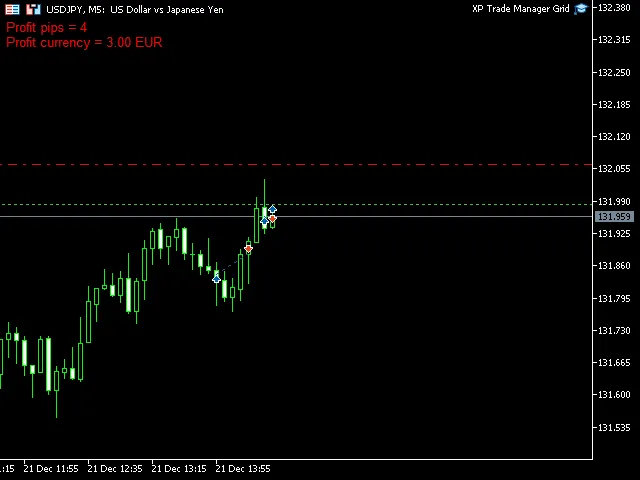
All parameters for trades and functions are adjustable in the EA settings. The Forex Trade Manager Grid also provides valuable information directly on your chart, displaying the profit/loss from the current cycle in pips and your account’s currency.




Comments 0