
Welcome to the world of trading simulation! The VisualTrader Simulator Edition is a powerful tool designed for MetaTrader 4 that makes testing your strategies a breeze. With its user-friendly interface, you can easily place market orders—both BUY and SELL—and hone your skills without the pressure of real-time trading.
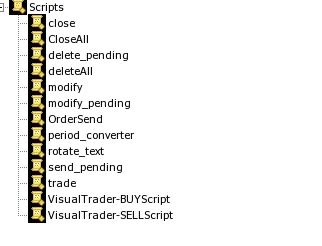
To get started, simply use the provided scripts. The VisualTrader-BUYScript allows you to place buy orders, while the VisualTrader-SELLScript is your go-to for sell orders.
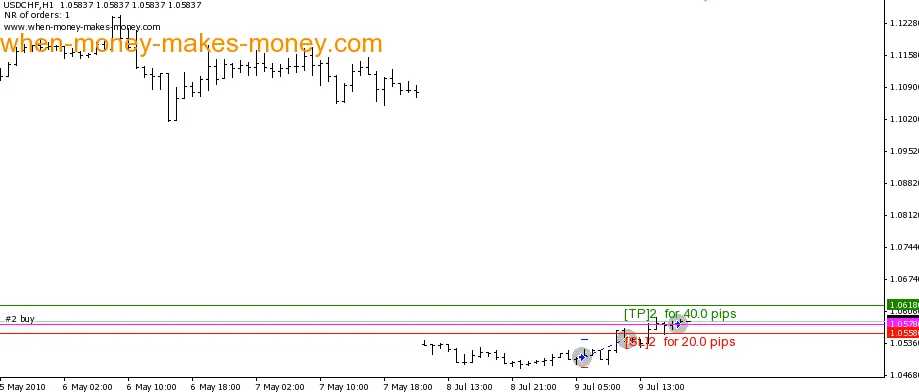
Once you've placed your orders, adjusting your Take Profit and Stop Loss is easy—just drag and drop the green (TP) and red (SL) lines to your desired levels.
Installation Steps:
- Copy VisualTrader-SimulatorEdition.mq4 into: *YourMT4Directory*/experts/
- Copy VisualTrader-BUYScript.mq4 into: *YourMT4Directory*/experts/scripts/
- Copy VisualTrader-SELLScript.mq4 into: *YourMT4Directory*/experts/scripts/
- Restart your MetaTrader terminal
- Open the Strategy Tester
- Select VisualTrader-SimulatorEdition and choose your desired timeframe
- Check the Visual mode option
- Hit Start and let the trading begin!




Comments 0