
Stay on Top of Your Trades with the Market Watch Panel Utility
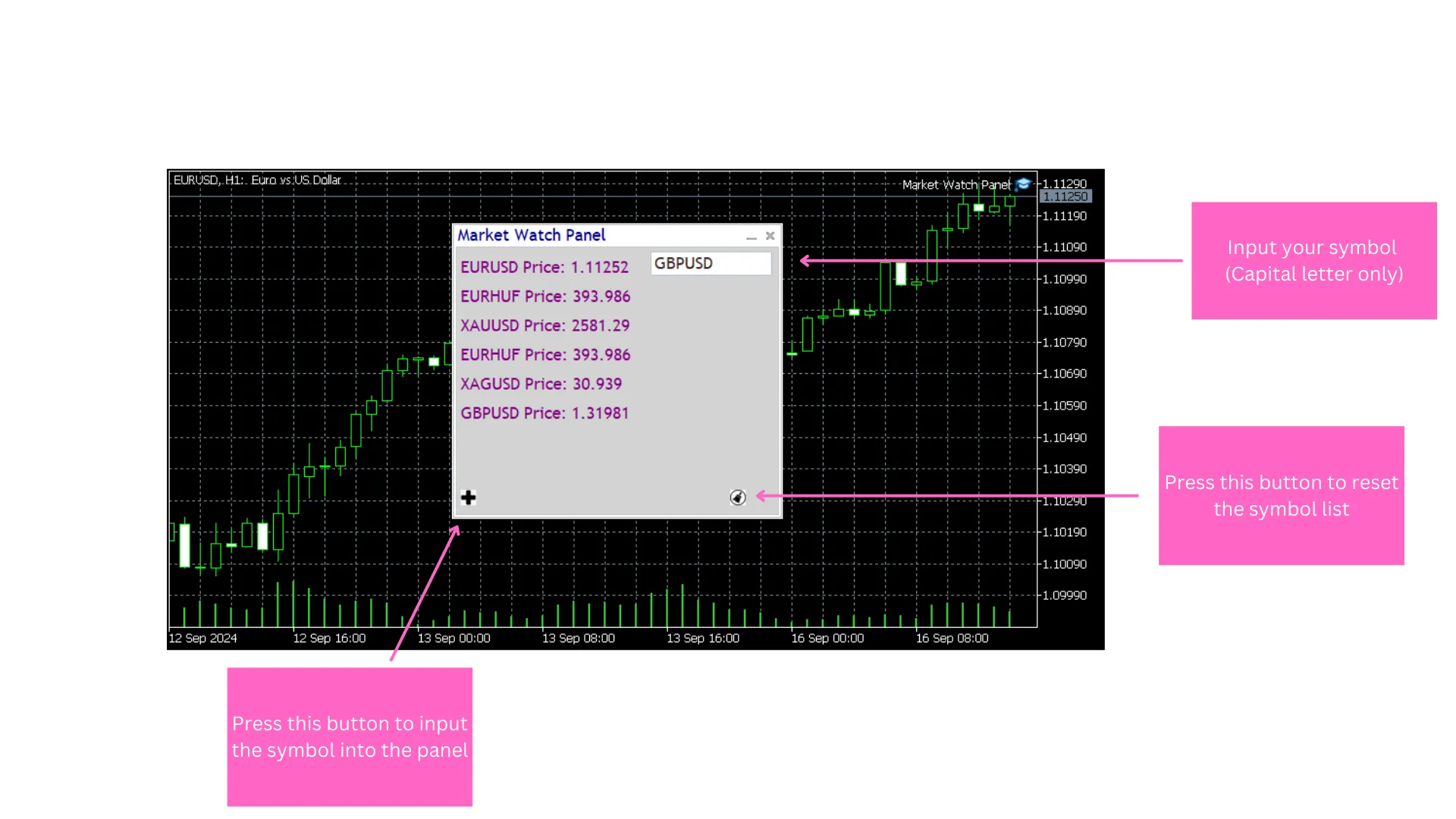
If you're looking to streamline your trading experience, the Market Watch Panel Utility for MetaTrader 4 is a game changer. This nifty tool offers real-time monitoring of financial symbols, allowing you to keep your finger on the pulse of the markets with ease. The clean and intuitive interface displays essential data like closing prices, making it a breeze to switch between symbols and conduct focused market analysis.
With this utility, you can stack multiple symbols and customize your trading setup, ensuring that you can track market movements efficiently and make informed decisions in no time.
Key Features of the Market Watch Panel Utility
The Market Watch Panel Utility isn't just about looks; it delivers functionality that can enhance your trading strategy. Here are some of its standout features:
- Save Your Symbols: You can store symbols in a text file, so every time you load the panel, your saved symbols will be right there waiting for you.
- Customization Options: Tailor the panel to your taste by changing the text and window colors. It operates like a traditional market data window, giving you a straightforward way to monitor prices and stay updated.
Customizing Your Panel
Here's a quick overview of the main inputs you can tweak to make the panel truly yours:
- Panel Background Color: Set the entire panel's background color (default: White).
- Panel Text Color: Choose the color for the text displayed on the panel (default: DarkBlue).
- Client Area Background: Adjust the client area background color within the panel (default: LightGray).
- Main Text Color: Specify the main text color for better visibility (default: Purple).
Personalize Your Button Image
***NOTE***: The current version of the Market Watch Panel Utility does not include a default button image. While the button will function, it may remain invisible unless you add a BMP image. Here’s how to customize it:
- Place your own BMP image (24-bit format) into the MQL5/Images folder.
- Modify the code to point to your custom image by updating the resource path.
- Make sure that your image is correctly formatted and that the path is accurate to prevent any errors during compilation.
This way, you can add a personal touch to your Market Watch Panel Utility with a custom button image. Happy trading!




Comments 0