
Hey there, fellow traders! Today, I’m excited to dive into the latest version of the TREND_alexcud indicator, version 2. This update comes packed with some nifty changes, making it perfect for those of us who like to trade on smaller timeframes.
One of the standout features of this version is the ability to customize your timeframe settings. You can easily set up the indicator for any timeframe by simply entering the required number of minutes in the input parameters. Let’s take a closer look at the default settings:
- TF1: 15 minutes
- TF2: 1 hour (60 minutes)
- TF3: 4 hours (240 minutes)
But that’s not all! Here are the other timeframe options you can choose from:
- 1: 1 minute
- 5: 5 minutes
- 15: 15 minutes
- 30: 30 minutes
- 60: 1 hour
- 240: 4 hours
- 1440: 1 day
- 10080: 1 week
- 43200: 1 month
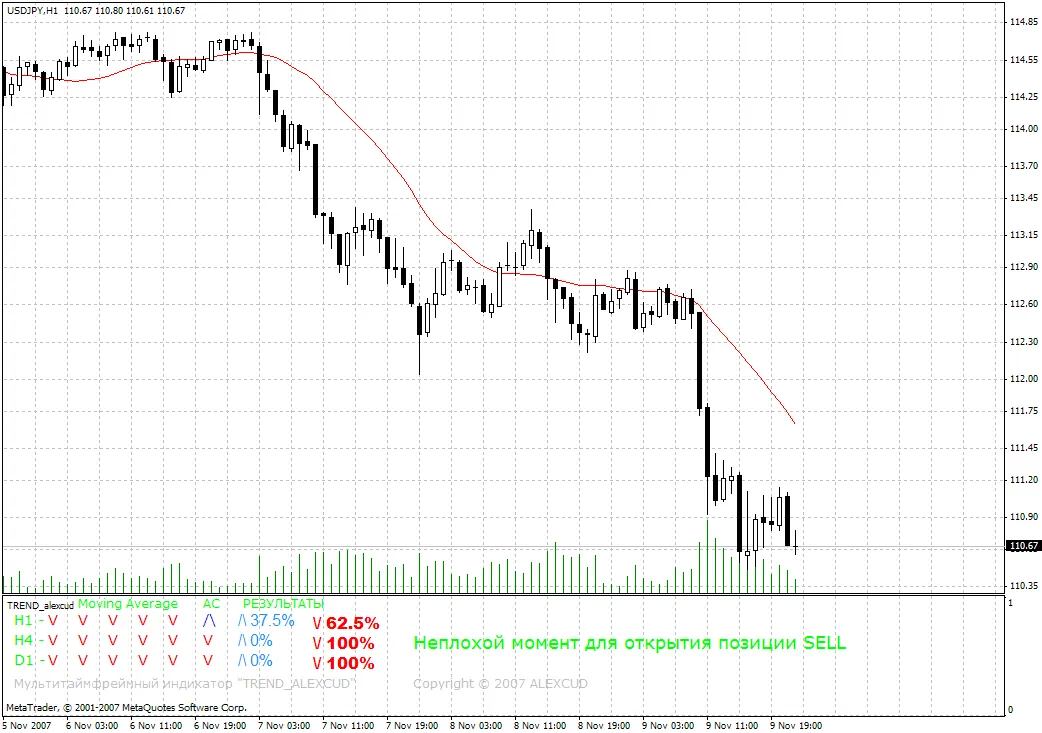
With this flexibility, you can truly tailor the TREND_alexcud indicator to fit your trading style. Now, let’s check out some trading results generated using this powerful tool:
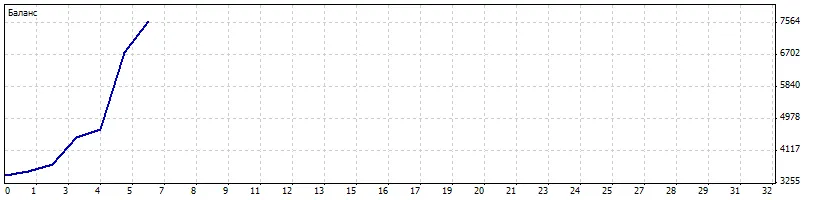
Whether you're a scalper or prefer longer trades, the TREND_alexcud v2 can help you make more informed decisions. Happy trading!




Comments 0