
What Is Trend Vision?
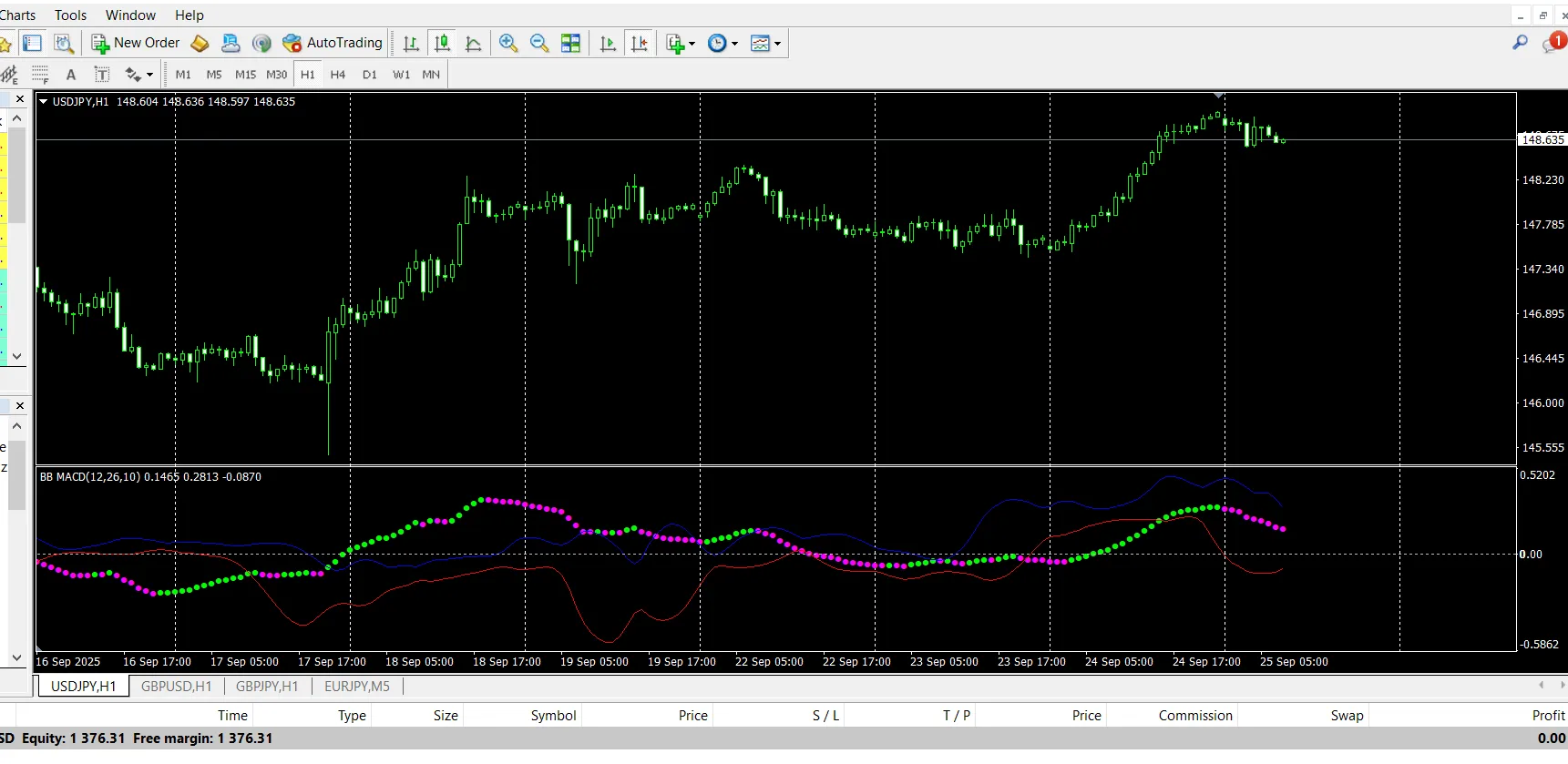
Trend Vision is a custom MT4 indicator that skillfully combines MACD momentum with Bollinger Bands volatility to deliver clear and reliable trading signals. Think of it as your trusty sidekick in the trading arena!
MACD reveals momentum shifts, divergences, and the strength of trends.
Bollinger Bands gauge volatility by measuring expansions and squeezes.
This powerful fusion helps filter out the noise, allowing you to focus on high-probability moments where momentum and volatility align perfectly.
How It Works (In Simple Terms)
MACD checks momentum by comparing fast and slow moving averages.
Bollinger Band calculations assess volatility using a moving average plus standard deviation.
When both indicators line up, Trend Vision:
Displays color changes and dots/lines on your chart.
Issues an alert (if you’ve got it enabled).
Visually indicates shifts so you can act swiftly.
Key Features
MACD + Bollinger Fusion → enjoy double confirmation for your signals.
Visual Signals → color changes plus arrows/dots right on your chart.
Multi-Timeframe Use → effective for everything from 1M scalping to weekly swings.
Alert System → on-screen, push, email, and sound alerts at your fingertips.
Filter Options → choose between stricter or more frequent signals based on your strategy.
Performance Control → limit the number of bars calculated for faster performance.
Input Parameters
Calculation Settings
FastLen (default = 12) – Fast MA period for MACD.
SlowLen (default = 26) – Slow MA period for MACD.
Length (default = 10) – Period used for both MA and standard deviation in Bollinger calculations.
barsCount (default = 400) – Max number of chart bars to process (higher numbers mean more historical data).
StDv (default = 2.5) – Standard deviation multiplier that controls band width.
Alerts
EnableNativeAlerts (false) – Activate MT4 pop-up alerts for color changes.
EnableSoundAlerts (false) – Hear a sound when a color change happens.
SoundFileName ("alert.wav") – Specify the sound file to play.
EnableEmailAlerts (false) – Send email notifications (requires MT4 email setup).
EnablePushAlerts (false) – Get push notifications on your MT4 mobile (set up needed).
StricterAlerts (false) – Get alerts only on the first change above zero (bullish) or below zero (bearish) for cleaner signals.




Comments 0