
Hey fellow traders! Today, let’s dive into the PChannel3Cloud indicator, designed specifically for MetaTrader 5. This tool lets you select different timeframes right from the input parameters, giving you the flexibility you need to tailor your trading strategy.
input ENUM_TIMEFRAMES TimeFrame=PERIOD_H4; // Indicator chart period (timeframe)
To get started, you’ll need the PChannel3Cloud.mq5 file. Simply drop it into your <terminal_data_folder>\MQL5\Indicators directory, and you’re all set!
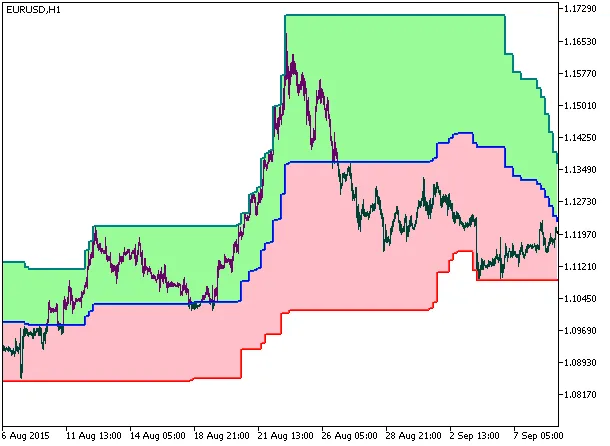
Fig.1. PChannel3Cloud_HTF
Related Posts
- Unlocking MetaCOT 2: Your Ultimate CFTC Indicator Toolkit for MT4
- Understanding the PChannel3Cloud Indicator for MetaTrader 5
- Unlocking the Power of Master Tools for MetaTrader 4
- Mastering the PChannel3 Cloud Digit Grid Indicator for MetaTrader 5
- Hourly Buffers for Data Collection in MetaTrader 5: A Simple Guide