
The Definition:
Pearson's correlation coefficient measures the relationship between two variables. Specifically, it's calculated by taking the covariance of the two variables and dividing it by the product of their standard deviations. This method is known as the 'product moment' because it involves the mean of the product of the mean-adjusted random variables. If you want to dive deeper, check out this link: Pearson Correlation Coefficient.
This Version:
This version of the indicator allows you to calculate the coefficient for the current symbol as well as for two different symbols.
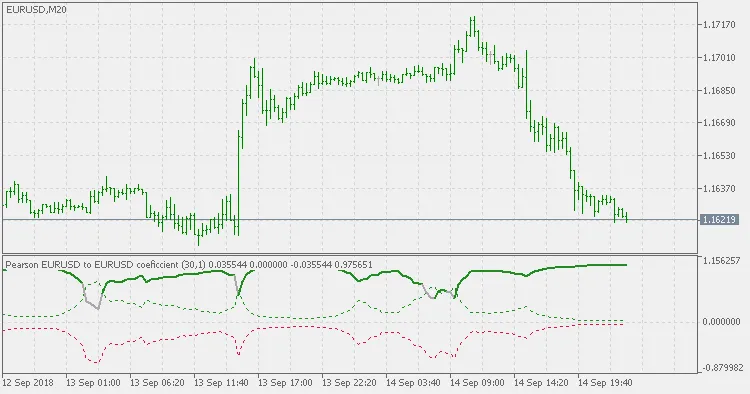
- When the "Second symbol" parameter is left blank, it defaults to the current chart symbol. In this case, make sure the "Lag" parameter is set to a value greater than 0; otherwise, you’ll get a constant result of 0.
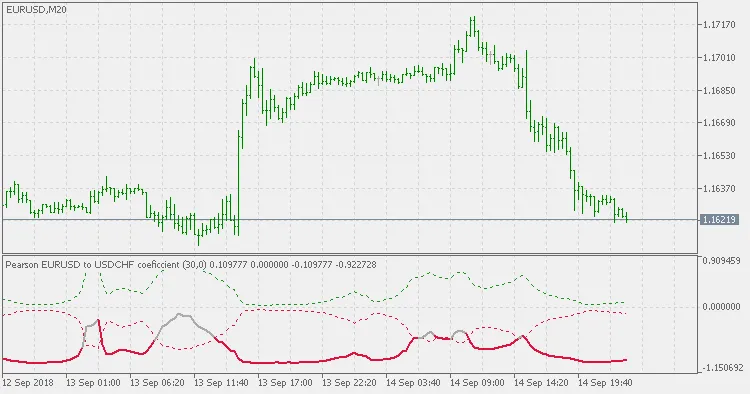
- If you enter a valid symbol different from the current chart symbol, that symbol will be used instead. Here, the "Lag" parameter should ideally be set to 0 to calculate the correlation based on the corresponding bars, but you can introduce lag if you want, just keep in mind that the second symbol's data will be lagged.
Usage:
Like any correlation indicator, when the expected correlation deviates, it can serve as a signal to take action, especially in correlation trading.
Example(s):
Current symbol with a 1-bar lag:
Foreign symbol with a 0-bar lag:
Related Posts
- Hourly Buffers for Data Collection in MetaTrader 5: A Simple Guide
- Unlocking MetaCOT 2: Your Ultimate CFTC Indicator Toolkit for MT4
- Unlocking the Power of Master Tools for MetaTrader 4
- Mastering the Waddah Attar Trend Alert Indicator for MetaTrader 5
- Unlocking the Power of ColorJFatl_Digit_Alert: Your Go-To MT5 Indicator