
The Waddah Attar Pivot Fibo Daily Indicator is a powerful tool for traders looking to enhance their market analysis. This indicator effectively draws the True Pivot Line along with seven resistance levels (R1, R2, R3, etc.) and seven support levels (S1, S2, S3, etc.), complete with backtesting capabilities.
Now, you might be wondering why two separate indicators are used instead of one. Well, the reason is simple: I couldn’t fit all 15 lines into a single indicator. So, to ensure you have a clear view of all the levels, I created two indicators that work in tandem. Make sure to place both indicators on your chart to visualize every critical level.
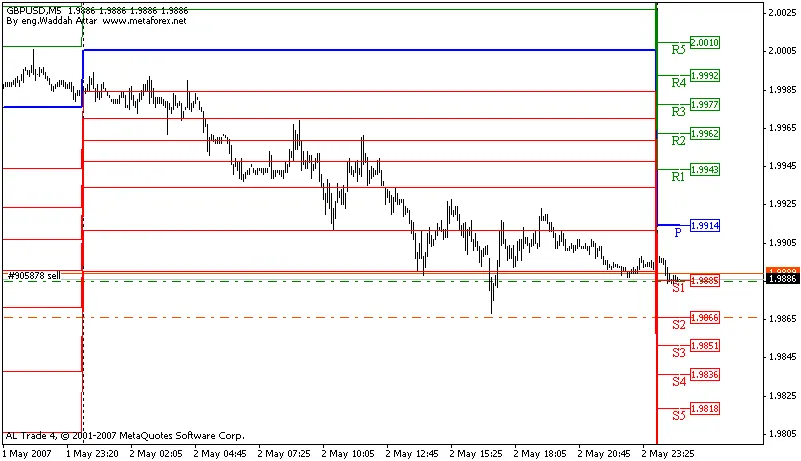
Using the Waddah Attar Pivot Fibo indicator can help you make informed trading decisions by identifying key levels where price action might react. Whether you're a seasoned trader or just starting out, integrating this tool into your strategy can be a game changer.
Getting Started with the Waddah Attar Pivot Fibo Indicator
- Installation: Download both Waddah_Attar_Pivot_Fibo_First.mq4 and Waddah_Attar_Pivot_Fibo_Second.mq4 and add them to your trading platform.
- Chart Setup: Load both indicators onto your chart to see all pivot levels displayed clearly.
- Trading Strategy: Use the pivot levels as potential entry and exit points in your trading strategy.
Give the Waddah Attar Pivot Fibo Daily Indicator a try, and you might just find it to be a valuable addition to your trading toolkit!




Comments 0