
The Center of Gravity Candle indicator is a fantastic tool for traders looking to enhance their trading strategies. One of its standout features is the ability to select different timeframes right in the input parameters. This flexibility can really help you tailor your analysis to your trading style!
input ENUM_TIMEFRAMES TimeFrame=PERIOD_H4; // Choose the indicator chart period (timeframe)
To get this indicator up and running, make sure to place the CenterOfGravityCandle.ex5 file into your <terminal_data_directory>\MQL5\Indicators folder. This step is crucial for the indicator to function properly and provide you with the insightful data you need.
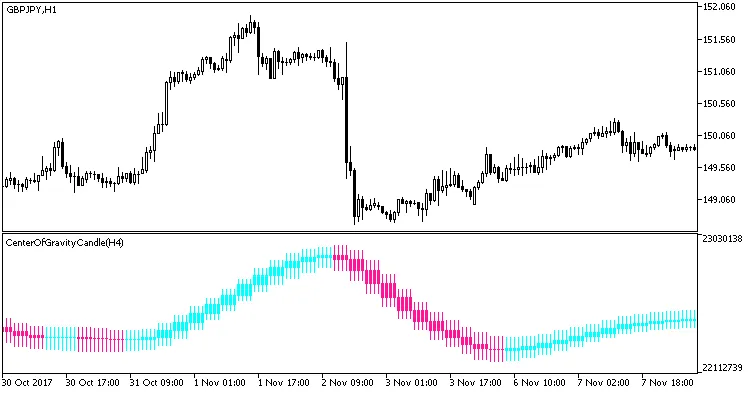
Fig. 1. Center of Gravity Candle Indicator
Related Posts
- Unlocking the Power of Master Tools for MetaTrader 4
- Unlocking MetaCOT 2: Your Ultimate CFTC Indicator Toolkit for MT4
- Mastering the MACD Candle Indicator for MetaTrader 4
- Unlock Trading Insights with Volume Profile + Range v6.0 for MetaTrader 5
- Hourly Buffers for Data Collection in MetaTrader 5: A Simple Guide