
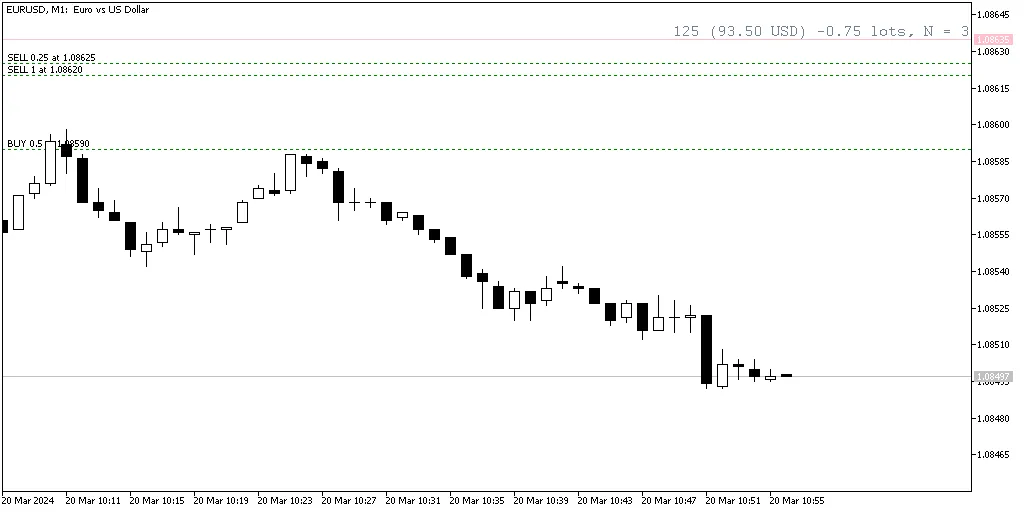
Breakeven Line Indicator is a must-have tool for any serious trader using MetaTrader. This indicator calculates your breakeven level based on all open positions and displays it on your chart as a handy horizontal line. Not only does it show you where you stand, but it also tracks the total number of trades, the cumulative lots traded, and the distance to the breakeven line in both points and profit/loss. Plus, it's compatible with both MT4 and MT5!
To toggle the breakeven line on or off, simply use the Shift + B keyboard shortcut. This indicator is highly customizable, allowing you to adjust various input parameters to fit your trading style.
Customizing Your Breakeven Line Indicator
- IgnoreLong (default = false) — Set to true to ignore long positions and calculate the breakeven line based solely on short positions.
- IgnoreShort (default = false) — Set to true to ignore short positions and focus only on long positions when calculating the breakeven line.
- line_color_buy (default = clrTeal) — This defines the color of the breakeven line when your total position is long.
- line_color_sell (default = clrPink) — This sets the color for the breakeven line when your total position is short.
- line_color_neutral (default = clrSlateGray) — This applies when the overall position is neutral.
- line_style (default = STYLE_SOLID) — Choose the style of the breakeven line.
- line_width (default = 1) — Adjust the width of your breakeven line for better visibility.
- font_color (default = clrSlateGray) — This sets the color of any text displayed.
- font_size (default = 12) — Control the size of the text for clarity.
- font_face (default = "Courier") — Choose the font style for the text.
- ObjectPrefix (default = "BEL") — This prefix helps avoid conflicts with other chart tools by naming your chart objects uniquely.




Comments 0