
If you're diving into Fibonacci trading, the Tap4Fibs indicator for MetaTrader 4 is a game-changer. It generates Fibonacci levels based on the ZigZag indicator, making it super easy to identify potential reversal points in the market.
To get started, simply hit the "X" or "Z" key to navigate through the swings of the ZigZag—scrolling left or right like a pro. This tool allows you to measure multiple Fibonacci levels in a flash, which can significantly speed up your trading process.
Want to hide a Fibonacci level? Just scroll to the right with the "X" key until it disappears off-screen. If you want it back, just tap "Z" and voilà!
Once you've added a Fibonacci level to your chart, you can easily select, drag, or extend it anywhere you need. It will stay put until you press one of the scroll keys or a new candle appears. Plus, you can customize your levels on the fly by opening the Fibo Properties panel to add or remove levels as you see fit.
What’s more, you can run multiple instances of the indicator by tweaking the input settings. Just give each instance a unique "Fibo Name". This way, you can tailor the experience to your specific trading strategy.
Every time you press a key, the indicator will print key numbers in the Terminal under the "Experts" tab. You can then enter these new key numbers into the settings for "Back Key" and "Forward Key" to customize your navigation for each instance of the indicator.
There's also a handy Average True Range (ATR) value displayed in the upper left corner of the chart, which you can toggle on or off as needed.
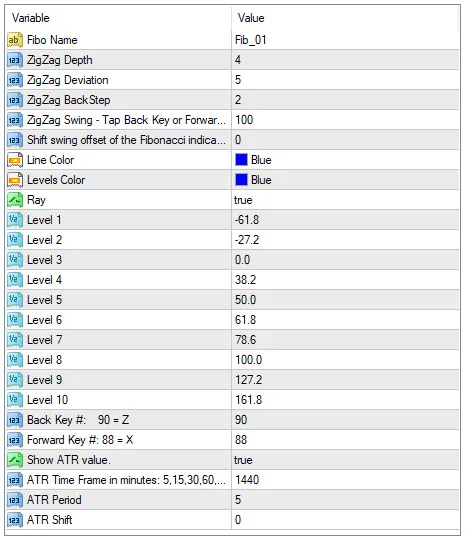
- Fibo Name: Assign a unique name to each Fibonacci object on your chart.
- ZigZag Depth: Define the depth of the ZigZag search from the current candle.
- ZigZag Deviation: Set the deviation for identifying extreme highs and lows.
- ZigZag BackStep: Specify the number of candles for the back step.
- ZigZag Swing: Determine how many swings to scroll through before resetting to zero.
- Shift Swing Offset: This allows you to set how many swings to the left should be the first one to jump to, which is useful when you want two Fibonacci levels to scroll together.
- Line Color: Customize the color of the Fibonacci trend line.
- Levels Color: Change the color of the Fibonacci levels.
- Ray: Choose true to extend Fibonacci levels to the right edge of the chart.
- Level 1 thru 10: Set Fibonacci levels as percentages of the swing; positive values are retracements, while negative values are extensions.
- Show ATR Value: Choose true to display the ATR value at the top left of the chart.
- ATR Period: Set the timeframe for the ATR calculation, available in minutes (1, 5, 15, 30, 60, 240, 1440, etc.).
- ATR Shift: Define the number of candles shifted from the current candle for the ATR calculation.
Inputs
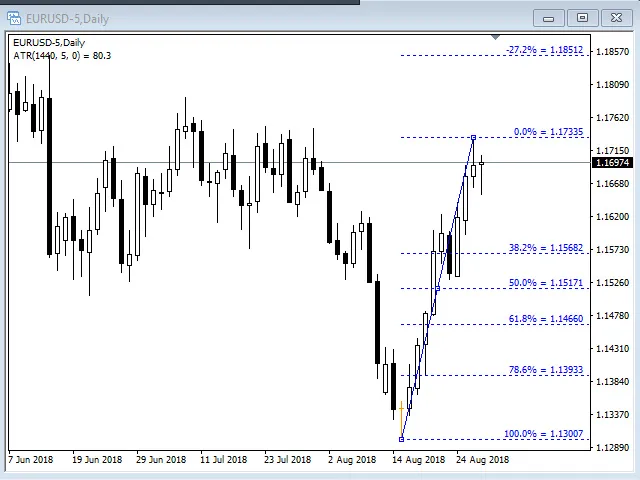
First Swing
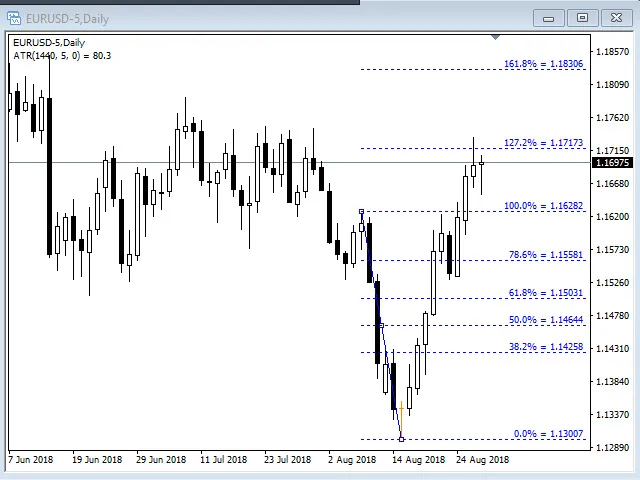
Second Swing
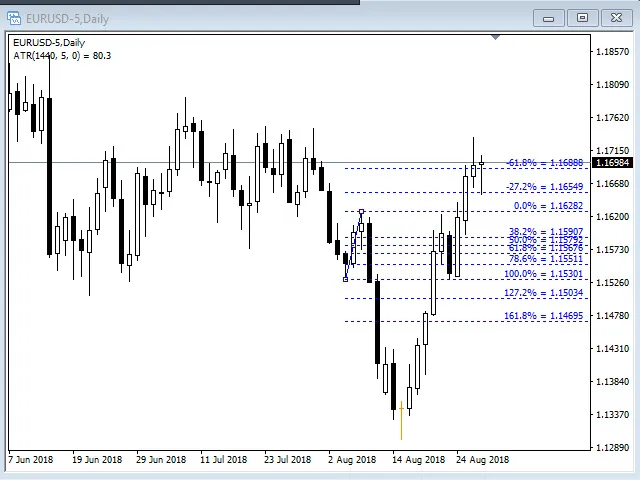
Third Swing, etc...




Comments 0