
If you're looking to optimize your trading experience in MetaTrader 4, resizing your chart windows can make a world of difference, especially when you're focusing on Short Trend Reversals. Here’s a quick guide to help you do just that!
To get started, you’ll need to integrate the function void OnChartEvent(...) into your indicator. This function is key to adjusting your chart windows effectively.
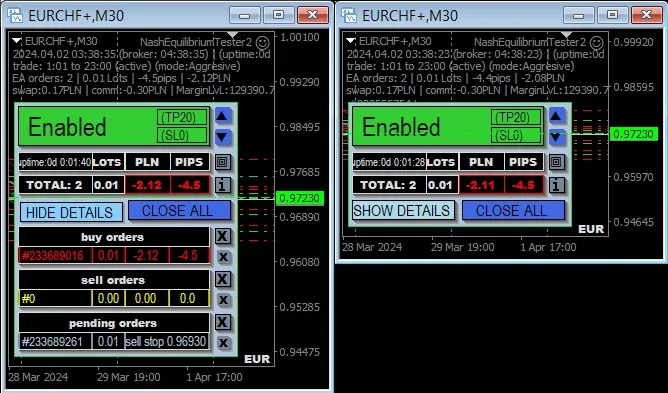
Keep in mind, the screenshots you’ll see are from an Expert Advisor (EA) and its graphical user interface (GUI); however, the indicator you’re using will only modify the window size.
Before you compile your code, make sure to uncomment a few lines related to the external DLL, as these are often prohibited. Don't worry; it’s just a minor step that will enable the functionality you need!




Comments 0