
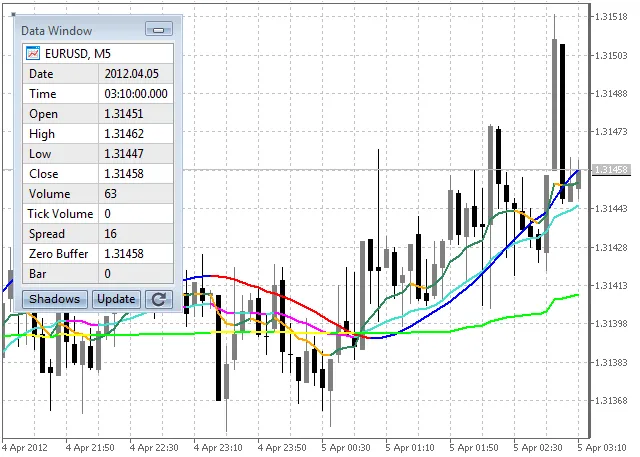
Discover the powerful Smooth Lines indicator, which utilizes the free Library for Custom Chart to seamlessly connect indicators to your iCustomChart custom charts built from custom history files.
When you attach the Smooth Lines indicator to a chart, it checks for the presence of the iCustomChart. If a custom chart is available, it pulls data from there; if not, it defaults to using standard chart data. This means you can easily use the indicator with both custom and standard charts without any hassle.
How to Install the Smooth Lines Indicator
- Download the Library for Custom Chart and place it in the terminal_data_folder/MQL5/Libraries.
- Get the LibCustomChart.mqh file that describes the library functions and put it into terminal_data_folder/MQL5/Include.
- Download Nikolay Kositsin's SmoothAlgorithms.mqh file, which contains smoothing class descriptions, and place it in terminal_data_folder/MQL5/Include.
- Download the iSmoothLines.mq5 file and save it to terminal_data_folder/MQL5/Indicators.
- Open iSmoothLines.mq5 in MetaEditor and compile it by pressing F7.
- Now, you can run the iSmoothLines.ex5 indicator on both standard and custom charts created with the iCustomChart.
- To use the indicator on a custom chart, follow these steps:
Related Posts
- Unlocking MetaCOT 2: Your Ultimate CFTC Indicator Toolkit for MT4
- Unlocking the Power of Master Tools for MetaTrader 4
- Mastering the Open Range Breakout Indicator for MetaTrader 5
- Predicting Future Prices with Neural Networks: Your Guide to BPNN
- ID Lite Info MA: A Comprehensive Indicator for MetaTrader 5