
Halo, sobat trader! Kali ini kita akan membahas tentang indikator Divergence Petr yang bisa membantu kalian dalam trading. Indikator ini sangat berguna untuk mendeteksi perbedaan antara harga dan momentum, yang sering disebut sebagai divergence.
Nilai Indikator:
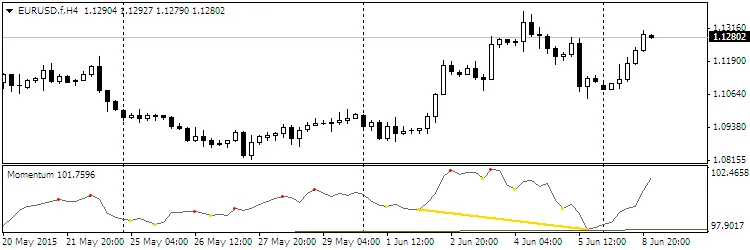
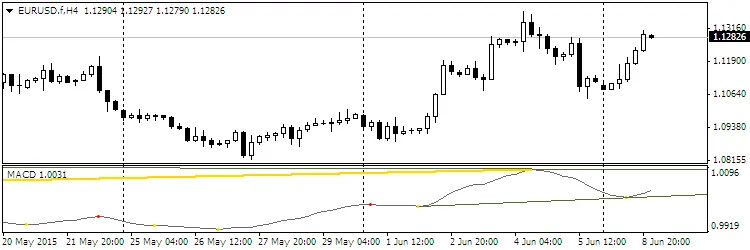
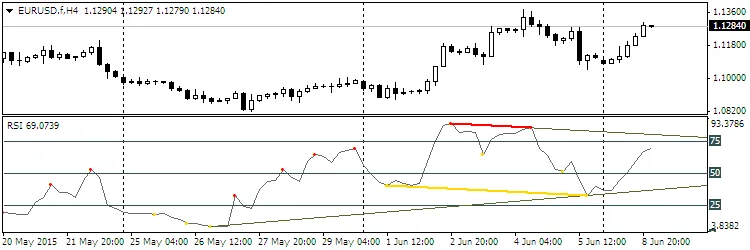
- Titik ekstrem sebagai penanda (merah — High, kuning — Low);
- Divergence menggunakan segmen yang menghubungkan titik ekstrem;
- Garis support/resistance sebagai sinar yang melewati titik ekstrem;
- Channel sebagai sinar.
Pemilihan oscillator yang dibutuhkan dapat dilakukan dengan memasukkan nomor oscillator pada parameter Osc. Secara default, indikator RSI telah disetel (nomor 29).
Pemilihan Oscillator:
- Accelerator
- Accumulation/Distribution
- Average Directional Movement Index
- Average True Range
- Awesome oscillator
- Bears Power
- Bulls Power
- Commodity Channel Index
- DeMarker
- Force Index
- Momentum
- Money Flow Index
- Moving Averages Convergence/Divergence
- Moving Average of Oscillator
- On Balance Volume
- Relative Vigor Index
- Standard Deviation
- Stochastic Oscillator
- Volume
- Close
- Open
- High
- Low
- (H+L)/2
- (H+L+C)/3
- (H+L+C+C)/4
- (O+C+H+L)/4
- (O+C)/2
- Relative Strength Index
- Larry Williams' Percent Range
- ... Relative Strength Index
Daftar Parameter yang Dapat Disesuaikan:
- Osc=29 — nomor oscillator yang digunakan;
- TH=true — divergence bearish;
- TL=true — divergence bullish;
- trend=true — garis support/resistance;
- convergen=true — hidden divergence;
- Complect=1 — indeks pembeda indikator di chart;
- BackSteph=0 — jumlah langkah mundur h;
- BackStepl=0 — jumlah langkah mundur l;
- BackStep=0 — jumlah langkah mundur;
- qSteps=1 — jumlah langkah yang ditampilkan, maksimal tiga;
- LevDPl=5 — titik level DeMark (2 = bar tengah akan berada di atas (atau di bawah) dua bar di kiri);
- LevDPr=1 — titik level DeMark (2 = bar tengah akan berada di atas (atau di bawah) dua bar di kanan);
- period=8 — periode untuk iADX, iATR, iBearsPower, iBullsPower, iCCI, iDeMarker, iForce, iMomentum, iMFI, iRVI, iStdDev, iRSI, iRSI, iWPR;
- ma_method=0 — metode averaging untuk iStochastic, iStdDev, iForce;
- ma_shift=0 — MA shift untuk iStdDev;
- applied_price=4 — applied price untuk iRSI, iRSI, iStdDev, iOBV, iOsMA, iMACD, iMomentum, iForce, iCCIiBullsPower, iBearsPower, iADX;
- mode=0 — indeks garis untuk iStochastic, iRVI, iMACD, iADX;
- fast_ema_period=12 — periode MA cepat untuk iOsMA, iMACD;
- slow_ema_period=26 — periode MA lambat untuk iOsMA, iMACD;
- signal_period=9 — periode garis sinyal untuk iOsMA, iMACD;
- Kperiod=13 — periode garis K untuk iStochastic;
- Dperiod=5 — periode garis D untuk iStochastic;
- slowing=3 — proses perlambatan untuk iStochastic;
- price_field=0 — applied price untuk iStochastic;
- showBars=1000 — jika = 0, indikator ditampilkan di seluruh chart;
- Trend_Down=true — garis resistance;
- Trend_Up=true — garis support;
- TrendLine=true — garis support/resistance;
- HandyColour=true;
- Highline=Red — warna channel HL;
- Lowline=DeepSkyBlue — warna channel LL;
- ChannelLine=false — channel sejajar dengan garis tren;
- Trend=0 — 1 = hanya untuk UpTrendLines, -1 = hanya untuk DownTrendLines, 0 = untuk semua TrendLines;
- Channel=false — channel;
- Regression=true — Linear Regression Channel, false — Standard Deviation Channel;
- RayH=true — sinar untuk channel High;
- RayL=true — sinar untuk channel Low;
- ChannelH=Red — warna channel High;
- ChannelL=DeepSkyBlue — warna channel Low;
- STD_widthH=1.0 — ukuran deviasi untuk objek CHANNEL High;
- STD_widthL=1.0 — ukuran deviasi untuk objek CHANNEL Low;
- comment=false — tampilkan komentar;
- code=159 — kode karakter font Wingdings untuk menampilkan ekstrem;
- BuyStop=false — level BuyStop;
- SellLimit=false — level SellLimit;
- SellStop=false — level SellStop;
- BuyLimit=false — level BuyLimit.
Contoh:
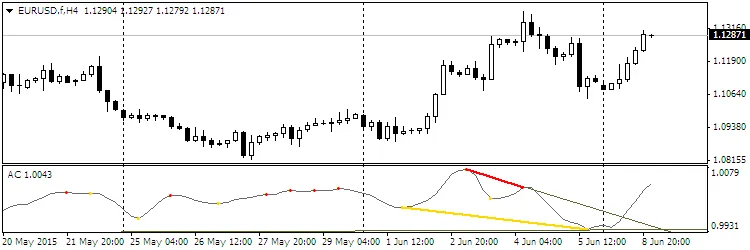
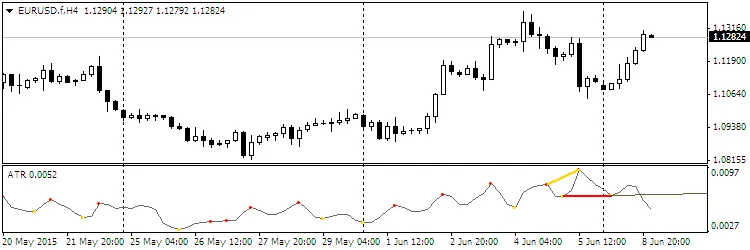
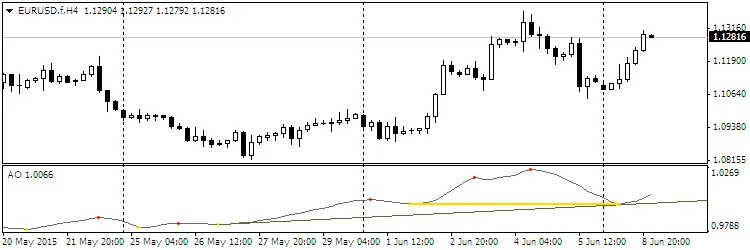
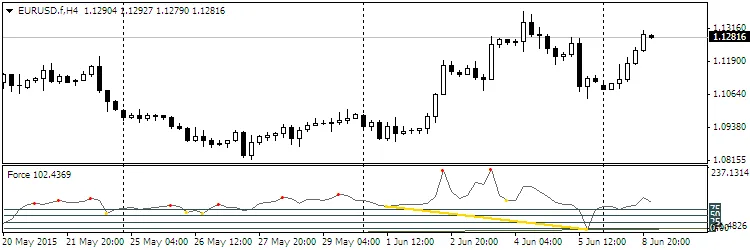


Rekomendasi:
- Warna oscillator dan titik ekstrem dapat diatur pada tab Colors.
- Ubah parameter Complect saat menambahkan lebih dari satu indikator ke chart.
Postingan terkait
- Panduan Lengkap MetaCOT 2 CFTC ToolBox untuk Analisis COT di MT4
- Indikator Open Range Breakout untuk MetaTrader 5: Strategi Trading yang Efektif
- Master Tools: Alat Indikator untuk MetaTrader 4 yang Harus Dimiliki
- Indikator Alerts pada New Bar untuk MetaTrader 4: Panduan Lengkap
- Volume Profile + Range v6.0: Indikator Penting untuk MetaTrader 5