
Hey there, fellow traders! If you're using the Moving Average indicator in your trading strategies, I've got some great news for you. A new input parameter called "line color" has just been added to enhance your experience.
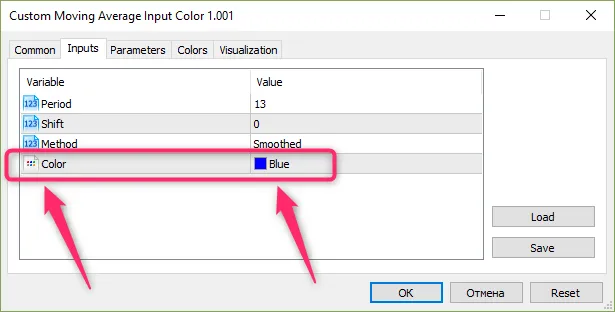
You may have noticed that when an Expert Advisor (EA) relies on the Moving Average data, it typically displays only in red during visual testing. This means if your EA is using data from three Moving Averages, they all show up in the same color. Talk about a headache!
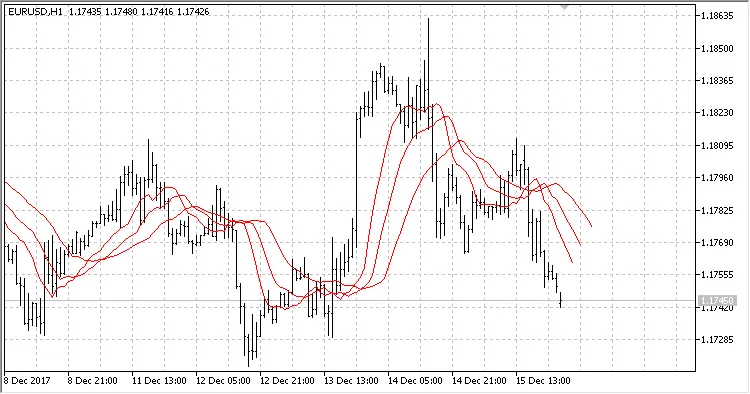
It’s quite a challenge to differentiate between them, right? But don’t worry, we’ve got the solution! The new "line color" parameter in the strategy tester allows for better visual distinction of your Moving Averages.
Now, instead of using the traditional iMA function, your EA can access the Moving Average with the iCustom function. Here’s a quick example of how to set it up:
//--- create handle of the indicator iMA
   handle_iMA_First=iCustom(m_symbol.Name(),Period(),"Custom Moving Average Input Color",
                            InpMAPeriodFirst,InpMAShiftFirst,InpMAMethodFirst,InpMAFirstColor,PRICE_CLOSE);
//handle_iMA_First=iMA(Symbol(),Period(),InpMAPeriodFirst,InpMAShiftFirst,InpMAMethodFirst,PRICE_CLOSE);
//--- if the handle is not created
   if(handle_iMA_First==INVALID_HANDLE)
     {
      //--- tell about the failure and output the error code
      PrintFormat("Failed to create handle of the iMA indicator for the symbol %s/%s, error code %d",
                  Symbol(),
                  EnumToString(Period()),
                  GetLastError());
      //--- the indicator is stopped early
      return(INIT_FAILED);
     }
With this change, you’ll see that your Moving Averages can now be displayed in different colors in the visual strategy tester.
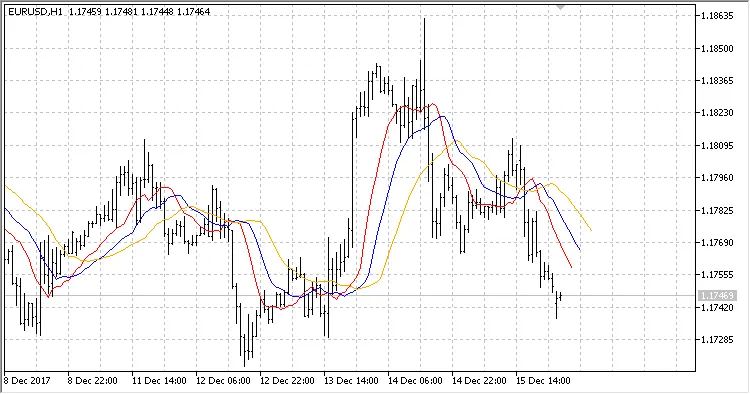
So, give it a whirl and make your trading visuals much clearer and more effective!
Related Posts
- Unlocking the Power of Master Tools for MetaTrader 4
- Hourly Buffers for Data Collection in MetaTrader 5: A Simple Guide
- Unlocking MetaCOT 2: Your Ultimate CFTC Indicator Toolkit for MT4
- ID Lite Info MA: A Comprehensive Indicator for MetaTrader 5
- Mastering Support and Resistance: Essential Indicator for MetaTrader 4