
If you're looking to sharpen your trading strategies, the DayTime Indicator for MetaTrader 5 is a nifty tool to have in your arsenal. This handy indicator adds visual cues to your charts based on specific days and times, helping you make informed decisions.
How It Works
The DayTime Indicator places signal arrows on your charts, highlighting potential trading opportunities. Here's how it operates:
- If the close price of a candlestick before the selected one is lower than the opening price of the specified day, an up arrow will appear at that candlestick, signaling a potential bullish move.
- If the close price of a candlestick before the selected one is higher than the opening price of the specified day, a down arrow is drawn, indicating a possible bearish trend.
Customization Options
This indicator is customizable, allowing you to select both the day of the week and the specific hour you want to analyze. Here are the two main parameters you can tweak:
- Day of Week - Choose the day you want to monitor.
- Hour of Day - Specify the hour for analysis.
A quick heads-up: Arrows may not appear in certain scenarios. For instance, if you're using an H4 chart and select a candlestick that doesn't fall on a multiple of 4 (like 3, 7, or 11), the indicator won't find those candlesticks on the H4 chart and thus won't draw arrows.
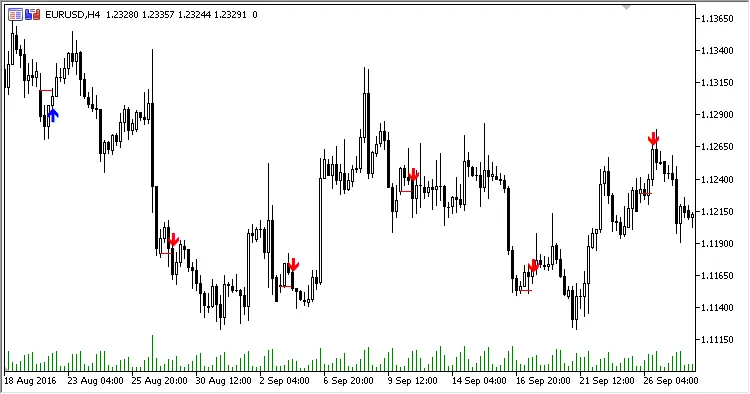
Fig.1 H4, Monday, 8 AM
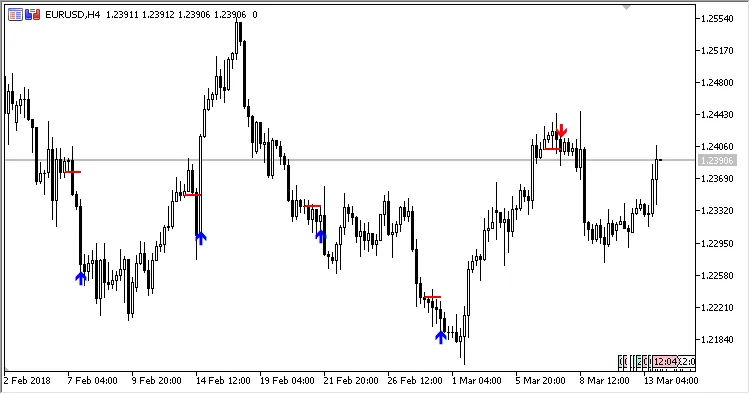
Fig.2 H4, Monday, 4 PM
Related Posts
- Unlocking the Power of Master Tools for MetaTrader 4
- Unlocking MetaCOT 2: Your Ultimate CFTC Indicator Toolkit for MT4
- Unlock Trading Insights with Volume Profile + Range v6.0 for MetaTrader 5
- Mastering the Open Range Breakout Indicator for MetaTrader 5
- Unlocking Trading Insights with Volume Profile + Range v6.0 for MetaTrader 5