
Beginner’s MT4 Indicator – This is a straightforward custom indicator designed for MetaTrader 4 that highlights local tops and bottoms on your chart with red and blue dots. It works by analyzing the maximums and minimums over a specific period and compares them to the trading range of the currency pair. If it identifies a significant top or bottom, it marks it with a dot. Keep in mind, this indicator redraws itself, so it’s not reliable for generating trading signals since the position of the dots can change.
Input Parameters
- AllBars (default = 0) – This parameter determines the number of bars used for calculations. Setting it to 0 means all bars will be considered, and there’s typically no need to adjust this.
- Otstup (default = 30) – This represents the percentage cut from the range before the maximums and minimums are compared to establish their significance. A higher number here leads to more frequent dot placements.
- Per (default = 9) – This defines the period over which the maximums and minimums are calculated at any given time. Increasing this number will result in fewer dots being displayed.
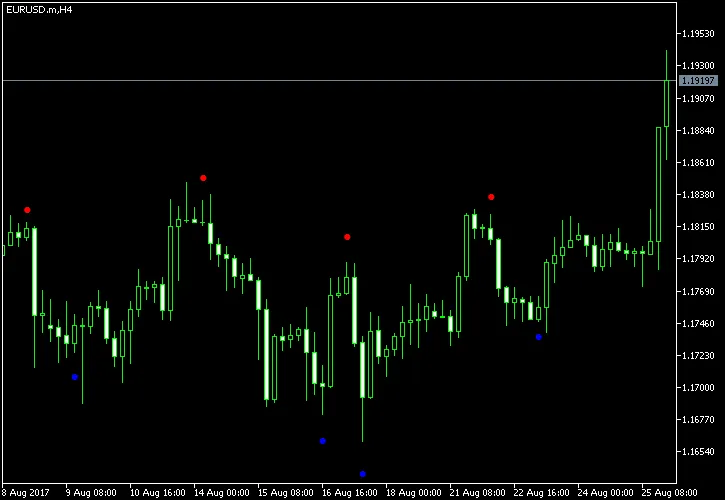
It’s crucial to understand that this indicator shouldn’t be used for direct trading signals. For instance, you can’t just sell when a red dot appears or buy when a blue dot shows up – doing so could lead to losses. Instead, think of this tool as a quick way to identify support and resistance levels if you’re trading a breakout system or if you’re looking to develop your own indicators.




Comments 0