MetaTrader5
Unlocking the Sidus EA for MetaTrader 5: A Trader's Guide
Author of the Idea: Mikhail
MQL5 Code Author: barabashkakvn
The Sidus Expert Advisor (EA) utilizes two key indicators: the iAlligator (Alligator) and the iRSI (Relative Strength Index). The Alligator serves as the primary indicator, while the RSI acts as a trend filter to enhance decision-making.
Using RSI as a Filter
When RSI #2 is less than 50.0 and RSI #1 is greater than 50.0, this filter checks the conditions for opening a BUY position.
Conversely, if RSI #2 is greater than 50.0 and RSI #1 is less than 50.0, it checks the conditions for a SELL position.
Alligator Signals Explained
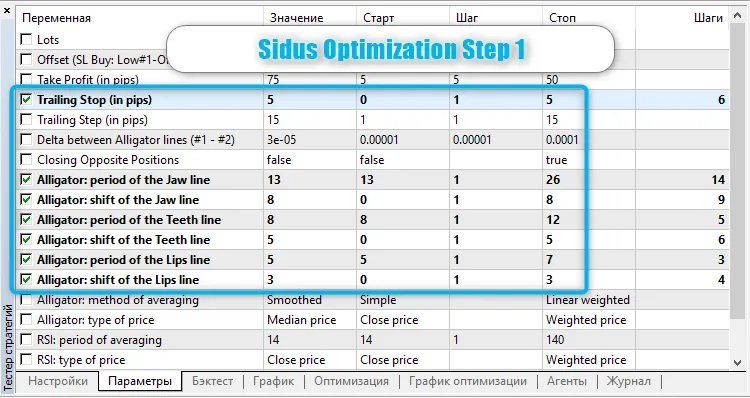
The Alligator signals are based on the Delta between Alligator lines (#1 - #2), which indicates the difference between the indicator lines on bars #1 and #2.
If Jaw #1 minus Jaw #2 is greater than Delta, and Teeth #1 minus Teeth #2 is greater than Delta, and Lips #1 minus Lips #2 is greater than Delta, this generates a BUY signal.
On the flip side, if Jaw #1 minus Jaw #2 is less than Delta, and Teeth #1 minus Teeth #2 is less than Delta, and Lips #1 minus Lips #2 is less than Delta, it generates a SELL signal.
Trading Parameters to Know
The EA operates by checking signals only when a new bar forms, whereas trailing happens with every tick. The position volume is fixed and defined as Lots. Stop loss is calculated dynamically based on the following:
For BUY: it’s calculated as Low#1 minus Offset.
For SELL: it’s calculated as High#1 plus Offset.
Take profit is fixed and can be set in Take Profit. If you wish to disable take profit, simply set it to "0.0".
Trailing is managed by two parameters: Trailing Stop and Trailing Step. To turn off trailing, set the Trailing Stop to "0.0". The Delta between Alligator lines (#1 - #2) has been described earlier.
If Closing Opposite Positions is set to "true", it means that positions contrary to the current signal will be closed.
Steps for Optimization
Start by selecting the trailing and Alligator parameters. I recommend using genetic optimization since we’re iterating over trailing, which operates on each tick. For testing, I’ve chosen the USDJPY on the M15 timeframe.
Next, check the best results across all symbols.
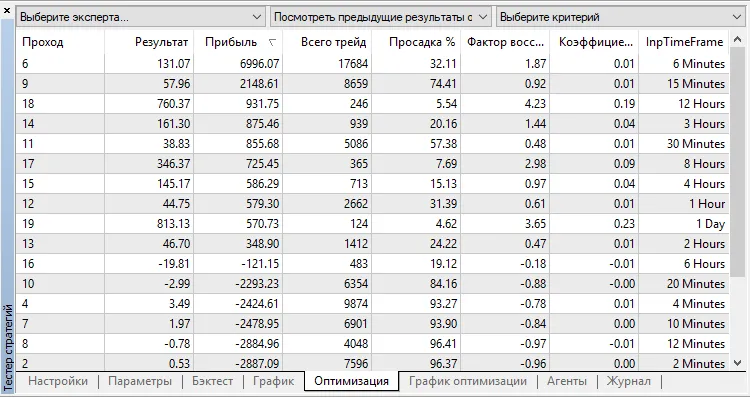
After completing the first optimization step, head over to the Optimization tab and click on the Result column to sort the outcomes, ensuring the best results are at the top. Right-click on the top result and select "Run a single test" to initiate the test with the best EA parameters set in the Parameters tab.
Finally, navigate to the "Settings" tab and select "By all symbols" from the "Optimization" dropdown menu.
2018.08.23