Technical Indicator

Understanding Candlestick Wick Imbalance: A Key Indicator for MetaTrader 5
MetaTrader5
Understanding Candlestick Wick Imbalance: A Key Indicator for MetaTrader 5

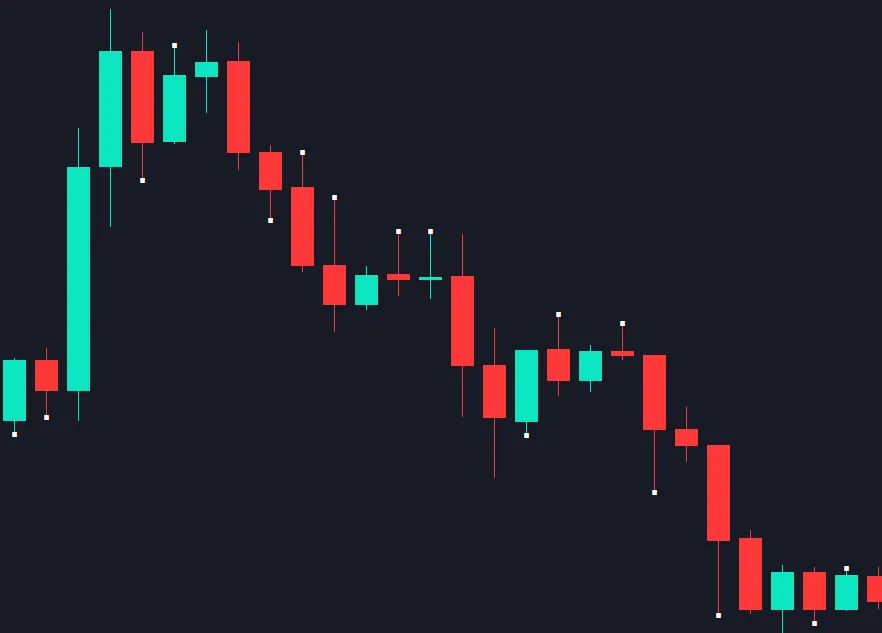
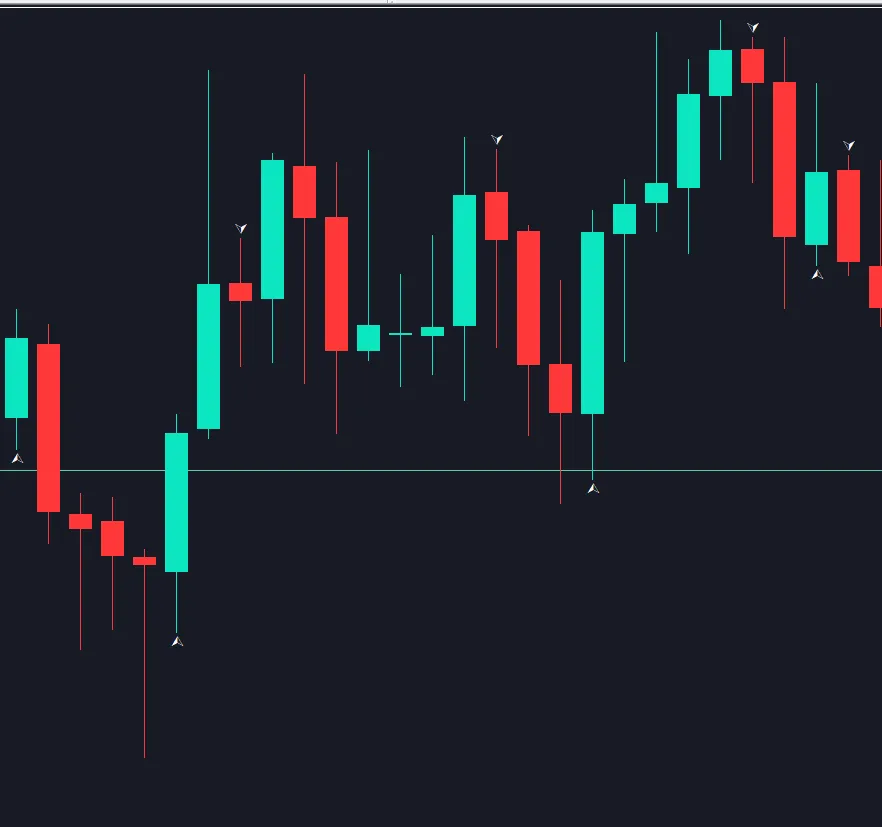
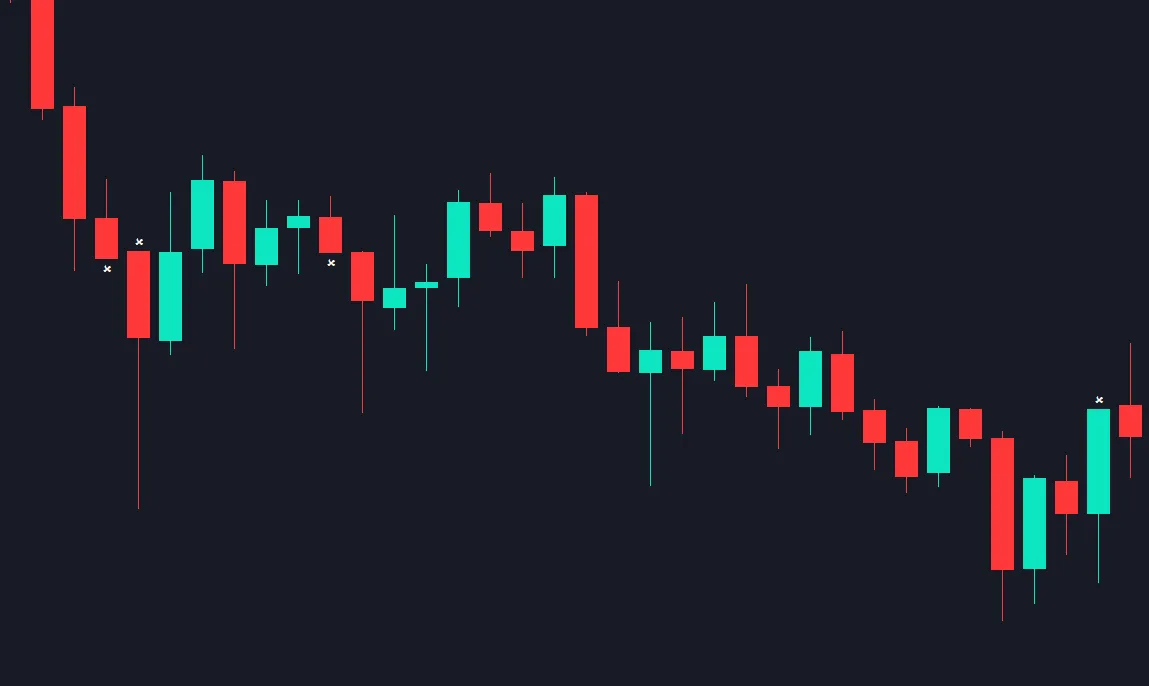
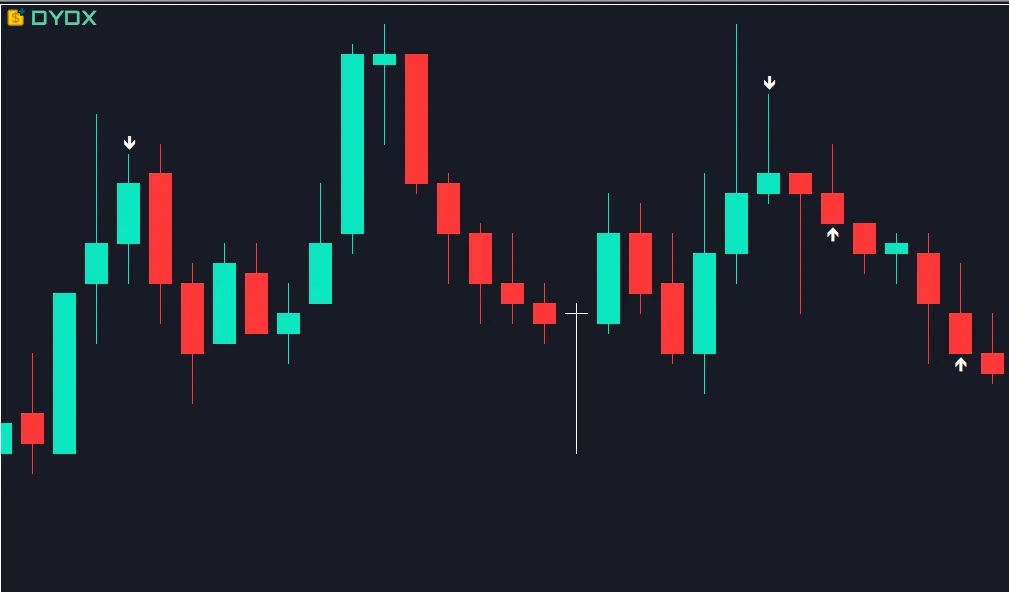
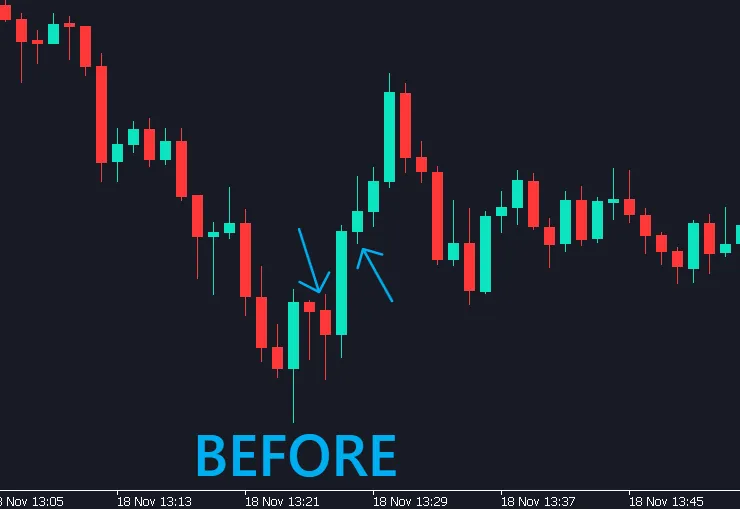
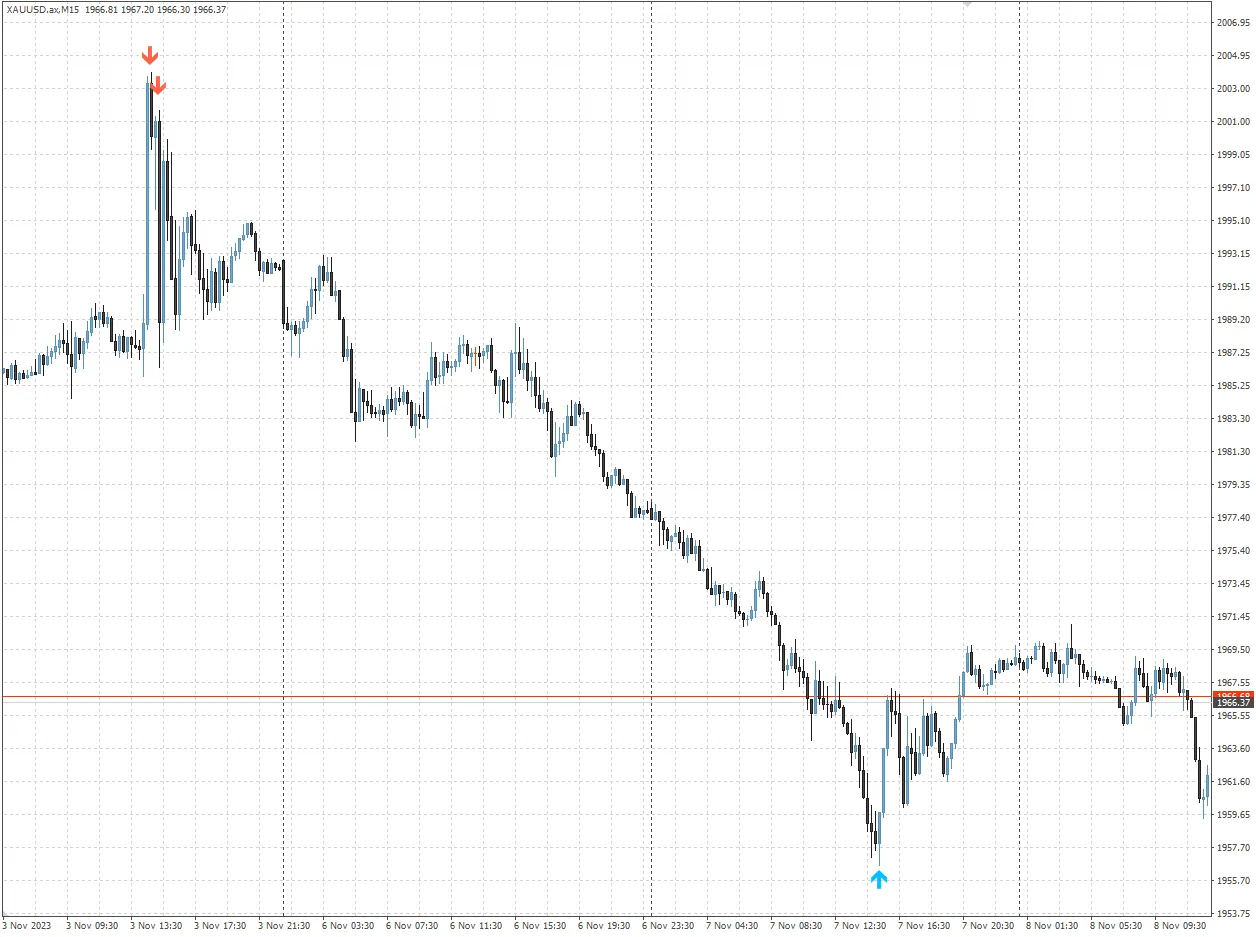
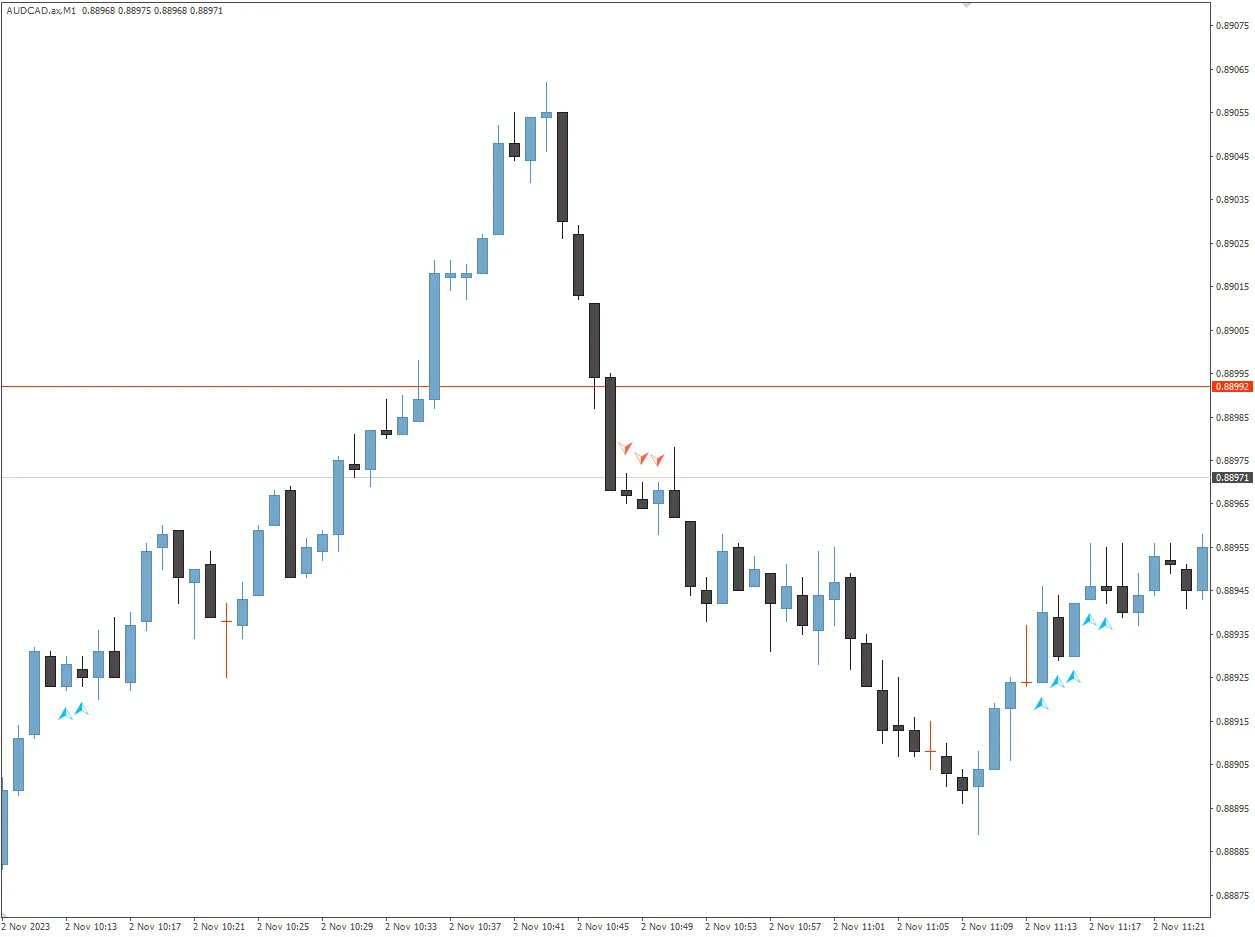
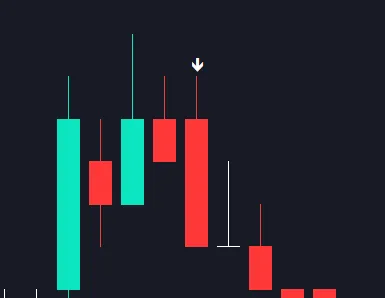
Introduction to Candlestick Wick Imbalance If you’re diving into the world of trading, you might have come across the concept of candlestick wick imbalance. It's a handy tool that can help you uncover potential trading opportunities by comparing the upper and lower wicks of a candlestick. What is Wick Imbalance? Wick imbalance refers to the discrepancy between the upper and lower wicks of a candle. By analyzing these wicks, traders can identify market sentiment and potential reversals. Essentially, if one wick is significantly longer than the other, it might indicate where the market is favoring buyers or sellers. How to Use the Indicator The indicator allows you to set a multiplication factor in the input field. For example, if you set the value to 2, it will plot a signal when the upper wick is twice as long as the lower wick, or vice versa. This visual cue can help you quickly spot areas of interest on your chart. Setting It Up in MetaTrader 5 Open your MetaTrader 5 platform. Navigate to the indicators section and add the wick imbalance indicator. Adjust the multiplication factor based on your trading strategy. Here’s an example of what this might look like: Conclusion Understanding candlestick wick imbalance can give you an edge in your trading by providing insights into market dynamics. By utilizing this indicator on MetaTrader 5, you can make more informed decisions and potentially enhance your trading outcomes.

2023.11.24
Mastering MACD: Your Essential Indicator Guide for MetaTrader 4
MetaTrader4
Mastering MACD: Your Essential Indicator Guide for MetaTrader 4

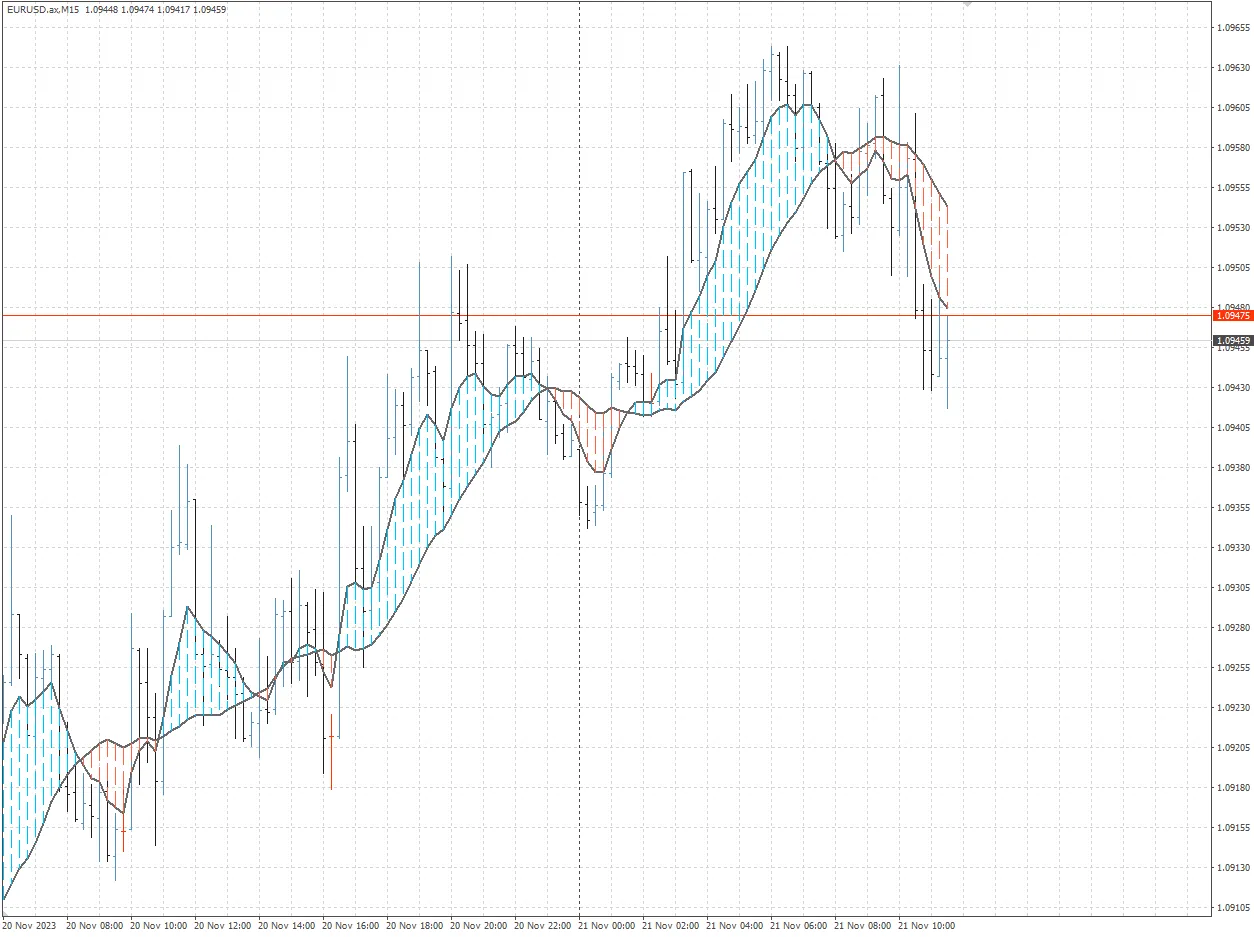
Hey fellow traders! If you're diving into the world of trading with MetaTrader 4, you’ve probably heard of the MACD indicator. It’s one of those tools that can really help you get a grip on market momentum and potential reversals. So, let’s break it down! What is MACD? The Moving Average Convergence Divergence (MACD) is a versatile momentum indicator that shows the relationship between two moving averages of a security’s price. Traders use it to spot trends and reversals, making it a must-have in your trading arsenal. How to Read the MACD Understanding the MACD is pretty straightforward: MACD Line: This is the difference between the 12-day and 26-day Exponential Moving Averages (EMAs). When it crosses above the signal line, it’s a bullish signal; crossing below indicates a bearish signal. Signal Line: This is the 9-day EMA of the MACD line. Watch for crossovers here! Histogram: This shows the distance between the MACD line and the signal line. The larger the histogram, the stronger the momentum. Why Use MACD? The MACD is popular for several reasons: It helps identify potential buy and sell signals. It provides insight into the strength of a trend. It can be used in various trading strategies, from day trading to swing trading. In conclusion, adding the MACD to your MetaTrader 4 setup can enhance your trading strategy and help you make more informed decisions. So, give it a try and see how it works for you!

2023.11.21
Understanding Custom Hammer and Inverted Hammer Indicators for MT5
MetaTrader5
Understanding Custom Hammer and Inverted Hammer Indicators for MT5

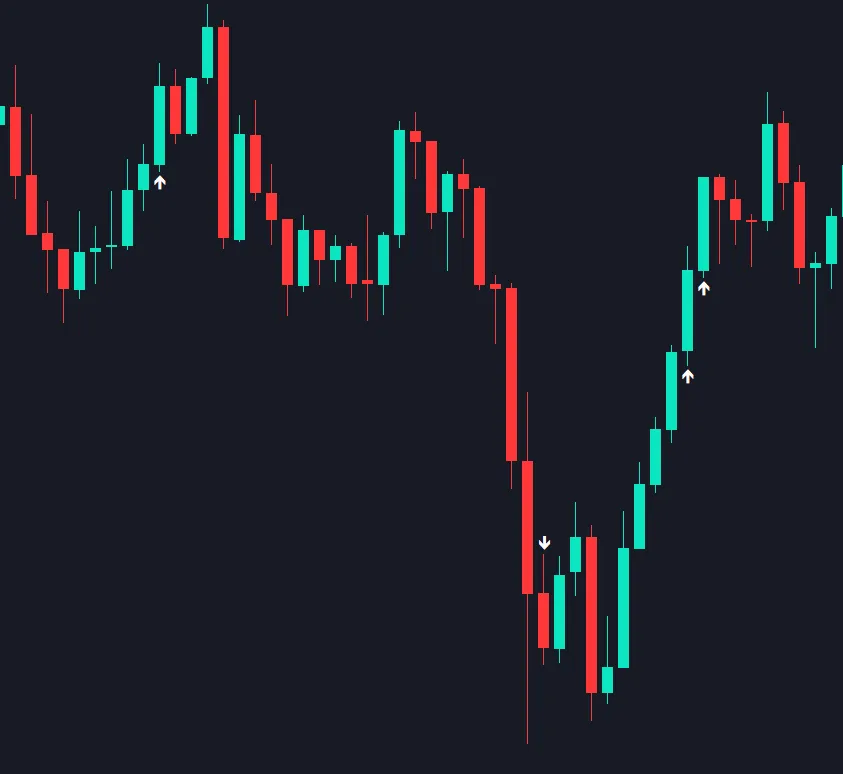
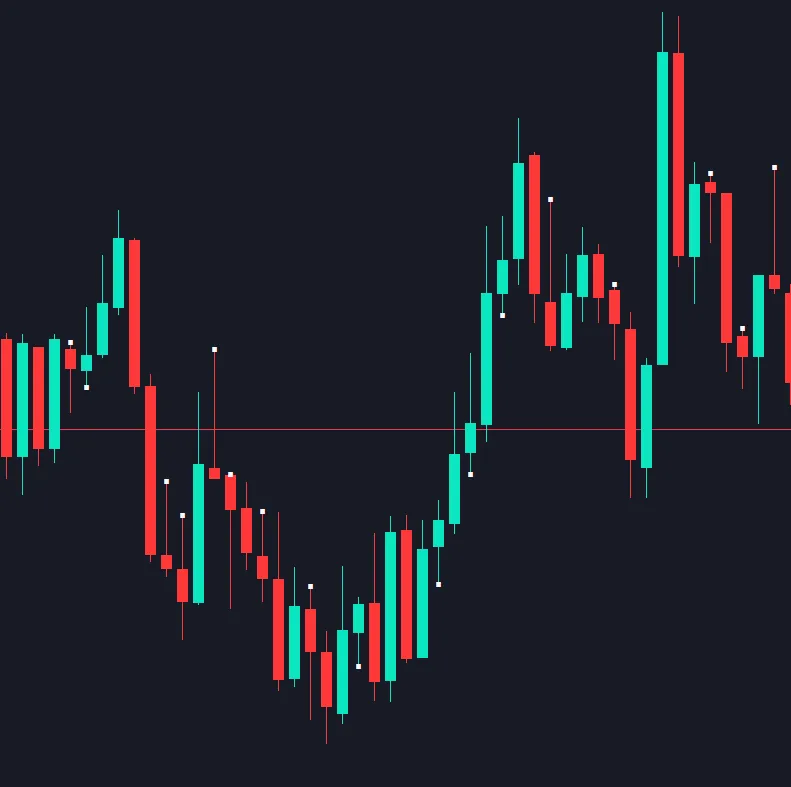
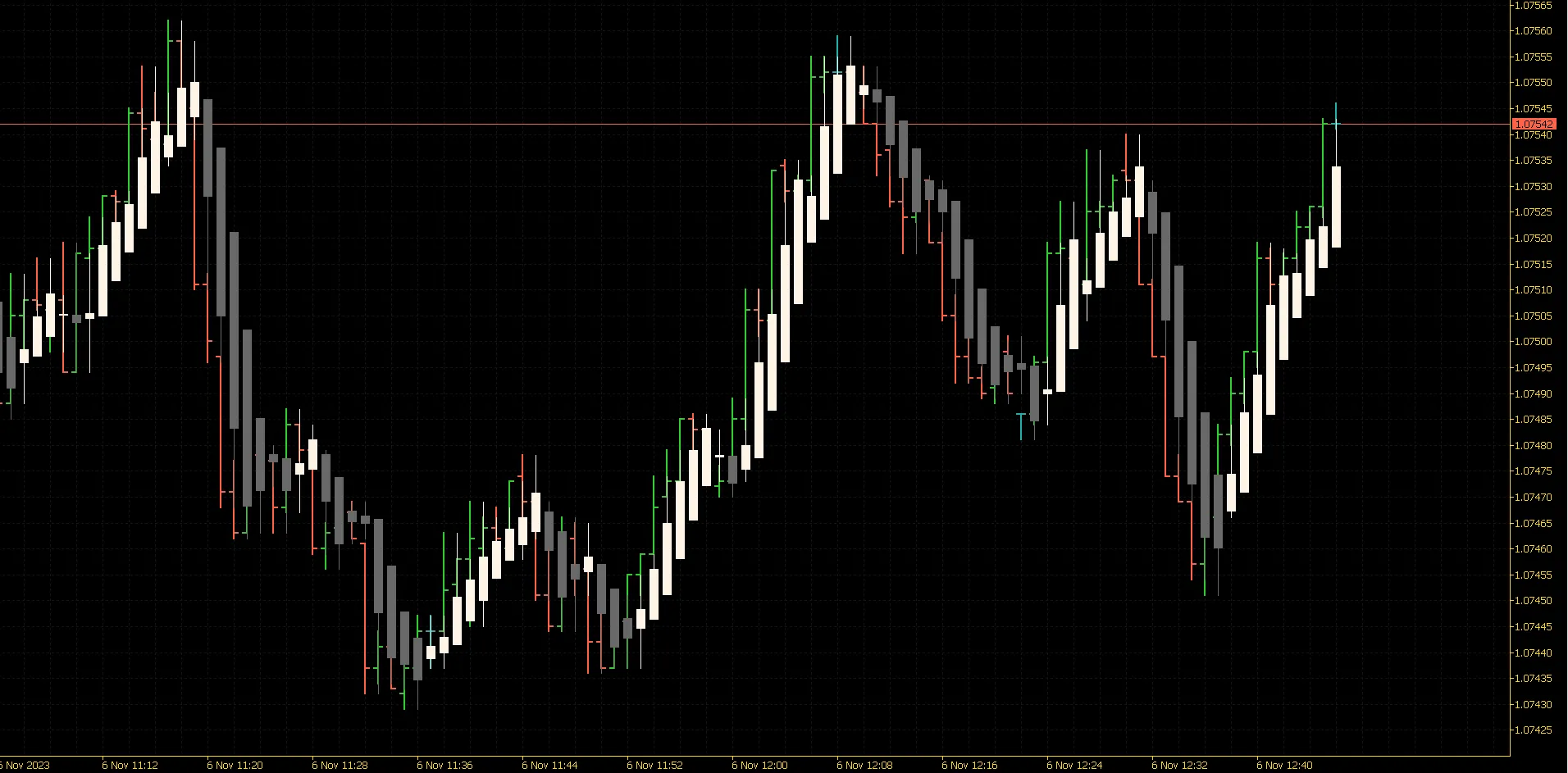
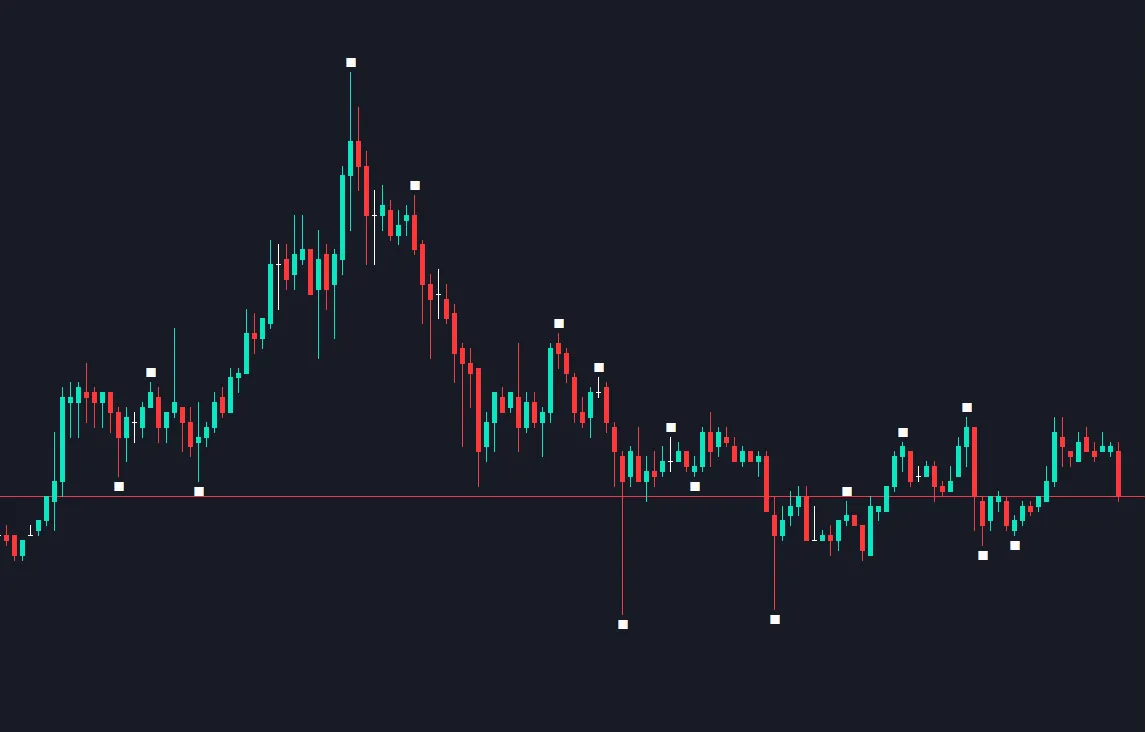
If you're looking to enhance your trading strategy, the Custom Hammer and Inverted Hammer indicators for MetaTrader 5 are worth a closer look. These tools can help you spot potential reversal points in the market, giving you an edge in your trading decisions. What is the Custom Hammer Indicator? This indicator comes with a handy input field where you can set a multiplication factor. This means you can customize it to detect hammers that suit your trading style. For instance, if you set the multiplication factor to 1.25, the indicator will look for candles where the shadow of a hammer is at least 1.25 times the length of the body. This can help you identify strong bullish signals. How Does the Inverted Hammer Work? On the flip side, the inverted hammer is another powerful pattern that you can track with this indicator. It works similarly, but instead of looking for bullish signals, it helps you spot potential bearish reversals. If you set your factor accordingly, it will flag inverted hammers where the shadow meets your specified criteria. Customizable Color Options One of the great features of this indicator is its ability to plot the specified colors based on your input. This way, you can easily differentiate between hammers and inverted hammers right on your charts. Visual Examples By incorporating these indicators into your trading toolkit, you can make more informed decisions and potentially enhance your profitability. So why not give them a try and see how they can fit into your trading strategy?

2023.11.19
Mastering the Donchian Channel: A Key Indicator for MetaTrader 4
MetaTrader4
Mastering the Donchian Channel: A Key Indicator for MetaTrader 4

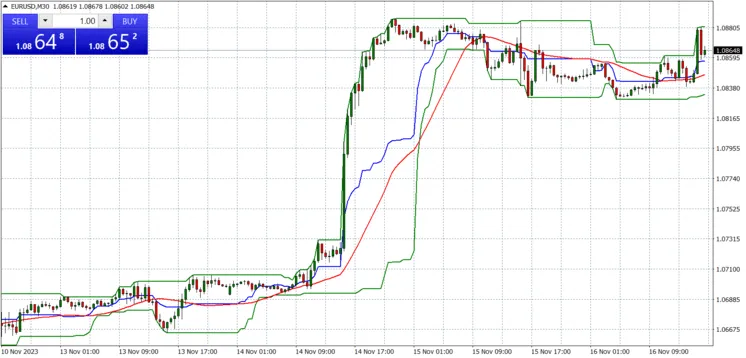
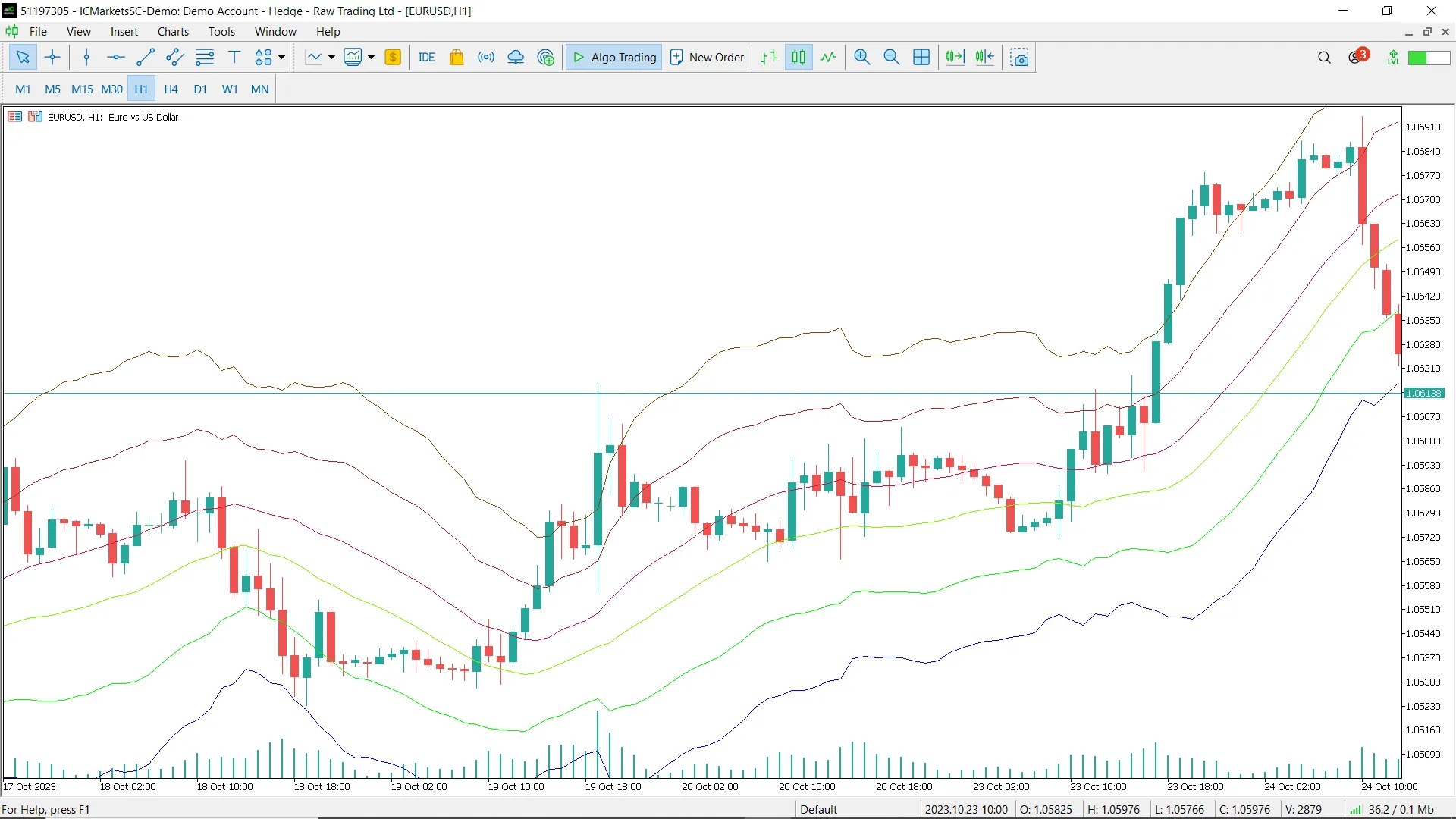
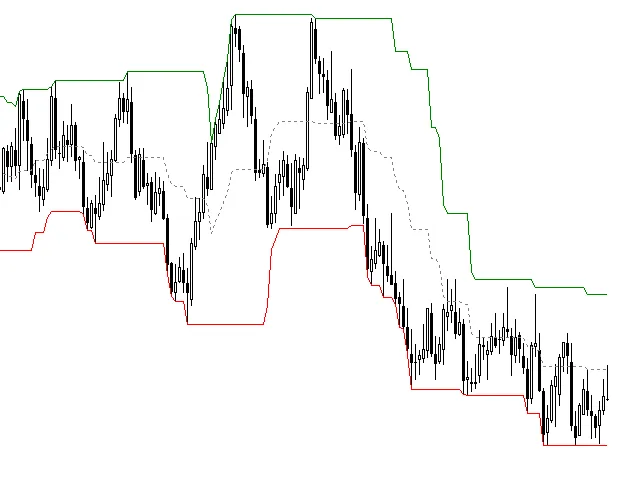
What is the Donchian Channel? The Donchian Channel is a popular trading indicator crafted by Richard Donchian. It helps traders visualize market trends by showcasing the highest high and lowest low over a specified number of periods. Essentially, this creates a channel that represents the price range for the chosen timeframe. Within this channel, you'll find lines marking the high and low values, giving you a clear visual representation of price action. Additionally, there's a midline and a moving average of that midline, which can provide further insights into market behavior. This indicator is particularly useful for gauging market volatility. When prices are stable, the Donchian Channel appears narrow, but during periods of high fluctuation, it widens. One of its primary functions is to signal potential long and short positions. For instance, if an asset trades above its highest high over the last 'n' periods, it may be time to go long. Conversely, if it dips below the lowest low, that could signal a short position. Understanding the Buffers in the Donchian Channel This indicator utilizes four buffers, each representing different components: Upper Donchian Channel: Buffer 0 - Green Line Middle Donchian Channel: Buffer 1 - Blue Line Lower Donchian Channel: Buffer 2 - Green Line MA Donchian Channel: Buffer 3 - Red Line The Code Behind the Indicator The coding for this indicator is fairly straightforward. It retrieves the high and low for the last 'n' periods as defined in InpBarsToLookBack. Next, it calculates the average of these highs and lows to form the Middle Line of the Channel. The iMAOnArray function is then employed to obtain a moving average of the Middle Donchian Channel, based on the parameters InpMaPeriod and InpMaMethod provided. Chart Output When you apply the Donchian Channel to your chart, you'll see the four buffers we've discussed. If needed, you can set the color to None to display only the buffers that are relevant to your analysis. Using the iCustom Function To call this indicator using the iCustom function, you would use the following code: double donchian = iCustom(Symbol(), Period(), "Donchian Channel", InpBarsToLookBack, InpMaPeriod, InpMaMethod, Buffer[], shift); If you want to retrieve the last price of the Moving Average buffer with default parameters, you can use this script: double donchian = iCustom(Symbol(), Period(), "Donchian Channel", 20, 14, MODE_SMA, 3, 0); Thank You! Thanks for taking the time to download and explore this indicator. If you have any questions or feedback, feel free to share! Your reviews and insights are always appreciated.

2023.11.17
Unlocking Trading Insights with the wd.Range_MACD Indicator for MetaTrader 5
MetaTrader5
Unlocking Trading Insights with the wd.Range_MACD Indicator for MetaTrader 5

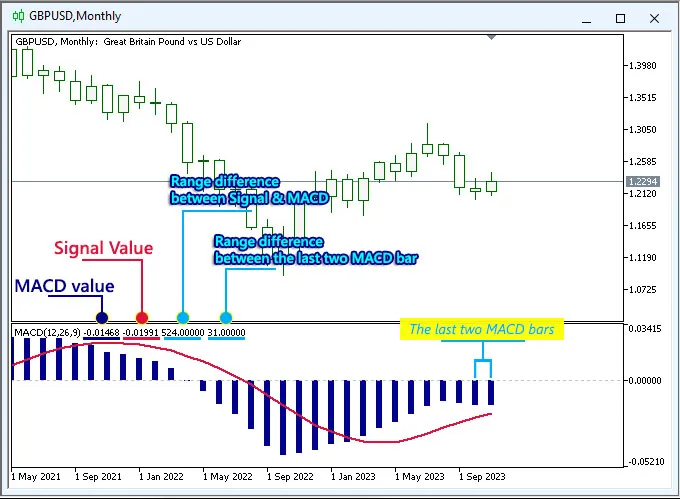
Hey fellow traders! Today, I want to share a fantastic tool that can enhance your trading game: the wd.Range_MACD indicator for MetaTrader 5. Built upon the solid foundation of the built-in 'MACD.mq5' from the MT5 terminal, this indicator is a must-have in your trading toolkit. The wd.Range_MACD dives deeper by calculating the range difference between the Signal line and the MACD, as well as the range distance between the last two MACD bars. This additional info can really help you pinpoint price cross-points, support and resistance levels, and even trend changes more effectively. So, how does this indicator work?When the MACD bar is trending upwards, it signals a bullish trend on your current timeframe. Conversely, if the MACD bar is on a downward slope, it suggests a bearish trend. But wait, if the MACD bar stays flat with no change from the previous bar (0 pips), it can indicate a new support or resistance level forming. For instance, in the image above, the range difference between the Signal and MACD is 12 pips, while the range of the last two MACD bars is 0 pips. This tells us that the resistance/support level based on those last two MACD bars, in the H1 period, is at a price level of 1.2283. Meanwhile, the resistance/support level derived from the Signal-MACD will be at 1.2271 (1.2283 - 12 pips). Important Note: The resistance and support levels calculated using the MACD range distance are dynamic and only apply to the same bar and timeframe. Once a new bar forms, those levels will reset. In summary, the MACD is a widely respected technical indicator that assists traders in identifying potential trends, reversals, and price shifts. By incorporating the range difference information from the Signal-MACD and the last two MACD bars, the wd.Range_MACD indicator becomes a valuable leading tool, empowering you to make well-informed trading decisions. Just remember, it’s best to use it alongside other tools and analysis methods for maximum effectiveness. Version history:----------------v2.23    : initial release

2023.11.08
Maximize Your Trading Potential with the wd.Range_DailyAvg Indicator for MT5
MetaTrader5
Maximize Your Trading Potential with the wd.Range_DailyAvg Indicator for MT5

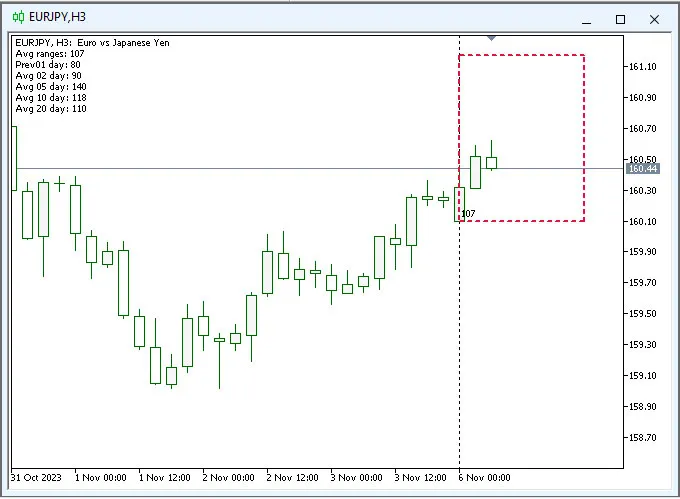
Hey fellow traders! Today, I’m excited to share insights on a fantastic MT5 custom indicator: wd.Range_DailyAvg.mq5. This tool is based on the MT4 indicator 'TSR_Ranges.mq4' by Ogeimais and is designed to help you gauge price movements more effectively. So, what’s the deal with this indicator? Well, it calculates the Average Daily Range (ADR) by analyzing 20 days' worth of historical price data, both highs and lows. Its main goal? To give you a clearer picture of today’s potential price action and help spot those golden profit opportunities based on past trading ranges. Here’s how the indicator works: Input Parameters: Display Average Range Information:This option lets you show or hide the Average Range Information on the upper left of your chart. Today's Price Zone Color:Choose the color for the rectangle that indicates today’s estimated price zone, plus customize the border style and width. Estimated Today’s Price Zone:Select the anchor for the price zone. You can choose 'Room_up' if you’re bullish or 'Room_down' if you’re bearish, depending on market trends. The number displayed inside the rectangle represents the Average Daily Range (ADR). This is calculated using the range of the previous day along with averages for 2-day, 5-day, 10-day, and 20-day periods. Don’t forget to enable the 'Show object description' option in your MT5 Chart Properties for a complete view! If you’re feeling bullish and want to estimate how far the price might move today, set the 'Estimated Today’s Price Zone' to 'Room_up.' In this case, the rectangle will indicate the lowest expected price for the day while using the ADR to set the highest price point. In summary, this indicator is a powerful tool that helps you forecast potential price movements based on 20 days of historical data and current market conditions. Depending on your chosen anchor (Room_up or Room_down), you’ll see potential levels for profit-taking or entry/exit points for trades. The visual representation makes it much easier to make informed trading decisions. Version History:----------------v2.23: Initial release

2023.11.06
Mastering the Donchian Channel: A Beginner's Guide for Traders
MetaTrader5
Mastering the Donchian Channel: A Beginner's Guide for Traders

Welcome to the world of trading! If you're just starting out, you may have come across the Donchian Channel—an invaluable tool that can help you navigate the markets with confidence. In this guide, we’ll break down what the Donchian Channel is, how to use it, and why it might just become your new best friend in trading. What is the Donchian Channel? The Donchian Channel is a trend-following indicator that helps traders identify potential breakouts and reversals. It does this by plotting the highest high and the lowest low over a specified period, creating an upper and lower band. The space between these bands is where the action happens! How to Use the Donchian Channel Identifying Breakouts: When the price breaks above the upper band, it may indicate a strong upward trend. Conversely, a drop below the lower band could signal a bearish move. Setting Stop Losses: Traders often use the bands as a guide for setting stop losses. Keeping your stop just outside the channel can help protect your capital. Combining with Other Indicators: For more robust trading signals, consider using the Donchian Channel alongside other indicators like moving averages or RSI. Setting Up the Donchian Channel in MetaTrader 5 To get started, you’ll need to add the Donchian Channel indicator to your MetaTrader 5 platform. Simply navigate to the indicators section, find the Donchian Channel, and adjust the settings according to your trading strategy. Don't forget to customize the colors and inputs to suit your preferences! In conclusion, the Donchian Channel is a straightforward yet powerful tool that can enhance your trading strategy. Whether you’re a newbie or a seasoned trader, understanding this indicator can help you make more informed decisions. So, why not give it a try and see how it fits into your trading plan?

2023.10.25
First Previous 14 15 16 17 18 19 20 21 22 23 24 Next Last