
The Awesome HTF Signal indicator is a powerful tool designed for MetaTrader 5, providing you with clear trend directions and insightful trading signals. Built on the Awesome Sign indicator, it generates visual cues that help you identify optimal market entry points.
When a prevailing trend continues at the selected bar, the indicator will alert you with a graphic representation resembling a steering wheel, color-coded to reflect the trend direction. Conversely, if there’s a shift in the trend, you’ll see a diagonal arrow that indicates the new deal direction.
Let’s break down the input parameters you need to know:
- Awesome Sign Indicator Parameters:
//+------------------------------------------------+//| Indicator input parameters |//+------------------------------------------------+inputstring Symbol_=""; // Financial assetinputENUM_TIMEFRAMES Timeframe=PERIOD_H6; // Timeframe for calculationsinput Smooth_Method XMA_Method=MODE_SMA; // Averaging method for Awesome histograminputint Fast_XMA = 5; // Fast moving average periodinputint Slow_XMA = 34; // Slow moving average periodinputint XPhase = 100; // Averaging parameter for moving averagesinput Smooth_Method Signal_Method=MODE_SMA; // Method for signal line averaginginputint Signal_XMA=5; // Signal line periodinputint Signal_Phase=100; // Parameter for signal lineinput Applied_price_ AppliedPrice=PRICE_CLOSE; // Price constant
- Visualization Parameters:
//---- Display settings for the indicatorinputuint SignalBar=0; // Bar number for getting a signal (0 - current bar)inputstring Symbols_Sirname=INDICATOR_NAME"_Label_"; // Indicator labels namesinputcolor Upsymbol_Color=clrDodgerBlue; // Uptrend symbol colorinputcolor Dnsymbol_Color=clrMagenta; // Downtrend symbol colorinputcolor IndName_Color=clrDarkOrchid; // Indicator name colorinputuint Symbols_Size=60; // Size of signal symbolsinputuint Font_Size=10; // Font size for indicator nameinputint X_1=5; // Horizontal offset for nameinputint Y_1=-15; // Vertical offset for nameinputbool ShowIndName=true; // Display indicator nameinputENUM_BASE_CORNER WhatCorner=CORNER_RIGHT_UPPER;// Display cornerinputuint X_=0; // Horizontal offsetinputuint Y_=20; // Vertical offset
- Alert and Audio Signal Parameters:
//---- Alert settingsinput ENUM_ALERT_MODE alert_mode=OnlySound; // Alert trigger optioninputuint AlertCount=0; // Number of alerts
If you’re planning to use multiple Awesome HTF Signal indicators on a single chart, make sure each has its own unique Symbols_Sirname to avoid confusion with labels.
Keep in mind that this indicator requires the compiled Awesome_Sign.mq5 file placed in your <terminal_data_folder>\MQL5\Indicators\ directory.
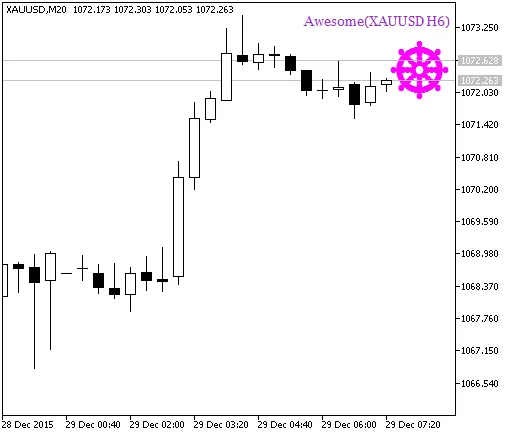
Figure 1. The Awesome HTF Signal indicator A signal of trend continuation
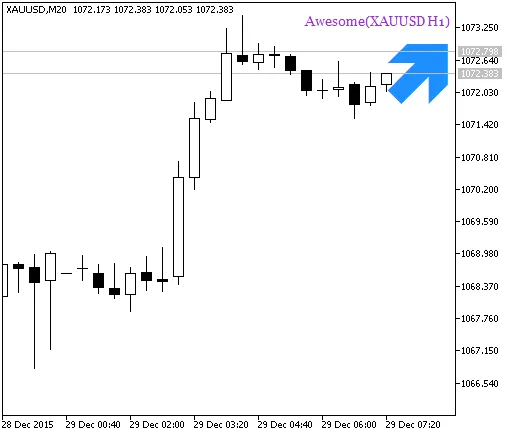
Fig. 2. The Awesome HTF Signal indicator Signal for trade




Comments 0