
If you're looking to add a splash of color to your trading dashboard, the modified Days of the Week Indicator for MetaTrader 5 is just what you need! Each day of the week is highlighted in a unique color, making it easier to visualize your trading activity.
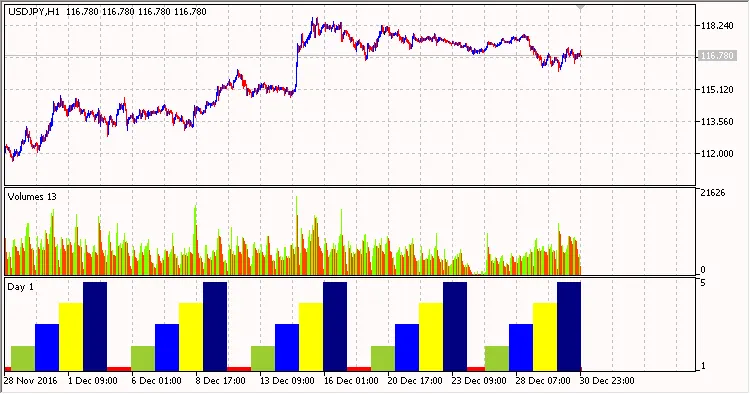
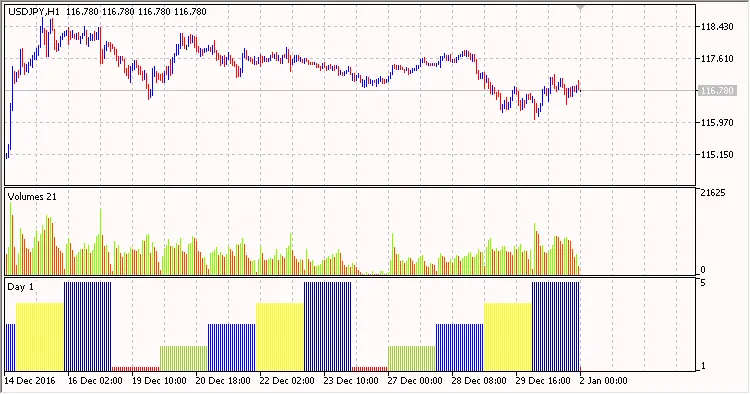
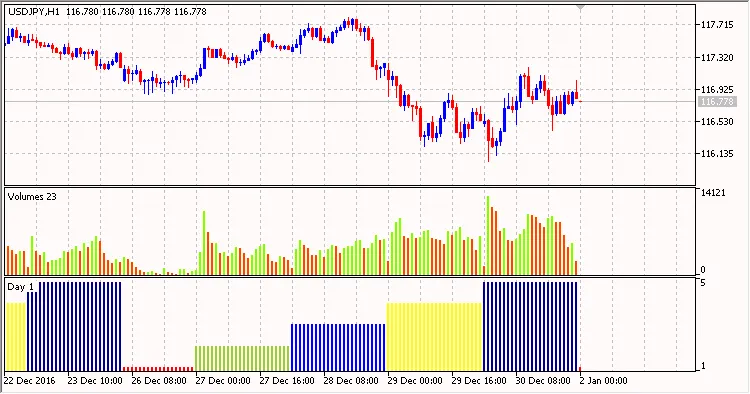
The key to this indicator lies in the DRAW_COLOR_HISTOGRAM style, which utilizes two buffers: a value buffer called HistogramBuffer and a color buffer named HistogramColors.
//+------------------------------------------------------------------+//|                                       Days of the Week Color.mq5 |//|                              Copyright © 2018, Vladimir Karputov |//|                                           http://wmua.ru/slesar/ |//+------------------------------------------------------------------+#property copyright"Copyright © 2018, Vladimir Karputov"#property link      "http://wmua.ru/slesar/"#property version   "1.000"#property indicator_separate_window#property description"Days of the week in the form of a color histogram"#property indicator_separate_window#property indicator_buffers2#property indicator_plots   1//--- plot Histogram #property indicator_label1  "Day colors"#property indicator_type1   DRAW_COLOR_HISTOGRAM//--- define 8 colors for coloring sections#property indicator_color1  clrCyan,clrRed,clrYellowGreen,clrBlue,clrYellow,clrNavy,clrGold,clrMediumSeaGreen#property indicator_style1  STYLE_SOLID#property indicator_width1  2//--- indicator buffers double         HistogramBuffer[];double         HistogramColors[];
//+------------------------------------------------------------------+//| Custom indicator initialization function                     |//+------------------------------------------------------------------+
You can customize the colors in the line below:
//--- define 8 colors for coloring sections#property indicator_color1 clrCyan,clrRed,clrYellowGreen,clrBlue,clrYellow,clrNavy,clrGold,clrMediumSeaGreen
In this setup, the color clrCyan has an index of "0", clrRed is "1", and so forth.
You can manage the histogram colors by assigning a unique color index to each entry in the HistogramColors buffer:
switch(STime.day_of_week)
        {
         case  0:
            HistogramBuffer[i]=0;
            HistogramColors[i]=0;
            break;
         case  1:
            HistogramBuffer[i]=1;
            HistogramColors[i]=1;
            break;
         case  2:
            HistogramBuffer[i]=2;
            HistogramColors[i]=2;
            break;
         case  3:
            HistogramBuffer[i]=3;
            HistogramColors[i]=3;
            break;
         case  4:
            HistogramBuffer[i]=4;
            HistogramColors[i]=4;
            break;
         case  5:
            HistogramBuffer[i]=5;
            HistogramColors[i]=5;
            break;
         case  6:
            HistogramBuffer[i]=6;
            HistogramColors[i]=6;
            break;
        }
By using this indicator, you can easily see the trading patterns that correspond to specific days, helping you make informed decisions!




Comments 0