
Are you looking to enhance your trading strategies? The QQE_HTF_Signal indicator for MetaTrader 5 might just be the tool you need. This nifty indicator provides clear insights into trend directions and signals generated by the QQESign indicator. You’ll get a visual representation of trends right on your chart, complete with colored signals that indicate whether to buy or sell. Plus, it can alert you with audio signals, ensuring you never miss a beat!
When the trend continues at the selected bar, the indicator displays a right arrow, with the color indicating the trend’s direction. If the trend changes, a diagonal arrow pops up, showing both the color and direction for your next deal. It’s all about making your trading decisions easier!
Let’s break down the input parameters into three main groups:
- QQESign Input Parameters:
inputstring Symbol_="";                               // Financial assetinputENUM_TIMEFRAMES Timeframe=PERIOD_H6;             // Indicator timeframe for calculationinputuint RSI_Period=123;
inputuint SF=41;
inputdouble DARFACTOR=4.236;
input Smooth_Method XMA_Method=MODE_SMA;               // Method of averaginginputint XPhase=15;                                   // Smoothing parameterinputENUM_APPLIED_PRICE   RSIPrice=PRICE_CLOSE;
- Visualization Parameters:
//---- indicator display settingsinputuint SignalBar=0; // Bar number for getting a signal (0 - current bar)inputstring Symbols_Sirname=INDICATOR_NAME"_Label_"; // Indicator labels namesinputcolor Upsymbol_Color=clrRoyalBlue; // Uptrend symbol colorinputcolor Dnsymbol_Color=clrDeepPink; // Downtrend symbol colorinputcolor IndName_Color=clrDarkOrchid; // Indicator name colorinputuint Symbols_Size=60; // Signal symbols sizeinputuint Font_Size=10; // Indicator name font sizeinputint X_1=5; // Horizontal name offsetinputint Y_1=-15; // Vertical name offsetinputbool ShowIndName=true; // Indicator name displayinputENUM_BASE_CORNER WhatCorner=CORNER_RIGHT_UPPER; // Display cornerinputuint X_=0; // Horizontal offsetinputuint Y_=20;
- Alert and Audio Signal Parameters:
//---- alerts settingsinput ENUM_ALERT_MODE alert_mode=OnlySound; // Indicator triggering optioninputuint AlertCount=0; // Number of alerts
If you want to use multiple QQE_HTF_Signal indicators on the same chart, make sure each one has its own unique Symbols_Sirname for the indicator label names. This way, you'll avoid any mix-ups!
Don’t forget, this indicator requires the compiled QQESign.mq5 file. Be sure to place it in <terminal_data_folder>\MQL5\Indicators\ to get it up and running smoothly.
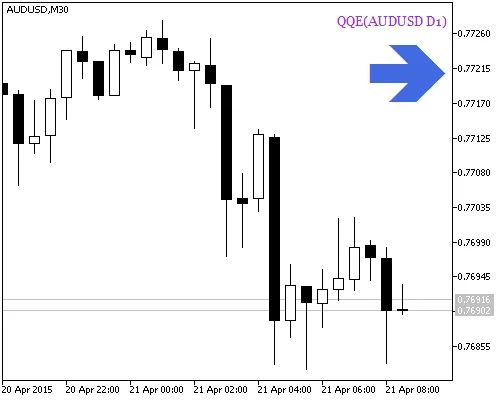
Fig.1. QQE_HTF_Signal. Signal of trend continuation
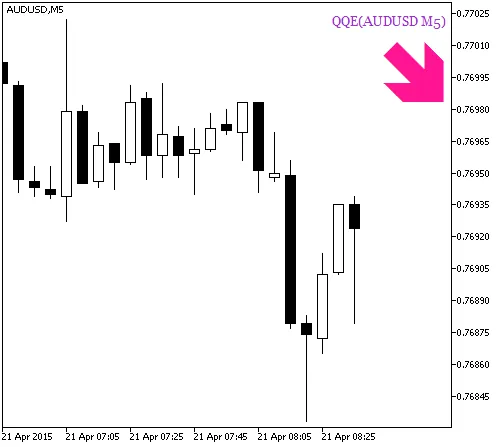
Fig.2. QQE_HTF_Signal. Signal for a deal




Comments 0