
If you're diving into the world of manual and automated trading, the game panel is an exciting tool to explore. This panel showcases the capabilities of the MasterWindows library, which allows you to design interface windows seamlessly.
By analyzing price data from the ENUM_APPLIED_PRICE category, you can make educated guesses about future price movements. The likelihood of these movements is displayed on a scale and as a percentage. With the trade panel's functionality, you can send requests for your broker to execute trades. In this example, we’re using market orders. Plus, you can easily adjust your position size, close trades, and even enable autopilot.
Autopilot refers to automated trading based on signals from the panel. You can activate this feature with just a click of a button.
Input Data:
inputENUM_TIMEFRAMES tf=PERIOD_M5;// Chart period for signal calculation
Here, you can set the desired chart period, allowing the program to pull price data for accurate calculations.
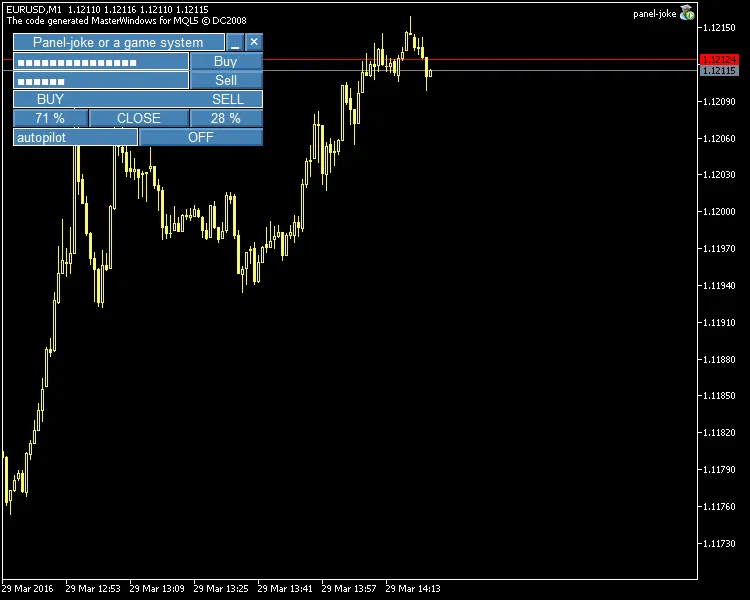
Fig. 1. The game trade panel
Recommendations:
- Make sure to add the MasterWindows library to your \MQL5\Include\ folder for optimal performance of the interface windows you create.
- For the best visual experience, use graphical schemes with a black background when creating your interface windows.
- Keep in mind that this is a demo panel (essentially a fun program) and isn’t meant for live accounts. However, feel free to tweak the BUYorSELL() signal generation function to align with your trading strategy, add support functions, and test it out on a live account if you’re feeling adventurous!




Comments 0