
If you're looking to enhance your trading experience with MetaTrader 5, the XCCI Histogram Volume indicator is a fantastic tool to consider. This trading system generates signals based on the closing of bars, specifically when they break through overbought or oversold levels. It’s crucial to note that each of these levels has its own unique position, complete with a magic number and size for each breakthrough.
inputuint Magic1=555; // Magic number for standard signal ordersinputuint Magic2=777; // Magic number for strong signal ordersinputdouble MM1=0.1; // Percentage of deposit for normal signal tradesinputdouble MM2=0.2; // Percentage of deposit for strong signal trades
For the EA to function smoothly, make sure the compiled XCCI_Histogram_Vol.ex5 indicator file is located in your <terminal_data_directory>\MQL5\Indicators folder.
In the tests below, the default input parameters of the Expert Advisor were utilized. Notably, Stop Loss and Take Profit settings were not implemented during these tests.

Fig. 1. Examples of trades on the chart
Here are the testing results for USDJPY on the H4 timeframe during the year 2017:
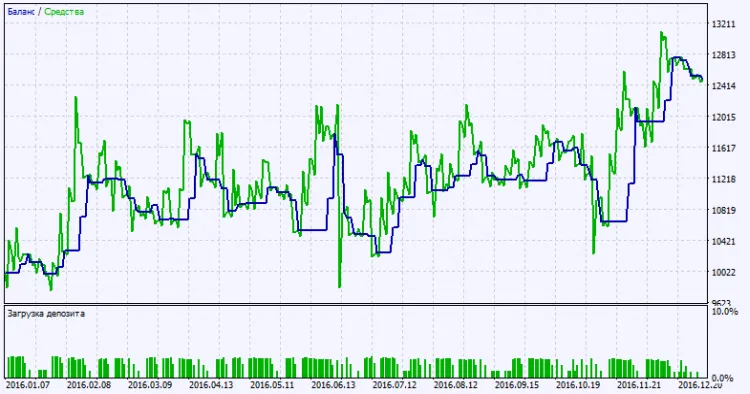
Fig. 2. Test results chart




Comments 0