
Idea by: Marc Boggs
Code mq5 by: barabashkakvn
Important: The EA Only Works on Hedge Accounts!
This EA utilizes various classes such as CPositionInfo, CTrade, CSymbolInfo, CAccountInfo, COrderInfo, and CArrayObj.
You can set up to four levels for placing pending orders through the input parameters. The order levels follow a specific logic:
Level #0 < Level #1 < Level #2 < Level #3
The EA keeps a close eye on market movements, operating on each tick. It activates when the price breaks through one of the lines of the iBands (Bollinger Bands, BB) at the distance of Level #3. When this happens, it will place the pending orders accordingly. Below is an example where a breakthrough of the upper line occurs, resulting in four Sell stop orders being placed:
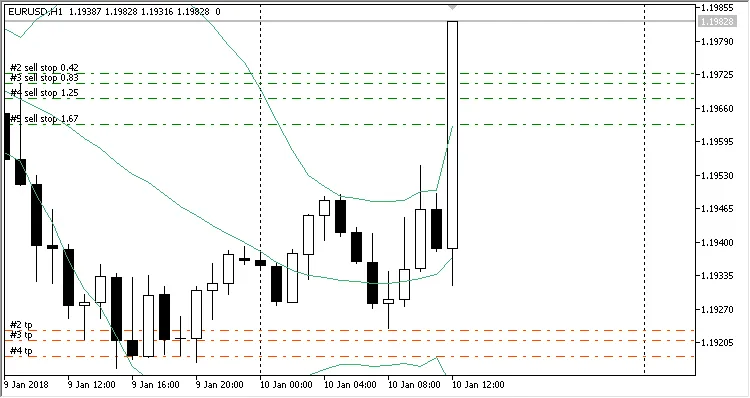
Likewise, if the lower line is broken, the EA will place pending Buy stop orders.
For each pending order, you can set the Pending Stop Orders Expiration Time (in minutes), allowing for both fixed and dynamic (based on risk percentages) lot sizes. The type of lot is defined in the Money Management settings.
You also have the flexibility to disable parameters like Stop Loss, Take Profit, and Trailing Stop by simply setting their values to 0.0.
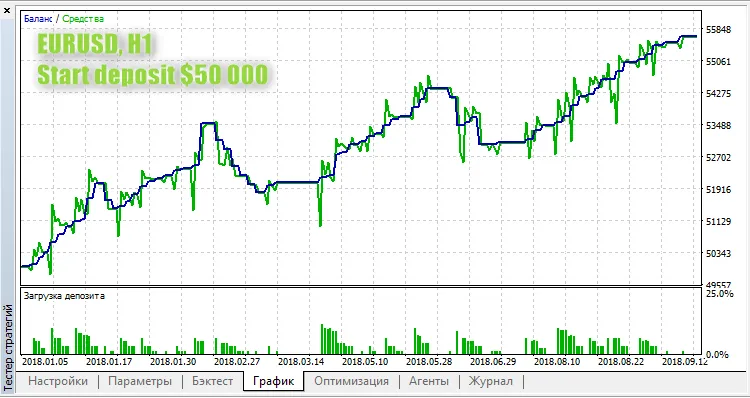
Here’s a quick look at a sample run on EURUSD at H1:
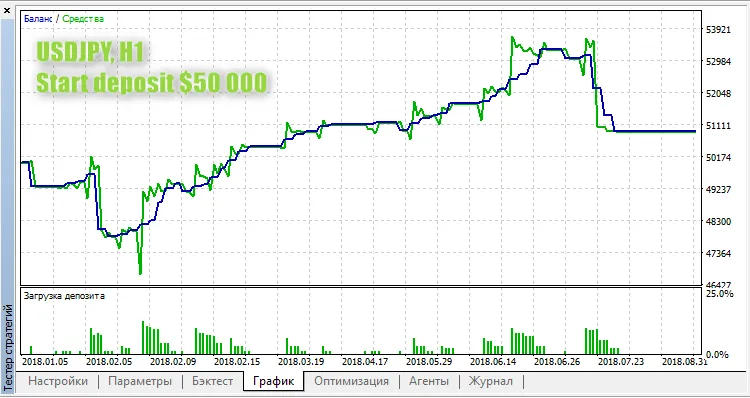
And another example on USDJPY at H1:




Comments 0