
Concept Creator: Scriptor
Code Developer: barabashkakvn
When it comes to trading, defining the channel width, known as Channel Open Close, from the previous day is crucial. If the channel width meets our criteria, we then determine the amount of roll-back, focusing on Rollback and Channel Rollback. The system draws OBJ_RECTANGLE objects to visualize this.
This Expert Advisor (EA) operates on the H1 timeframe. It's important to note that this parameter is hardcoded and not adjustable through inputs. Trading is disabled on Mondays and Fridays. If there are no open positions and the last known trading server time is between 00:00 and 00:03, the EA will check the channel and the roll-back.
To calculate the channel width, we simply find the difference between the Open price of bar #24 and the Close price of bar #1.
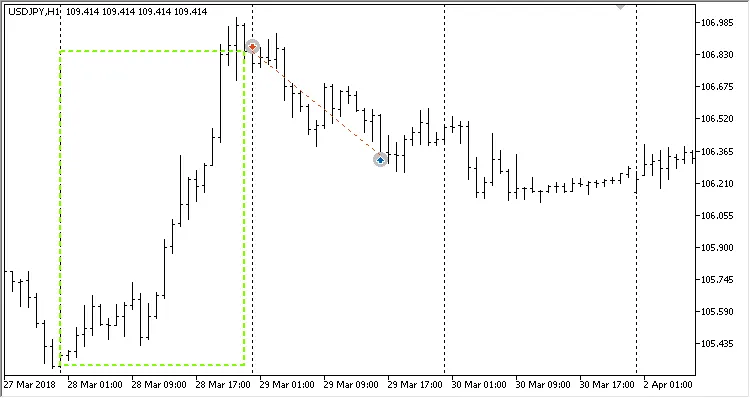
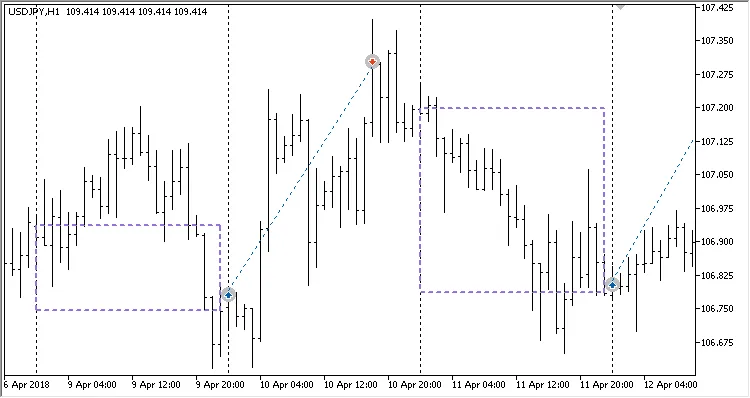
When the conditions to open a position are met, the channel appears as an OBJ_RECTANGLE object:




Comments 0