
Have you ever found yourself tangled up in the complexities of trading? Meet the Ichimoku Retracement EA—your new best friend for navigating those tricky market movements. This EA is designed to trade whenever there's a retracement from the Ichimoku levels, all while incorporating a trailing stop loss and take profit functionality. And the best part? It works seamlessly across all time frames, whether you're trading major forex pairs or stocks on NASDAQ!
Key Features of the Ichimoku Retracement EA
- Start with a demo account to get a feel for it.
- This EA only trades based on the opening price of the candle, keeping things straightforward!
- If you prefer not to increase your lot size after a loss, simply set IncreaseFactor=0.
Input Settings
- Use_TP_In_Money: Enable Take Profit in Money (true/false).
- TP_In_Money: Set your Take Profit in Money (values: 10-100).
- Use_TP_In_percent: Enable Take Profit in Percent (true/false).
- TP_In_Percent: Set your Take Profit in Percent (values: 10-100).
- Enable_Trailing: Activate Trailing Stop with Money (true/false).
- Take Profit In Money: Set a range (values: 25-200).
- Stop Loss In Money: Define your stop loss (values: 1-20).
- Exit: Close trades if the trend turns against you (true/false).
- Lots: Set lot size (values: 0.01-1).
- IncreaseFactor: Specify how much to increase lots after a loss (values: 0.001-0.1).
- Stop_Loss: Set your stop loss (values: 30-500). Use 600 for multiple trades.
- MagicNumber: Assign a magic number (values: 1-100000).
- TakeProfit: Set your take profit (values: 50-200). Use 600 for multiple trades.
- FastMA: Set the Fast Moving Average (values: 1-20).
- SlowMA: Set the Slow Moving Average (values: 50-200).
- Mom_Sell: Momentum Sell trigger (values: 0.1-0.9).
- Mom_Buy: Momentum Buy trigger (values: 0.1-0.9).
- UseEquityStop: Enable equity stop (true/false).
- TotalEquityRisk: Set risk (values: 0.01-20).
- Max_Trades: Define maximum trades (values: 1-12).
- TrailingStop: Set a value between 40 and 100 to activate trailing stop loss; using 0 will deactivate it.
- Enable Break Even: Activate break-even functionality (true/false).
- Break Even Move: Set the number of pips to move for break-even (values: 5-30).
It's a good idea to optimize this EA every few months, using the same inputs above. Whether you want to use it as a hedging grid EA or a single trade EA, this tool has you covered.
How to Perform a Backtest
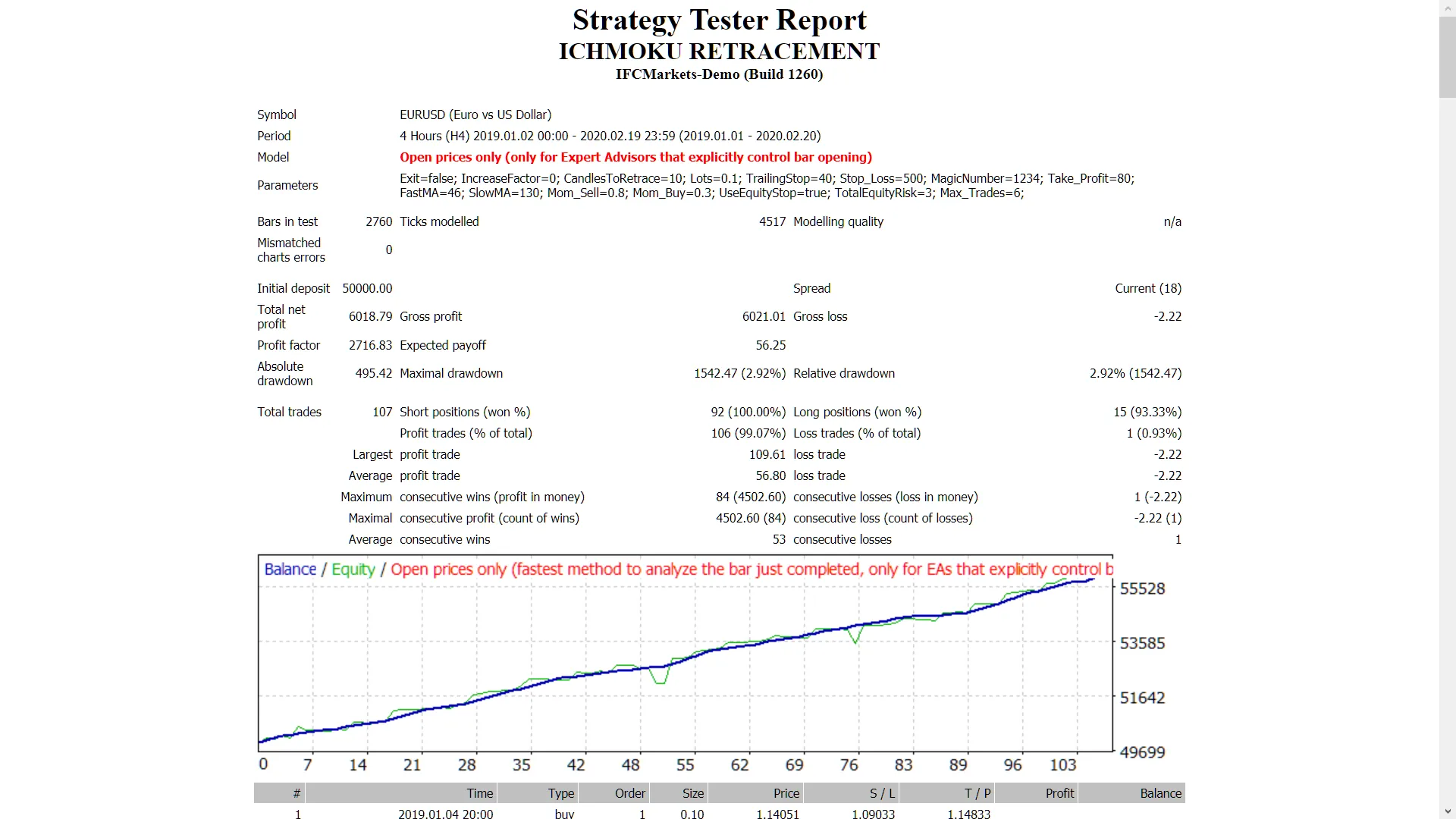
Curious about how to backtest your strategy? Check out this guide here.




Comments 0